
hayee123 - Minecraft Skins & Skin History
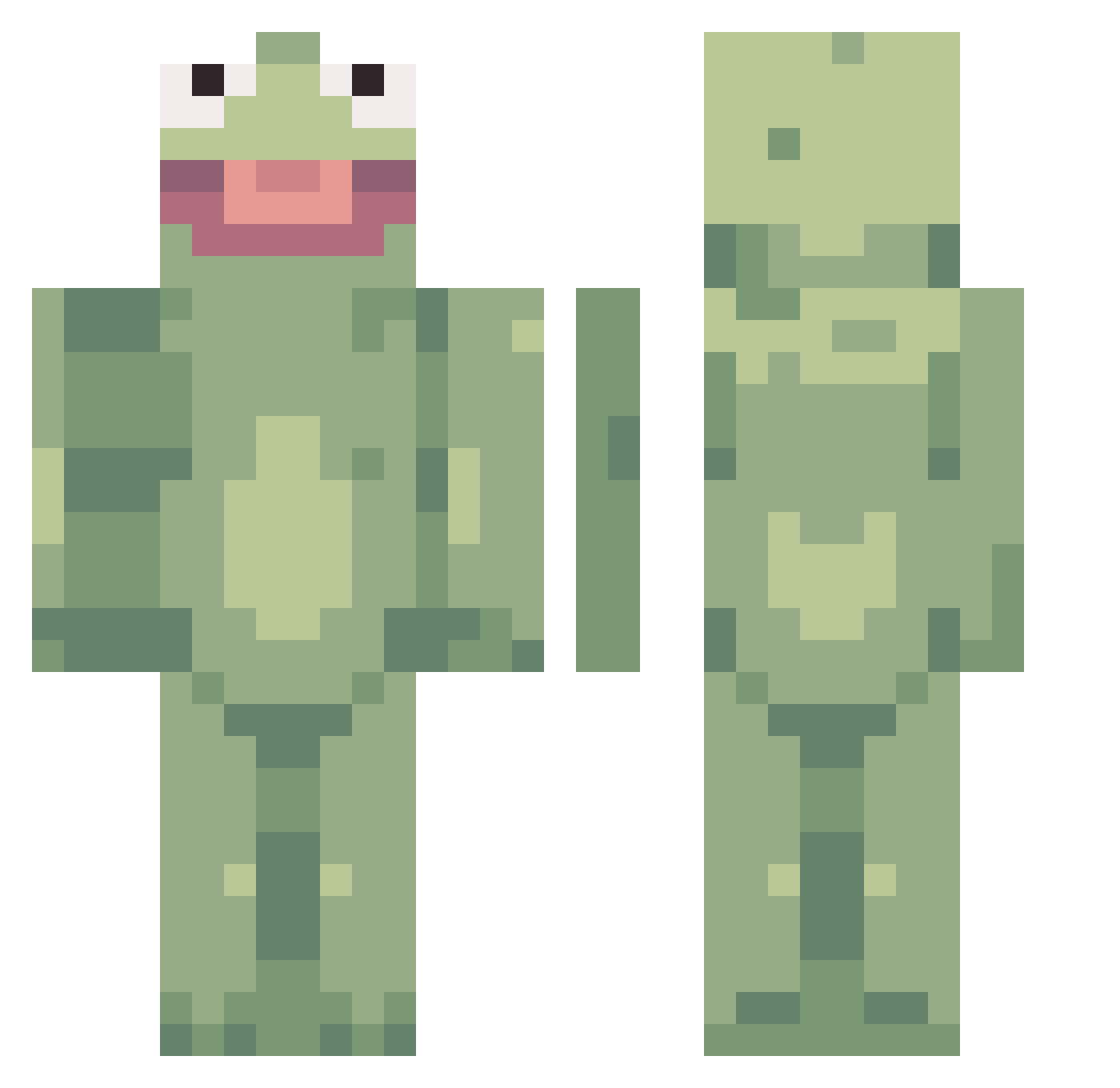
Current Minecraft skin of the player hayee123, loaded from the official Mojang API. Rotate the 3D model with your mouse or finger, then download the skin as a PNG file and use it in Minecraft: Bedrock Edition or Java Edition for free. When hayee123 changes their skin, this page updates automatically and the old skin stays in the history below.
Other players with this skin (359)
hayee123 was the 131st player we have seen with this skin, first spotted on 02.09.2026. The same skin was seen on these players. Open a nickname to see their current skin and skin history.
 Ryftyy sdalgliesh torschhh Wingdingerz saltworm ConflictedV WhereTheBeans DelvReyG StreetPotato erikhoe PastoBonito Sheep_Wolf karenlovesjesus calbuns Molina17_ Brendy1728 iiBlackFang oppingo SisterFan101 Gooddnightt charlotteispog BruhMoment12 Calrulean noldoggy rhezamae TukTheDestroyer Agentpotato5321 iiccx brittleminds Chrisdean123 Searching3454 S_N_O_T Aarkanian FutureTrunks47 cathycathycathy Cittle_Lunt Peppichu gomnnm kidneyeater3 kitxhen waimerz Pink_smurf jake8newt BOSAL_KIM Tangerine _Plort_ Keptixx k8nado Imhimbruv chlo_rine XxMang0_Ju1cexX GusiiSenpaii drinkel Doweis Jacfar Z03Ylu23 Recoil_Uzumaki_7 cheesybreaq EstebanBlock DominikWhs
More Kermit The Frog Minecraft skins
See all 395 Kermit The Frog skins
How to install the hayee123 skin
- Press the Download button above to save the skin as a PNG file.
- Minecraft: Bedrock Edition (PE): open the Dressing Room from the main menu (or tap your character → Edit Character), go to Classic Skins → Owned, press the + (new skin) button, choose the downloaded PNG and pick the Classic (Steve) model. Works on PC and mobile; consoles cannot import custom skins.
- Minecraft: Java Edition: open the Minecraft Launcher, go to the Skins tab, click New Skin, load the PNG, pick the Classic (Steve) model and press Save & Use. You can also upload it at minecraft.net → Profile → Change Skin.
The skin does not show up after import - what should I do?
Restart Minecraft and open the Dressing Room again - imported skins sometimes appear only after a restart. Also make sure you selected the imported skin and picked the Classic (Steve) model.
Which model should I choose, Classic or Slim?
This skin is designed for the Classic (Steve) model. If you pick the wrong model, the arms of the skin will look stretched or squeezed.
Is the skin of hayee123 free to download?
Yes. Press Download, save the PNG file and use it in Minecraft: Bedrock Edition or Java Edition - no payment or registration needed. The skin also works on multiplayer servers and Realms.
More skins
Looking for more? Go back to all Minecraft skins and check the top skins of the week, month and all time, or find any player's skin by nickname.