
haribo_kid - Minecraft Skins & Skin History
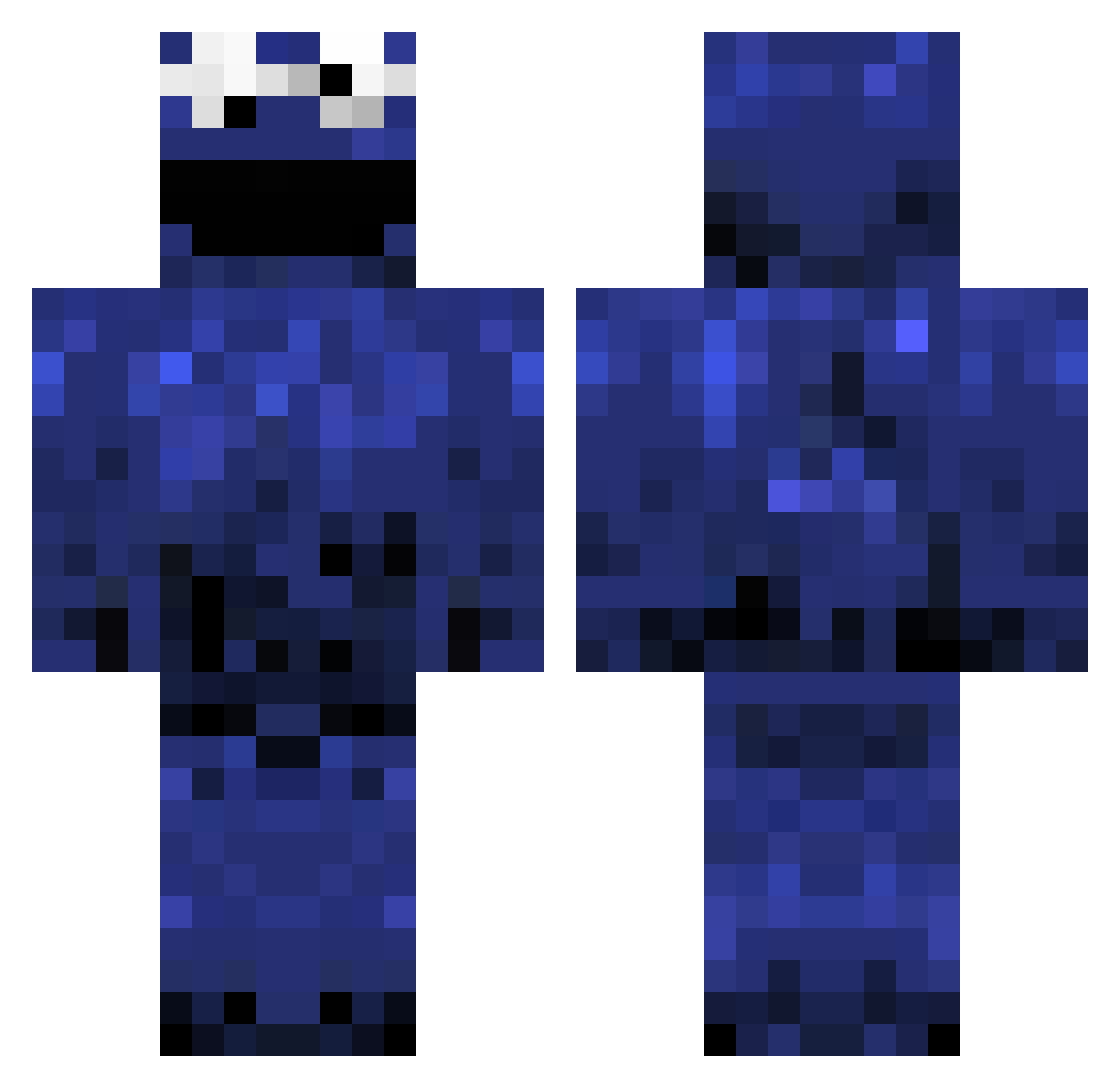
Current Minecraft skin of the player haribo_kid, loaded from the official Mojang API. Rotate the 3D model with your mouse or finger, then download the skin as a PNG file and use it in Minecraft: Bedrock Edition or Java Edition for free. When haribo_kid changes their skin, this page updates automatically and the old skin stays in the history below.
Other players with this skin (983)
haribo_kid was the 737th player we have seen with this skin, first spotted on 04.10.2026. The same skin was seen on these players. Open a nickname to see their current skin and skin history.
 billybobtcl mintygod Jaukim maraudah Reminish hazzic asdalavisa nazre jimicandie awesomeblade13 DCH69 chelseaplayer13 mobiheath Faucett HighPigeon TH3italianboy Optionally outerspacedog White_Rice_MW cali515 oosdijk Krumelmonster190 Epic_Narwal TehLoCo Blu3M0nster Skyhigh755 willu2000 marta_malina Pipppeh Doyley44 _jub Warzooo cripplej SheLovesMechie BernSluis Zebane manofgras doodlebobby soccerplyr27 Dumle128 Joker7777777 cavacava178 Vatical bgray75998 Sanin PoopGrenade88 Brotbaum oscarboi5 shadeanimal critz95 lundqvist49 aka_Tom evoleader MinecraftFloh MrGiantderp FrostiNites Lefordham JayMoBlud Lasso88 EnderJustinn
More Cookie Monster Minecraft skins
See all 241 Cookie Monster skins
How to install the haribo_kid skin
- Press the Download button above to save the skin as a PNG file.
- Minecraft: Bedrock Edition (PE): open the Dressing Room from the main menu (or tap your character → Edit Character), go to Classic Skins → Owned, press the + (new skin) button, choose the downloaded PNG and pick the Classic (Steve) model. Works on PC and mobile; consoles cannot import custom skins.
- Minecraft: Java Edition: open the Minecraft Launcher, go to the Skins tab, click New Skin, load the PNG, pick the Classic (Steve) model and press Save & Use. You can also upload it at minecraft.net → Profile → Change Skin.
The skin does not show up after import - what should I do?
Restart Minecraft and open the Dressing Room again - imported skins sometimes appear only after a restart. Also make sure you selected the imported skin and picked the Classic (Steve) model.
Which model should I choose, Classic or Slim?
This skin is designed for the Classic (Steve) model. If you pick the wrong model, the arms of the skin will look stretched or squeezed.
Is the skin of haribo_kid free to download?
Yes. Press Download, save the PNG file and use it in Minecraft: Bedrock Edition or Java Edition - no payment or registration needed. The skin also works on multiplayer servers and Realms.
More skins
Looking for more? Go back to all Minecraft skins and check the top skins of the week, month and all time, or find any player's skin by nickname.