
hansuhyun42 - Minecraft Skins & Skin History
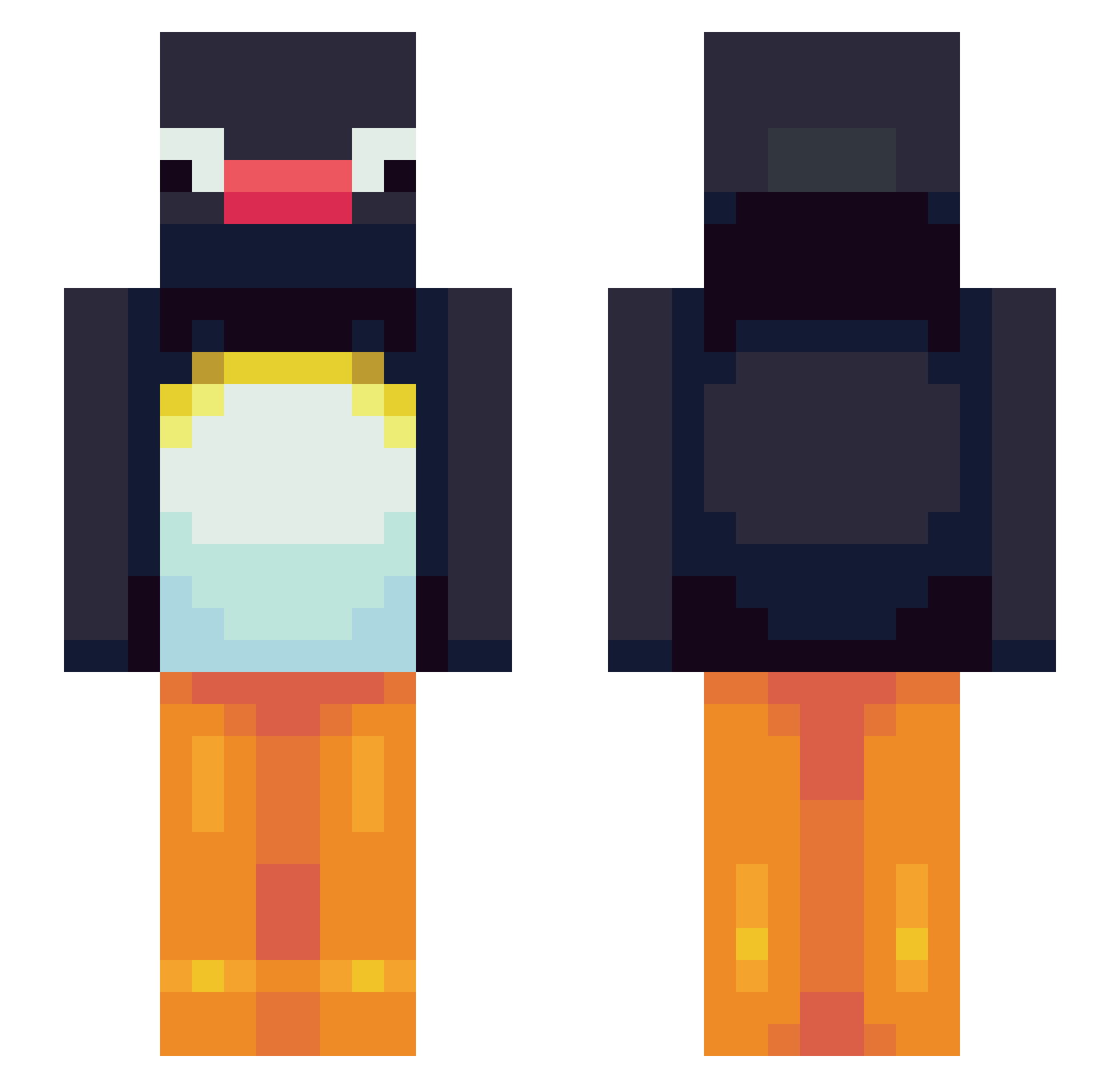
Current Minecraft skin of the player hansuhyun42, loaded from the official Mojang API. Rotate the 3D model with your mouse or finger, then download the skin as a PNG file and use it in Minecraft: Bedrock Edition or Java Edition for free. When hansuhyun42 changes their skin, this page updates automatically and the old skin stays in the history below.
Other players with this skin (106)
hansuhyun42 was the 72nd player we have seen with this skin, first spotted on 05.10.2026. The same skin was seen on these players. Open a nickname to see their current skin and skin history.
 Korosuke7178 Rangwoooooooo boulxd TAKACHAN00r hwan_00 Kagotis yunka11 lcm_lmo95 Coldiesz paopao1222 carottemechante xsuperrrr hhhhhhhhiiii tonimeraki mikenike5910 maansic NearbyKitten654 tthang_G pyke37 gaejasik69 estellekura Hongseoyoung RodZC4 DK0H StevieBowie taellipsism LingLing_Hou 0Mxvy0 iv4n016 WalaBEE PinguThePenguin7 Draloz RealThugger tinf0 RileyKerr01 BlueHoon cottonbears ilovemms_ GiMoChan Nordfronted homusae1 sistershawty XiQiu_ Sky_Asrai Galuelar LeeSeongHoHo Breeeck xdl225 StarSky0 letaill Noel1554 Di4Deal mxqn Egglegbread pudepude HaruhHaruh shangri7 redrikraynor RARAPiNO JJ1nM
More Pingu Minecraft skins
How to install the hansuhyun42 skin
- Press the Download button above to save the skin as a PNG file.
- Minecraft: Bedrock Edition (PE): open the Dressing Room from the main menu (or tap your character → Edit Character), go to Classic Skins → Owned, press the + (new skin) button, choose the downloaded PNG and pick the Slim (Alex) model. Works on PC and mobile; consoles cannot import custom skins.
- Minecraft: Java Edition: open the Minecraft Launcher, go to the Skins tab, click New Skin, load the PNG, pick the Slim (Alex) model and press Save & Use. You can also upload it at minecraft.net → Profile → Change Skin.
The skin does not show up after import - what should I do?
Restart Minecraft and open the Dressing Room again - imported skins sometimes appear only after a restart. Also make sure you selected the imported skin and picked the Slim (Alex) model.
Which model should I choose, Classic or Slim?
This skin is designed for the Slim (Alex) model. If you pick the wrong model, the arms of the skin will look stretched or squeezed.
Is the skin of hansuhyun42 free to download?
Yes. Press Download, save the PNG file and use it in Minecraft: Bedrock Edition or Java Edition - no payment or registration needed. The skin also works on multiplayer servers and Realms.
More skins
Looking for more? Go back to all Minecraft skins and check the top skins of the week, month and all time, or find any player's skin by nickname.