
gyugyu1113 - Minecraft Skins & Skin History
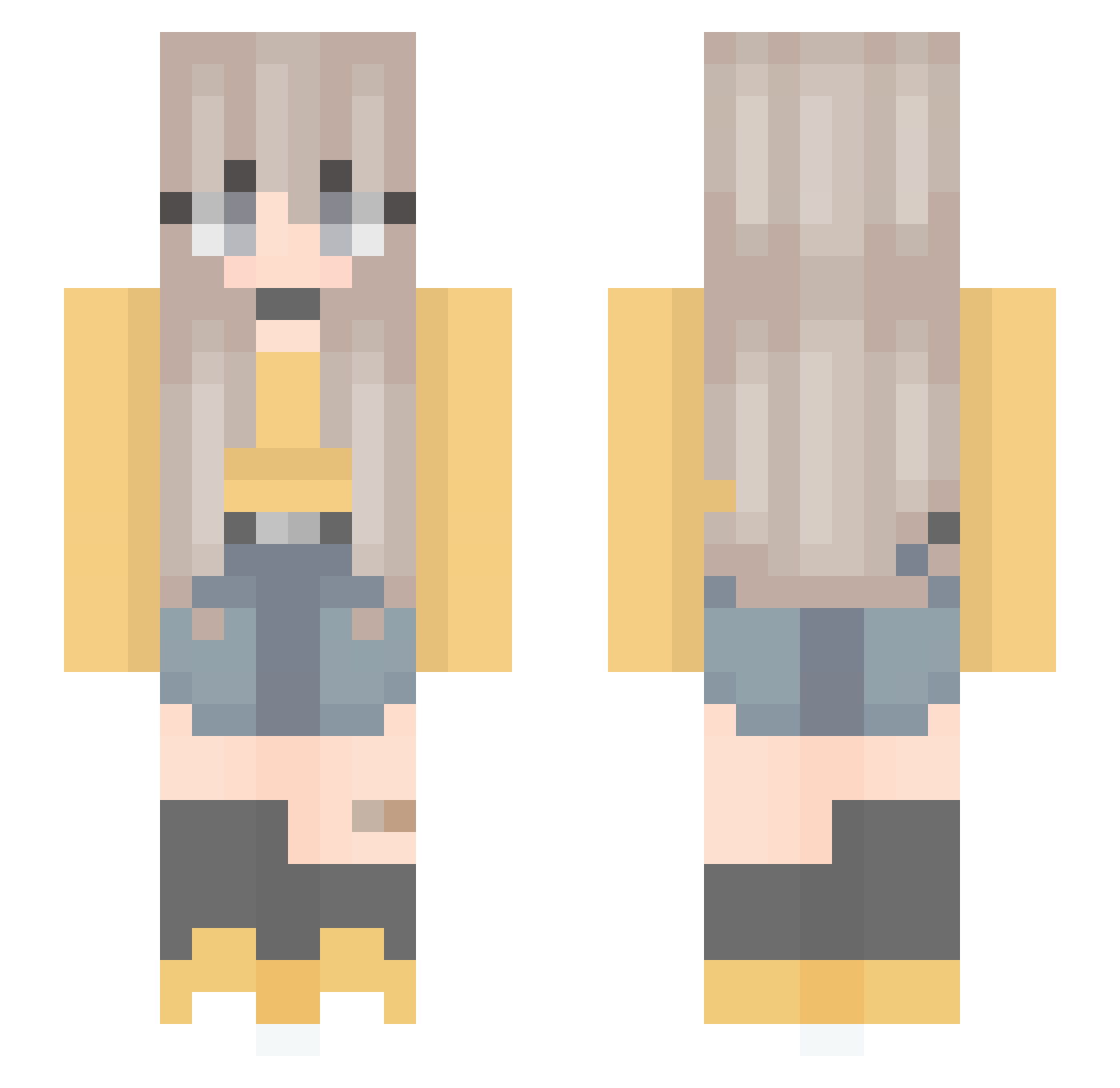
Current Minecraft skin of the player gyugyu1113, loaded from the official Mojang API. Rotate the 3D model with your mouse or finger, then download the skin as a PNG file and use it in Minecraft: Bedrock Edition or Java Edition for free. When gyugyu1113 changes their skin, this page updates automatically and the old skin stays in the history below.
Other players with this skin (301)
gyugyu1113 was the 297th player we have seen with this skin, first spotted on 08.11.2026. The same skin was seen on these players. Open a nickname to see their current skin and skin history.
 GilinskyLove coolunicorn8044 gramAGA Love_Aimer Margo_Violet Izzerbell TDCDaniel froggylex WhoAMI445 chiyuan123 LizC2740 skrtmemory jrosies shield221 SBC009 Sirira leejunhyung apiphy Spiagirl woals0219 caamiele FemkeLh Polisse MOGUvv Respxnsible Rabbit_Whites LostiLea Calfulix Unstoppable47 mvyoq Fryt3x yumeimeiye Larmalade matyldaaw Chudzik_ FocusJung X_Ali_Whiskers_X ghostmouse13 M1yaboo jennadillonm Slancio milknsunny KAZE_HANE Harinezumi0604 Yas34t ThePanadal Waffle3_3 Alivsee emily240207 cleary01 ruuw Yuncheen cwdrl Jeknee12 Zisssma EUNIPARK aniitacr Ningteaea Reagan20000808 SweetLea
More Anime Minecraft skins
How to install the gyugyu1113 skin
- Press the Download button above to save the skin as a PNG file.
- Minecraft: Bedrock Edition (PE): open the Dressing Room from the main menu (or tap your character → Edit Character), go to Classic Skins → Owned, press the + (new skin) button, choose the downloaded PNG and pick the Slim (Alex) model. Works on PC and mobile; consoles cannot import custom skins.
- Minecraft: Java Edition: open the Minecraft Launcher, go to the Skins tab, click New Skin, load the PNG, pick the Slim (Alex) model and press Save & Use. You can also upload it at minecraft.net → Profile → Change Skin.
The skin does not show up after import - what should I do?
Restart Minecraft and open the Dressing Room again - imported skins sometimes appear only after a restart. Also make sure you selected the imported skin and picked the Slim (Alex) model.
Which model should I choose, Classic or Slim?
This skin is designed for the Slim (Alex) model. If you pick the wrong model, the arms of the skin will look stretched or squeezed.
Is the skin of gyugyu1113 free to download?
Yes. Press Download, save the PNG file and use it in Minecraft: Bedrock Edition or Java Edition - no payment or registration needed. The skin also works on multiplayer servers and Realms.
More skins
Looking for more? Go back to all Minecraft skins and check the top skins of the week, month and all time, or find any player's skin by nickname.