
grlc01 - Minecraft Skins & Skin History
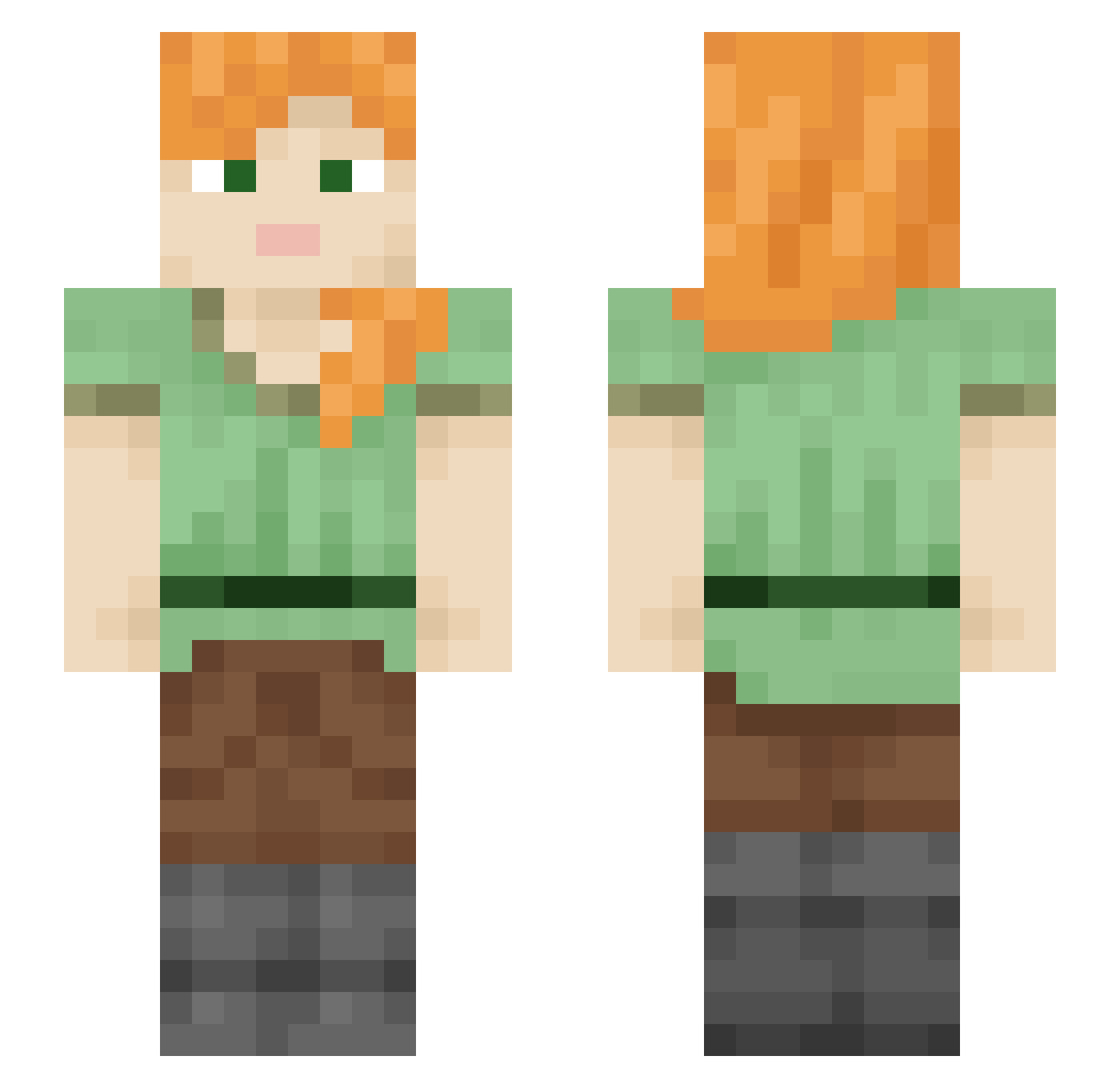
Current Minecraft skin of the player grlc01, loaded from the official Mojang API. Rotate the 3D model with your mouse or finger, then download the skin as a PNG file and use it in Minecraft: Bedrock Edition or Java Edition for free. When grlc01 changes their skin, this page updates automatically and the old skin stays in the history below.
Other players with this skin (2371)
grlc01 was the 2302nd player we have seen with this skin, first spotted on 10.11.2026. The same skin was seen on these players. Open a nickname to see their current skin and skin history.
 telautograph bookmine6 sarukichi1020 10c_msmc_3sr Budi0709 PastaAlfredont ilzg mostrocapibara Baiera6mealy8 sternward Izzy_155 sherbet Dialina NoLxv3_ IEatYourDogla_ pured LvL300DocMain dawidowpro soutane Camiils Semitrailer swckin wonmop Leesieloo101 Cutewuw foralite cocoas Jayberg Katasil dev_worad monkeyc0ol tickle_master443 Unformulated Minhoang takealot Sticking Myoinositol Shelrenne silobran Cobrabolt Dodecyl nissan380z telebb Sofiagam14 mounting PooKoo FlapDragon OhBlu OnyxShalventx kqts_ antous zzinuyu MelihKuyt Balks Tricar youysu _coward__ FOW Nourification MonEl
How to install the grlc01 skin
- Press the Download button above to save the skin as a PNG file.
- Minecraft: Bedrock Edition (PE): open the Dressing Room from the main menu (or tap your character → Edit Character), go to Classic Skins → Owned, press the + (new skin) button, choose the downloaded PNG and pick the Slim (Alex) model. Works on PC and mobile; consoles cannot import custom skins.
- Minecraft: Java Edition: open the Minecraft Launcher, go to the Skins tab, click New Skin, load the PNG, pick the Slim (Alex) model and press Save & Use. You can also upload it at minecraft.net → Profile → Change Skin.
The skin does not show up after import - what should I do?
Restart Minecraft and open the Dressing Room again - imported skins sometimes appear only after a restart. Also make sure you selected the imported skin and picked the Slim (Alex) model.
Which model should I choose, Classic or Slim?
This skin is designed for the Slim (Alex) model. If you pick the wrong model, the arms of the skin will look stretched or squeezed.
Is the skin of grlc01 free to download?
Yes. Press Download, save the PNG file and use it in Minecraft: Bedrock Edition or Java Edition - no payment or registration needed. The skin also works on multiplayer servers and Realms.
More skins
Looking for more? Go back to all Minecraft skins and check the top skins of the week, month and all time, or find any player's skin by nickname.