
greenmanal1shi - Minecraft Skins & Skin History
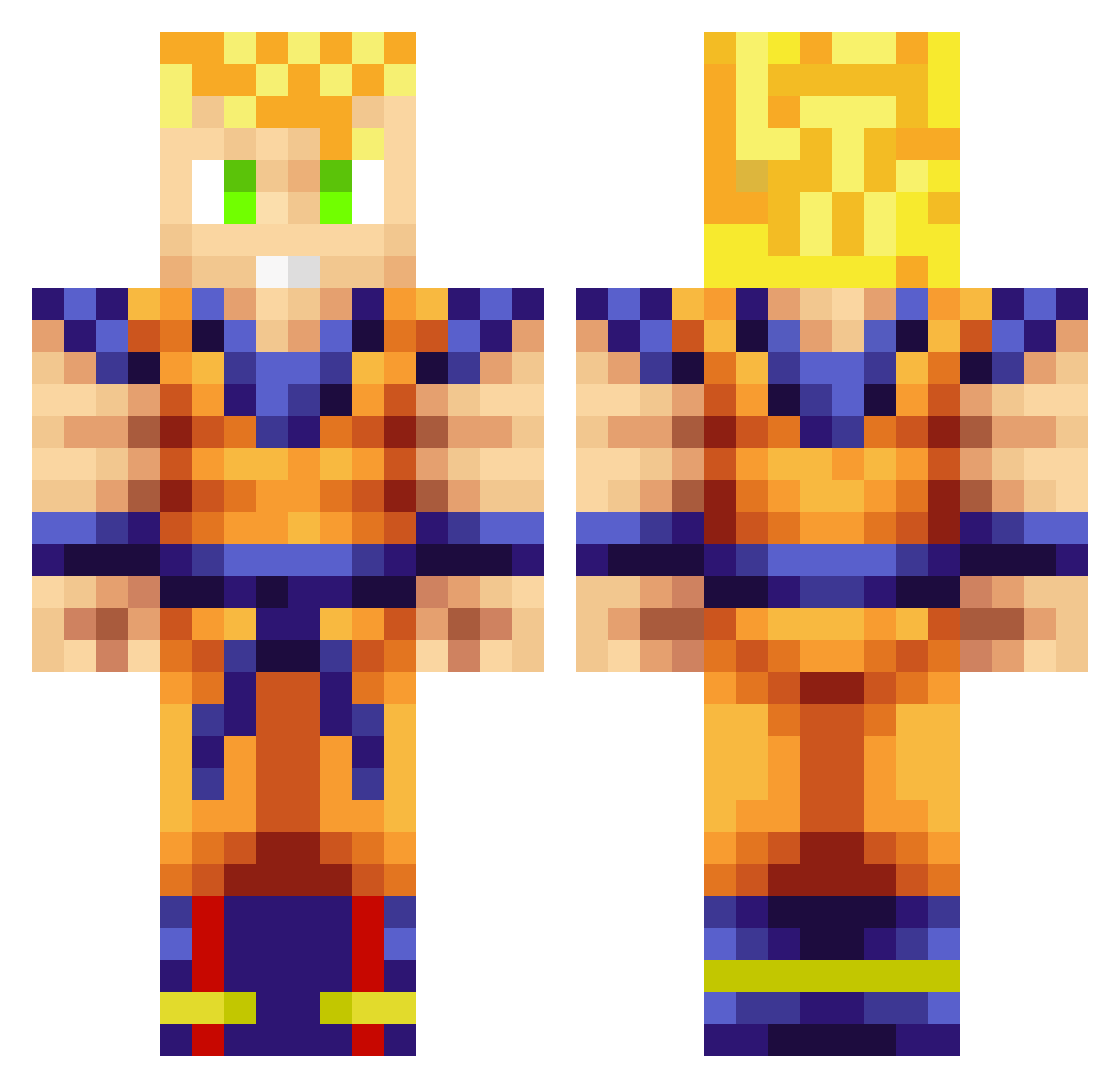
Current Minecraft skin of the player greenmanal1shi, loaded from the official Mojang API. Rotate the 3D model with your mouse or finger, then download the skin as a PNG file and use it in Minecraft: Bedrock Edition or Java Edition for free. When greenmanal1shi changes their skin, this page updates automatically and the old skin stays in the history below.
Other players with this skin (1076)
greenmanal1shi was the 1073rd player we have seen with this skin, first spotted on 19.11.2026. The same skin was seen on these players. Open a nickname to see their current skin and skin history.
 Misterkickass2 GIBERER Marcfive Ausensi Toffna Moustachio96 Jojojosel TheTacticalTaco Angelity_tetsuki wunstorf98 Kazekoru monkeypdg chicoboymax Eliteknight25 syun723 bladextr Valentin567 lokepolarn ZACATEQUILLAS cod_master158 homies_unite123 NeykoAb Moaffu Boodju Besttommy BertoGreeko chibraltardu29 RezyNation ThunderTheir Biolation277 Plasma_Pepsi HinduHack Kew1in Xiun junjun19 KillerKam27 bossatron13 SuperSayan_89 Dabby0312 afasciano JoshWicks bxAndrew jordanmcn destructor7323 Nickgreek2000 twiitch8z elchapo757 DerpyPie710 ChrisDrever DubiForever iDobbyy Black_Beast3619 jboy199 Bindi1998 Roulebreaker ZylekGame Malatinkabell ZAHZAHVINX smashyyyy SSJGohan
More Goku Minecraft skins
How to install the greenmanal1shi skin
- Press the Download button above to save the skin as a PNG file.
- Minecraft: Bedrock Edition (PE): open the Dressing Room from the main menu (or tap your character → Edit Character), go to Classic Skins → Owned, press the + (new skin) button, choose the downloaded PNG and pick the Classic (Steve) model. Works on PC and mobile; consoles cannot import custom skins.
- Minecraft: Java Edition: open the Minecraft Launcher, go to the Skins tab, click New Skin, load the PNG, pick the Classic (Steve) model and press Save & Use. You can also upload it at minecraft.net → Profile → Change Skin.
The skin does not show up after import - what should I do?
Restart Minecraft and open the Dressing Room again - imported skins sometimes appear only after a restart. Also make sure you selected the imported skin and picked the Classic (Steve) model.
Which model should I choose, Classic or Slim?
This skin is designed for the Classic (Steve) model. If you pick the wrong model, the arms of the skin will look stretched or squeezed.
Is the skin of greenmanal1shi free to download?
Yes. Press Download, save the PNG file and use it in Minecraft: Bedrock Edition or Java Edition - no payment or registration needed. The skin also works on multiplayer servers and Realms.
More skins
Looking for more? Go back to all Minecraft skins and check the top skins of the week, month and all time, or find any player's skin by nickname.