
greendrxgon - Minecraft Skins & Skin History
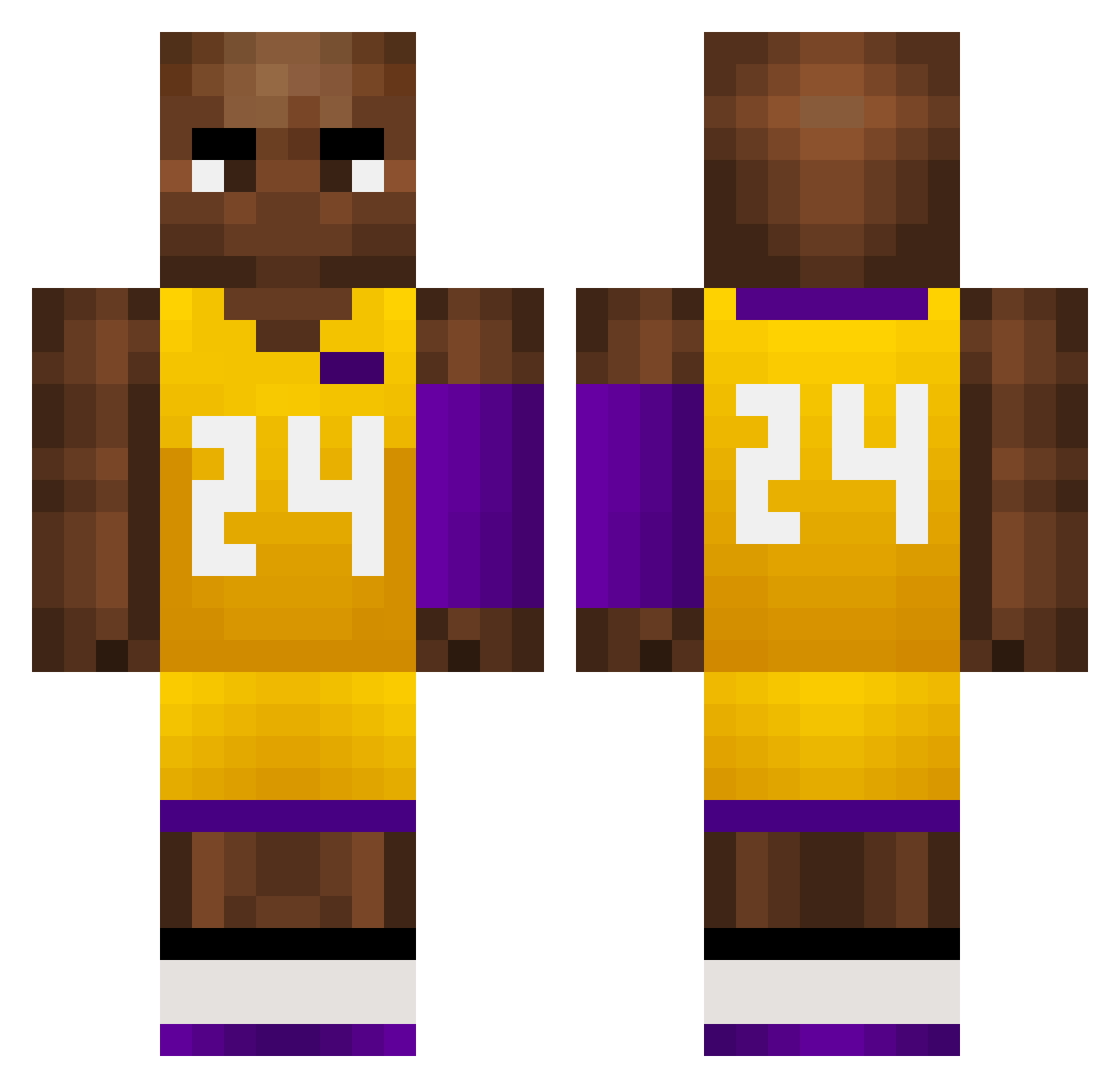
Current Minecraft skin of the player greendrxgon, loaded from the official Mojang API. Rotate the 3D model with your mouse or finger, then download the skin as a PNG file and use it in Minecraft: Bedrock Edition or Java Edition for free. When greendrxgon changes their skin, this page updates automatically and the old skin stays in the history below.
Other players with this skin (621)
greendrxgon was the 291st player we have seen with this skin, first spotted on 05.09.2026. The same skin was seen on these players. Open a nickname to see their current skin and skin history.
 LonelyIsland_ hedaji yass1n11 MusicalMorgan LiamLescargot EdwardTeach1718 super_portal DanielLarsonFan1 zM1ng ByronsSmellyFeet SandnesKebab123 Amazi2U Shyguylp Kaji_San_3 Zenr1sy dodo_bird44 Two_Gous HALOSAN ZOGGZA R0ndo9 Nat3Daw9H Croweeeee Chroyd 18matej_benito88 jessierosser2002 Lejhon69 Japamayo KobeIrving24 Pulga1324 HughJastle BoraYigitGN BoxBin _jinwooo Corn_Star Zachary23333 Nakaseta paihuai23 Ponnyy Mrundy DDb779 BIack eu4hia joaoo00 UpBomb TheRailyard PETER_MVP Dpaps kirbaby JU4MP4 tCX425 Fu_AsahiBoy paopaoch zsy789 kobelaoda VCq585 DharrisDatruth julitogil BenLeponGe57 myback74 alfieisnonce69
More Kobe Bryant Minecraft skins
How to install the greendrxgon skin
- Press the Download button above to save the skin as a PNG file.
- Minecraft: Bedrock Edition (PE): open the Dressing Room from the main menu (or tap your character → Edit Character), go to Classic Skins → Owned, press the + (new skin) button, choose the downloaded PNG and pick the Classic (Steve) model. Works on PC and mobile; consoles cannot import custom skins.
- Minecraft: Java Edition: open the Minecraft Launcher, go to the Skins tab, click New Skin, load the PNG, pick the Classic (Steve) model and press Save & Use. You can also upload it at minecraft.net → Profile → Change Skin.
The skin does not show up after import - what should I do?
Restart Minecraft and open the Dressing Room again - imported skins sometimes appear only after a restart. Also make sure you selected the imported skin and picked the Classic (Steve) model.
Which model should I choose, Classic or Slim?
This skin is designed for the Classic (Steve) model. If you pick the wrong model, the arms of the skin will look stretched or squeezed.
Is the skin of greendrxgon free to download?
Yes. Press Download, save the PNG file and use it in Minecraft: Bedrock Edition or Java Edition - no payment or registration needed. The skin also works on multiplayer servers and Realms.
More skins
Looking for more? Go back to all Minecraft skins and check the top skins of the week, month and all time, or find any player's skin by nickname.