
grassopj - Minecraft Skins & Skin History
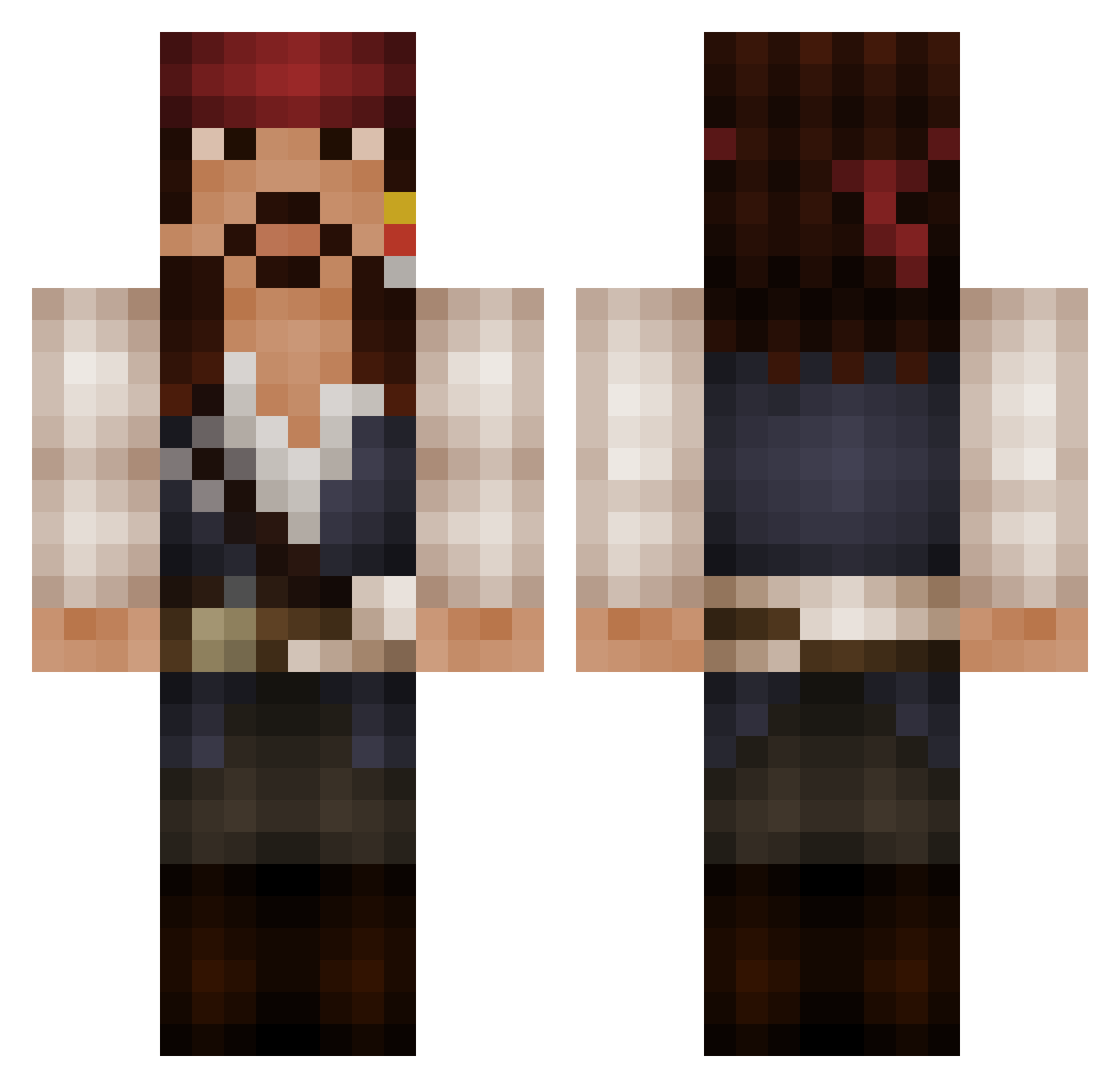
Current Minecraft skin of the player grassopj, loaded from the official Mojang API. Rotate the 3D model with your mouse or finger, then download the skin as a PNG file and use it in Minecraft: Bedrock Edition or Java Edition for free. When grassopj changes their skin, this page updates automatically and the old skin stays in the history below.
Other players with this skin (525)
grassopj was the 396th player we have seen with this skin, first spotted on 12.10.2026. The same skin was seen on these players. Open a nickname to see their current skin and skin history.
 DevilStalkerQ8 gerlach96 Mehdwardian MikeSmith Liptrot85 S_i_M_B_A MrMike313 NanoYoda napiat OraleB livio95 JElv17 Vinny_V8 Murilloooo xX_ksa_wanted_Xx LoryMRC Jokelock FooFredo dryf holeymoley1 Mr_Castillo kentakenta SamuelP93 cyberpeepo CaptJakeSparrow SquareAvitar Caffreyj OTTLODING KeunG_SS PrivateerGaming neo038 pugnacioussd SKRAGGLE Denethork Treesavery dead_meadow white_wolf1993 DeWaltManZ ThatBandanaGuy Leksikon Bob_Burrows msn08 Winters506 bajo1300 DiamondHanta aerox314 Gidown CaptJack_Sparrow alexosbu Rossy_Auditore MatthewCurtis615 onichan91 NovaAtdosk TuffMudder Handya yealp Amduseus stafford8 greef777 asteria23
More Jack Sparrow Minecraft skins
See all 108 Jack Sparrow skins
How to install the grassopj skin
- Press the Download button above to save the skin as a PNG file.
- Minecraft: Bedrock Edition (PE): open the Dressing Room from the main menu (or tap your character → Edit Character), go to Classic Skins → Owned, press the + (new skin) button, choose the downloaded PNG and pick the Classic (Steve) model. Works on PC and mobile; consoles cannot import custom skins.
- Minecraft: Java Edition: open the Minecraft Launcher, go to the Skins tab, click New Skin, load the PNG, pick the Classic (Steve) model and press Save & Use. You can also upload it at minecraft.net → Profile → Change Skin.
The skin does not show up after import - what should I do?
Restart Minecraft and open the Dressing Room again - imported skins sometimes appear only after a restart. Also make sure you selected the imported skin and picked the Classic (Steve) model.
Which model should I choose, Classic or Slim?
This skin is designed for the Classic (Steve) model. If you pick the wrong model, the arms of the skin will look stretched or squeezed.
Is the skin of grassopj free to download?
Yes. Press Download, save the PNG file and use it in Minecraft: Bedrock Edition or Java Edition - no payment or registration needed. The skin also works on multiplayer servers and Realms.
More skins
Looking for more? Go back to all Minecraft skins and check the top skins of the week, month and all time, or find any player's skin by nickname.