
gonggamMT - Minecraft Skins & Skin History
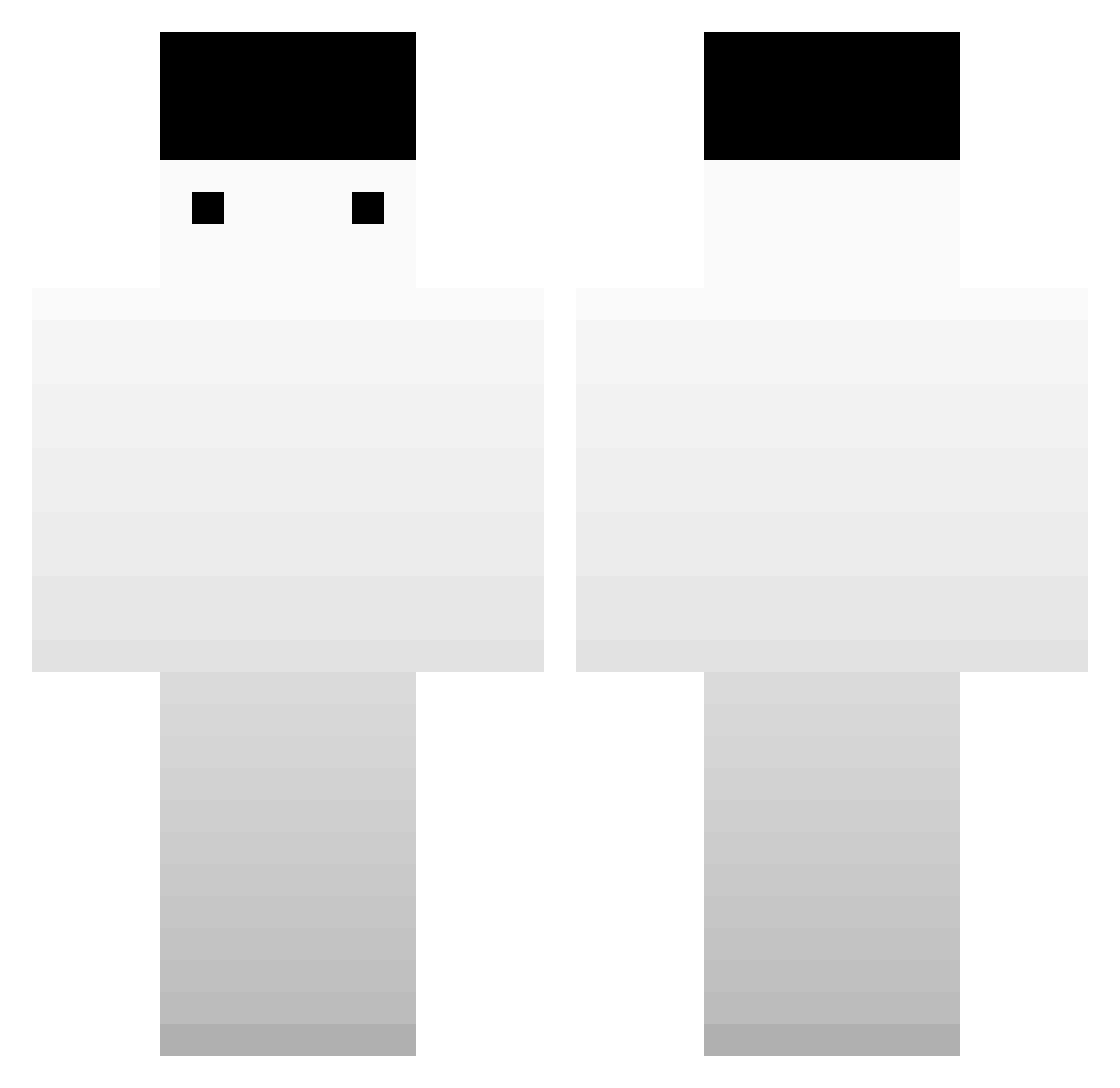
Current Minecraft skin of the player gonggamMT, loaded from the official Mojang API. Rotate the 3D model with your mouse or finger, then download the skin as a PNG file and use it in Minecraft: Bedrock Edition or Java Edition for free. When gonggamMT changes their skin, this page updates automatically and the old skin stays in the history below.
Other players with this skin (339)
gonggamMT was the 124th player we have seen with this skin, first spotted on 04.09.2026. The same skin was seen on these players. Open a nickname to see their current skin and skin history.
 Torfada LuisMa117 M1ss2729 HanyongE Nexi01 prismaa kkhappy0629 Caliboy4599 Viduity SquarerootII canadianshaman Ruthless32228747 Dhals17 M4FZ DungDangGi GreatWall1128 dadnk ReconFranco AigleRed sian_rere BATSOUPFAN yTiag0_ GUSTAVO_0A j_hyuxk_ 850tung bakemonogatori vistual Leotato8 Wuchester chanh1h1 Racer_93 TawoTaget ItsRux S1lentlysigh mmppjgm nungal2 FF_Solo Jenoo0 Towa07 aerok_ _reinis SisaoLB Savoyyyy SrTrueno75 SungM1n 296kmh GLDFish47 xXDaTrollXx Mr_Chimei98 Granadchick
 Deadrics GrayCurry yunjichan windq75 Flitzpiepe Digii_ TabooBaboo TaeBinsK kiweeeeee Cool_Ove
How to install the gonggamMT skin
- Press the Download button above to save the skin as a PNG file.
- Minecraft: Bedrock Edition (PE): open the Dressing Room from the main menu (or tap your character → Edit Character), go to Classic Skins → Owned, press the + (new skin) button, choose the downloaded PNG and pick the Classic (Steve) model. Works on PC and mobile; consoles cannot import custom skins.
- Minecraft: Java Edition: open the Minecraft Launcher, go to the Skins tab, click New Skin, load the PNG, pick the Classic (Steve) model and press Save & Use. You can also upload it at minecraft.net → Profile → Change Skin.
The skin does not show up after import - what should I do?
Restart Minecraft and open the Dressing Room again - imported skins sometimes appear only after a restart. Also make sure you selected the imported skin and picked the Classic (Steve) model.
Which model should I choose, Classic or Slim?
This skin is designed for the Classic (Steve) model. If you pick the wrong model, the arms of the skin will look stretched or squeezed.
Is the skin of gonggamMT free to download?
Yes. Press Download, save the PNG file and use it in Minecraft: Bedrock Edition or Java Edition - no payment or registration needed. The skin also works on multiplayer servers and Realms.
More skins
Looking for more? Go back to all Minecraft skins and check the top skins of the week, month and all time, or find any player's skin by nickname.