
gianpoul - Minecraft Skins & Skin History
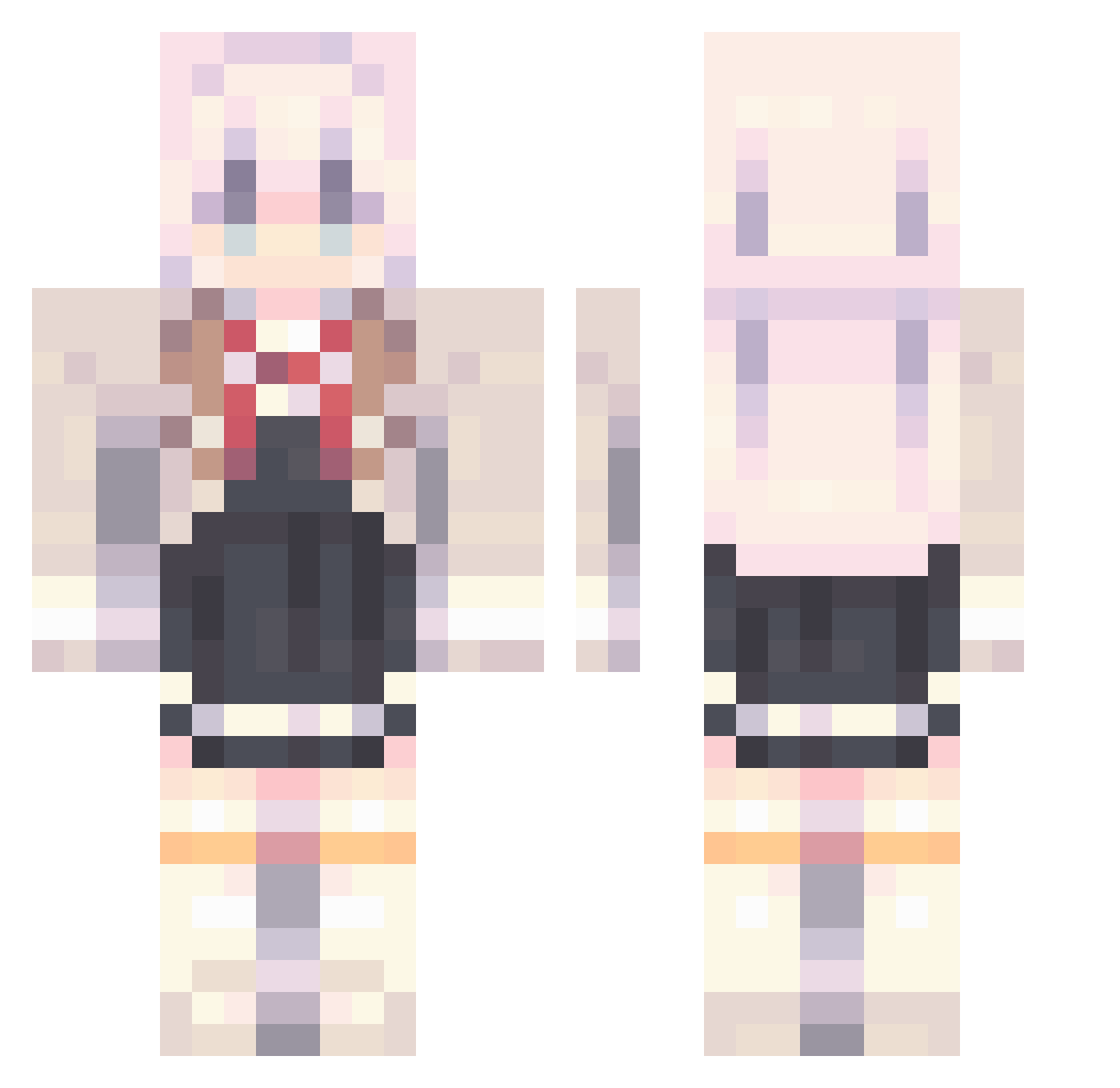
Current Minecraft skin of the player gianpoul, loaded from the official Mojang API. Rotate the 3D model with your mouse or finger, then download the skin as a PNG file and use it in Minecraft: Bedrock Edition or Java Edition for free. When gianpoul changes their skin, this page updates automatically and the old skin stays in the history below.
Other players with this skin (811)
gianpoul was the 771st player we have seen with this skin, first spotted on 18.10.2026. The same skin was seen on these players. Open a nickname to see their current skin and skin history.
 Loku_T baipiaok bryan001027 Mrtingnongnoi MarcoGamer24 Evan_Lurker linmeng666 Diana_Sharen BAO914 S_Mood hahahaha1 Pixies98 fbicat12 hanshuai521 STARDUSTLC888 ileik mango414141 Achillies1355 Xun11 Thedangster NESSpower2 x_Tsukasa_x NiTwitch0 BlueLine159 DIRTY_______DAN CheddarMan07 Anielik Kiyosumi_Akira7 Harinisgot 123xyl123 Gavilar_ Shyalyaa linyen989 OVOTsuki sPq4 whocare175 Moroshima The_Vivid_Bot FaintCloudy HiRodao Dvrkxie maidafeng OMS7427 FengBrother2 Zaylock_ Gordon1022 UOman astroyanaa kingfrancoz FIFRGER Abidum VIVI0456 GladMacaroon892 KotoneObeja ADR05 lk0219 Kinton120 qiankunquan mitanHD MouYu233
More School Uniform Minecraft skins
See all 6062 School Uniform skins
How to install the gianpoul skin
- Press the Download button above to save the skin as a PNG file.
- Minecraft: Bedrock Edition (PE): open the Dressing Room from the main menu (or tap your character → Edit Character), go to Classic Skins → Owned, press the + (new skin) button, choose the downloaded PNG and pick the Classic (Steve) model. Works on PC and mobile; consoles cannot import custom skins.
- Minecraft: Java Edition: open the Minecraft Launcher, go to the Skins tab, click New Skin, load the PNG, pick the Classic (Steve) model and press Save & Use. You can also upload it at minecraft.net → Profile → Change Skin.
The skin does not show up after import - what should I do?
Restart Minecraft and open the Dressing Room again - imported skins sometimes appear only after a restart. Also make sure you selected the imported skin and picked the Classic (Steve) model.
Which model should I choose, Classic or Slim?
This skin is designed for the Classic (Steve) model. If you pick the wrong model, the arms of the skin will look stretched or squeezed.
Is the skin of gianpoul free to download?
Yes. Press Download, save the PNG file and use it in Minecraft: Bedrock Edition or Java Edition - no payment or registration needed. The skin also works on multiplayer servers and Realms.
More skins
Looking for more? Go back to all Minecraft skins and check the top skins of the week, month and all time, or find any player's skin by nickname.