
gertie_ - Minecraft Skins & Skin History
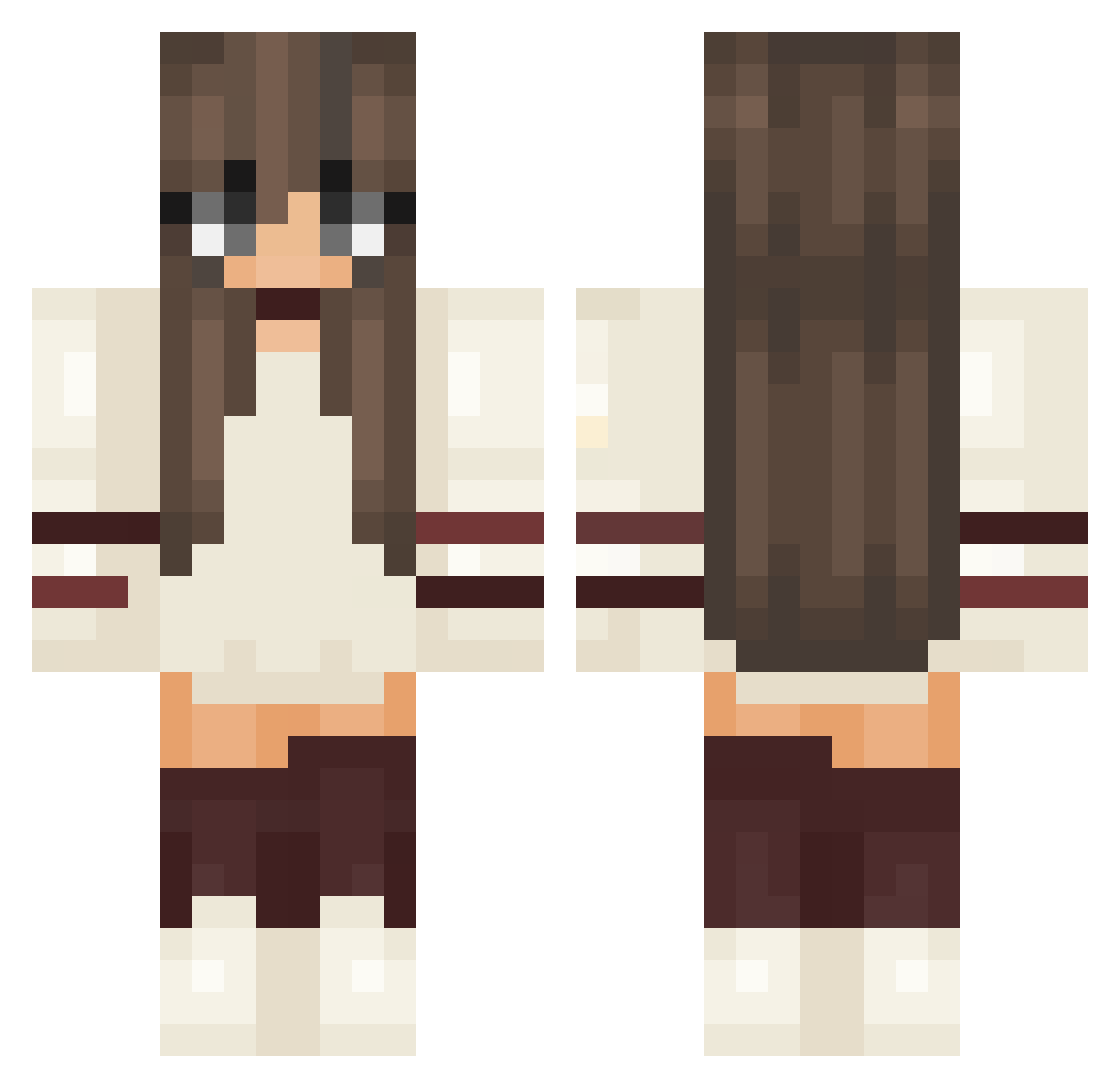
Current Minecraft skin of the player gertie_, loaded from the official Mojang API. Rotate the 3D model with your mouse or finger, then download the skin as a PNG file and use it in Minecraft: Bedrock Edition or Java Edition for free. When gertie_ changes their skin, this page updates automatically and the old skin stays in the history below.
Other players with this skin (211)
gertie_ was the 169th player we have seen with this skin, first spotted on 17.10.2026. The same skin was seen on these players. Open a nickname to see their current skin and skin history.
 nvtydlt Dilja meitalrak Rileyy11 RadRacer5 Mouriel GoldenLyon_ Queen_Pepper drahgem Hannah_Luce INTEX_055 __Umiko__ PizzaGirlCombo Mireverdeen xxemellyxx TCZapper ashleighsher Mariebgrn mint7711 skeels20 Heythereimanna Gamzes 0xyriaa RubyDesiree Josi262 0boopish0 Aphrodite44 Gt_France Ylina launcher_niki Natta_Lyy yuchan0530 poppypoo47 Nina_Plays33 Lucy234567 Kakamasia KIMI4115 Tinefreak Kaciee eBait bielzinh Catiminecraft alikalyn Gyo_niku Beachy_GB HeyItsAccey Lambiedeng Lightningx321 Heeleena trooti Lualualu AwesomePiggy44 Sashaou13 Alien245 SIIM0NE Twixke Silff28 Asa_OVO Mariahtn timylyy
More Aesthetic Minecraft skins
How to install the gertie_ skin
- Press the Download button above to save the skin as a PNG file.
- Minecraft: Bedrock Edition (PE): open the Dressing Room from the main menu (or tap your character → Edit Character), go to Classic Skins → Owned, press the + (new skin) button, choose the downloaded PNG and pick the Classic (Steve) model. Works on PC and mobile; consoles cannot import custom skins.
- Minecraft: Java Edition: open the Minecraft Launcher, go to the Skins tab, click New Skin, load the PNG, pick the Classic (Steve) model and press Save & Use. You can also upload it at minecraft.net → Profile → Change Skin.
The skin does not show up after import - what should I do?
Restart Minecraft and open the Dressing Room again - imported skins sometimes appear only after a restart. Also make sure you selected the imported skin and picked the Classic (Steve) model.
Which model should I choose, Classic or Slim?
This skin is designed for the Classic (Steve) model. If you pick the wrong model, the arms of the skin will look stretched or squeezed.
Is the skin of gertie_ free to download?
Yes. Press Download, save the PNG file and use it in Minecraft: Bedrock Edition or Java Edition - no payment or registration needed. The skin also works on multiplayer servers and Realms.
More skins
Looking for more? Go back to all Minecraft skins and check the top skins of the week, month and all time, or find any player's skin by nickname.