
geeyuhteen - Minecraft Skins & Skin History
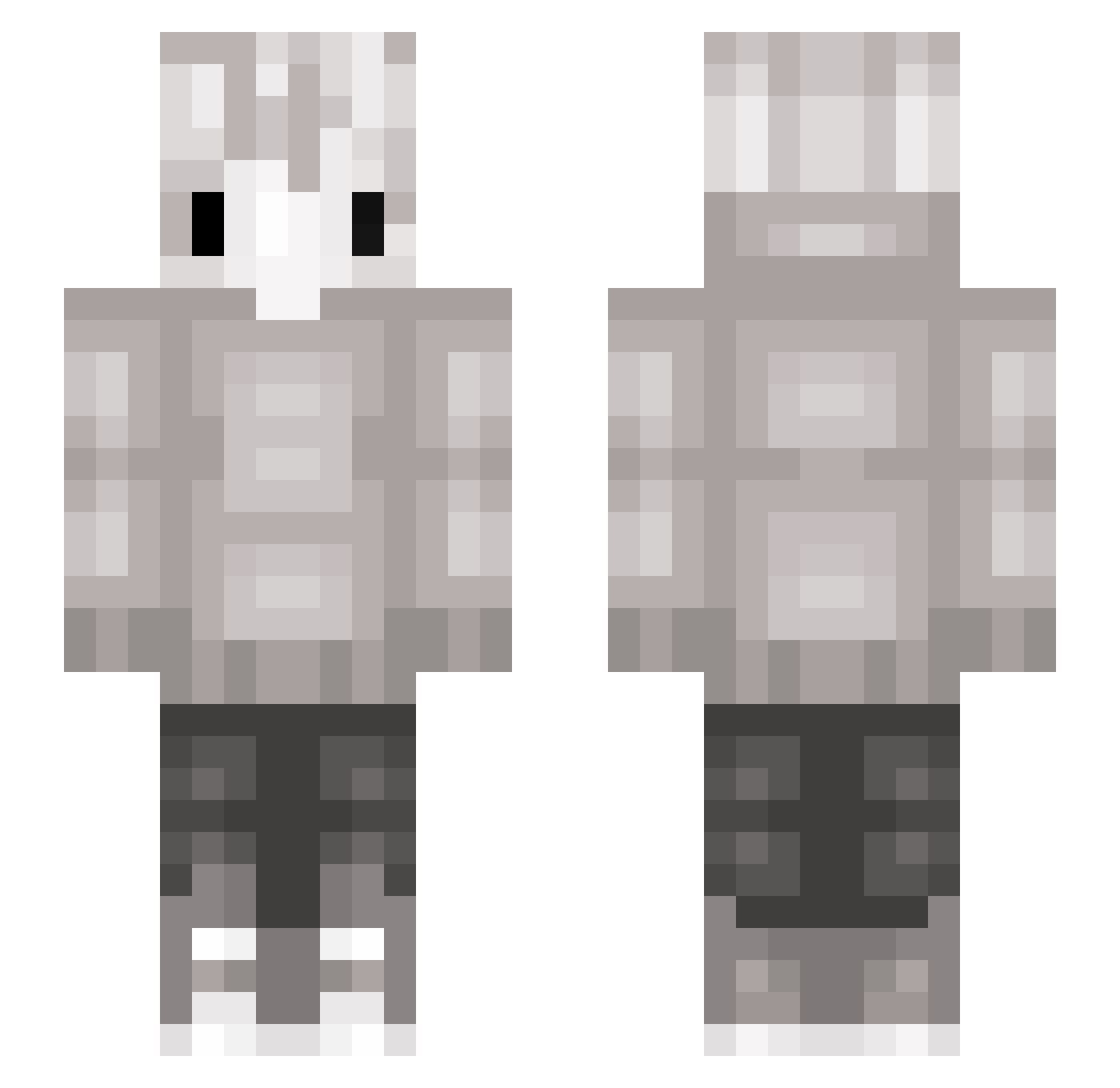
Current Minecraft skin of the player geeyuhteen, loaded from the official Mojang API. Rotate the 3D model with your mouse or finger, then download the skin as a PNG file and use it in Minecraft: Bedrock Edition or Java Edition for free. When geeyuhteen changes their skin, this page updates automatically and the old skin stays in the history below.
Other players with this skin (142)
geeyuhteen was the 117th player we have seen with this skin, first spotted on 30.10.2026. The same skin was seen on these players. Open a nickname to see their current skin and skin history.
 Askild_pianist sunnyroe Lypett Helios630 Kirhue kipsaus209 Dragonkens MIKINYANG inethak Fox__River DrawingOwl Skyebirb TheAmazingToki hoya9211 5ymph Discordaddy _x_SNOW_x_ HaiSchneemann Mekko0124 KallMeKai ShadowLord1565 iRriZz Skilon Ghost_Guy11 is_White C_SHA ISMDV2 jayyy8719 KillerKitkat9 D3RPii poiuytlkj xZer01x Z3h9 leafsheeep Spectrasoul Harfoged Kenotic erevoo MichiUchiha Kenzo_2k TKpsrk Axyskk xylozy 0_Ace siduu unimaru6 Kaeyro NotCxnnor S3ntinel SP3CT3RR GHQST_Jr appleflakes Kirigakuz Clapedbyducks romyisnotonline ayatkakk Ghostboi4Life clapple xMishu nya9
More Cat Ears Minecraft skins
How to install the geeyuhteen skin
- Press the Download button above to save the skin as a PNG file.
- Minecraft: Bedrock Edition (PE): open the Dressing Room from the main menu (or tap your character → Edit Character), go to Classic Skins → Owned, press the + (new skin) button, choose the downloaded PNG and pick the Slim (Alex) model. Works on PC and mobile; consoles cannot import custom skins.
- Minecraft: Java Edition: open the Minecraft Launcher, go to the Skins tab, click New Skin, load the PNG, pick the Slim (Alex) model and press Save & Use. You can also upload it at minecraft.net → Profile → Change Skin.
The skin does not show up after import - what should I do?
Restart Minecraft and open the Dressing Room again - imported skins sometimes appear only after a restart. Also make sure you selected the imported skin and picked the Slim (Alex) model.
Which model should I choose, Classic or Slim?
This skin is designed for the Slim (Alex) model. If you pick the wrong model, the arms of the skin will look stretched or squeezed.
Is the skin of geeyuhteen free to download?
Yes. Press Download, save the PNG file and use it in Minecraft: Bedrock Edition or Java Edition - no payment or registration needed. The skin also works on multiplayer servers and Realms.
More skins
Looking for more? Go back to all Minecraft skins and check the top skins of the week, month and all time, or find any player's skin by nickname.