
fxkingwashed - Minecraft Skins & Skin History
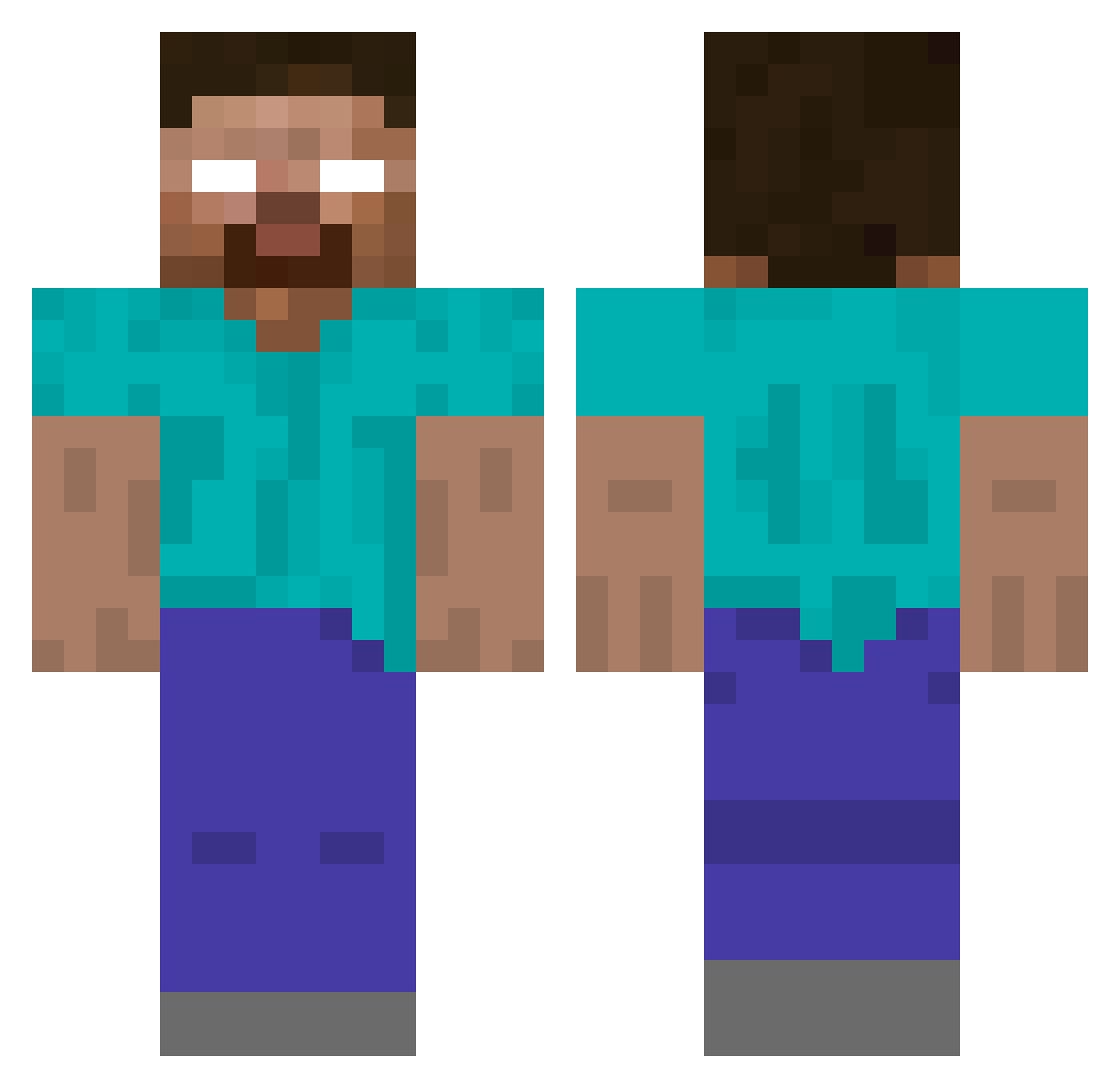
Current Minecraft skin of the player fxkingwashed, loaded from the official Mojang API. Rotate the 3D model with your mouse or finger, then download the skin as a PNG file and use it in Minecraft: Bedrock Edition or Java Edition for free. When fxkingwashed changes their skin, this page updates automatically and the old skin stays in the history below.
Other players with this skin (138)
fxkingwashed was the 102nd player we have seen with this skin, first spotted on 18.10.2026. The same skin was seen on these players. Open a nickname to see their current skin and skin history.
 RealVigilante Withered999 Pizza1_Lover TinnyCactus 69Eric69 oogaboogaxdxd mg1326 tonystony No1ArgentinaFan IIII_ DoktorWaffles oweythewaffle15 ZiinHG co1innnnnn
 Ricardo938 TimThada TPoggy yoinkk Mxnn Nwiez SanderGamer06 mayuyu115dayo mehmetaga543 BBoat69 AlexisNeg roil01 zBlacksEdits RAFIKSON Bridewell Endearingly Umlount Goatiy Zumos Moncton iiEnchantedG matheuscunhamara _Its1sp2389 Tag_top Xtiago91x BosseLasse1961 Admin_Ashkah HiddiePiddie
 SlayerShadows Coddie4 equiety zzxgp_ZYPDt Yokohama777 TheLeg3nd Ronflex001 juniored44 R_Deschain Elwoles qn3m0 croisette waffler11 vladeiko byHero0 Dinar_Tatarcha raifuku frsh_1fps
More Herobrine Minecraft skins
How to install the fxkingwashed skin
- Press the Download button above to save the skin as a PNG file.
- Minecraft: Bedrock Edition (PE): open the Dressing Room from the main menu (or tap your character → Edit Character), go to Classic Skins → Owned, press the + (new skin) button, choose the downloaded PNG and pick the Classic (Steve) model. Works on PC and mobile; consoles cannot import custom skins.
- Minecraft: Java Edition: open the Minecraft Launcher, go to the Skins tab, click New Skin, load the PNG, pick the Classic (Steve) model and press Save & Use. You can also upload it at minecraft.net → Profile → Change Skin.
The skin does not show up after import - what should I do?
Restart Minecraft and open the Dressing Room again - imported skins sometimes appear only after a restart. Also make sure you selected the imported skin and picked the Classic (Steve) model.
Which model should I choose, Classic or Slim?
This skin is designed for the Classic (Steve) model. If you pick the wrong model, the arms of the skin will look stretched or squeezed.
Is the skin of fxkingwashed free to download?
Yes. Press Download, save the PNG file and use it in Minecraft: Bedrock Edition or Java Edition - no payment or registration needed. The skin also works on multiplayer servers and Realms.
More skins
Looking for more? Go back to all Minecraft skins and check the top skins of the week, month and all time, or find any player's skin by nickname.