
fruitypebbl3 - Minecraft Skins & Skin History
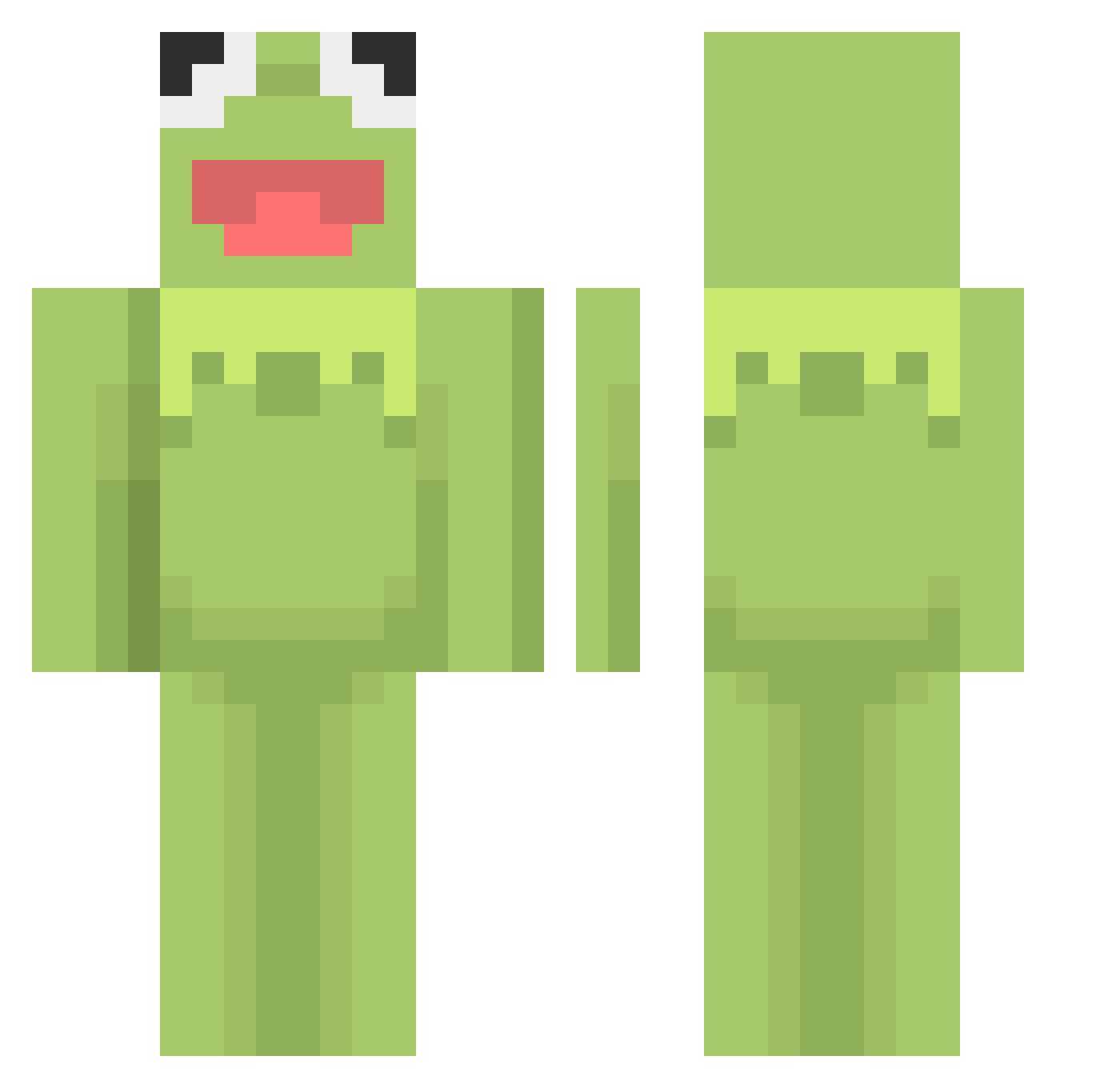
Current Minecraft skin of the player fruitypebbl3, loaded from the official Mojang API. Rotate the 3D model with your mouse or finger, then download the skin as a PNG file and use it in Minecraft: Bedrock Edition or Java Edition for free. When fruitypebbl3 changes their skin, this page updates automatically and the old skin stays in the history below.
Other players with this skin (601)
fruitypebbl3 was the 509th player we have seen with this skin, first spotted on 02.11.2026. The same skin was seen on these players. Open a nickname to see their current skin and skin history.
 gateaumutant NaZonNaSsam stlysm Keeeermit breighdawn tmplte RealDorsch sethatwork chowon06 eeeeaaaa SHJJJ PinguX88 Shootforredmoon MagicAvocado99 monodiagnosed virgo___c Miran_duuhh Thurblife joaoschaerminho TheNiceHacks Theridionn Jrzuyi ulalu HongDangMog mr_spiiff Londranona businesstoes mairawr Moni_Macaroni Kasp76 Kalaem lyn_pig oji_lv31 Ruzzzz mashhhhh nukey2A Assassins1217 knzzzz KermitSuicid yikesmily d_nnertime GloomySprite Daddyponkas Pranktroller natnatrality ChiefGibbs LSWpopo0209 ghost_jeremy gertrudethegreat 1creamer1 UncleBens14 ImObito12X puppyluv12 TchoupiOff YouGotCheddar jackparis2003 T0MATO_17 willeboo lili_hg CCurch01
More Kermit The Frog Minecraft skins
See all 472 Kermit The Frog skins
How to install the fruitypebbl3 skin
- Press the Download button above to save the skin as a PNG file.
- Minecraft: Bedrock Edition (PE): open the Dressing Room from the main menu (or tap your character → Edit Character), go to Classic Skins → Owned, press the + (new skin) button, choose the downloaded PNG and pick the Classic (Steve) model. Works on PC and mobile; consoles cannot import custom skins.
- Minecraft: Java Edition: open the Minecraft Launcher, go to the Skins tab, click New Skin, load the PNG, pick the Classic (Steve) model and press Save & Use. You can also upload it at minecraft.net → Profile → Change Skin.
The skin does not show up after import - what should I do?
Restart Minecraft and open the Dressing Room again - imported skins sometimes appear only after a restart. Also make sure you selected the imported skin and picked the Classic (Steve) model.
Which model should I choose, Classic or Slim?
This skin is designed for the Classic (Steve) model. If you pick the wrong model, the arms of the skin will look stretched or squeezed.
Is the skin of fruitypebbl3 free to download?
Yes. Press Download, save the PNG file and use it in Minecraft: Bedrock Edition or Java Edition - no payment or registration needed. The skin also works on multiplayer servers and Realms.
More skins
Looking for more? Go back to all Minecraft skins and check the top skins of the week, month and all time, or find any player's skin by nickname.