
fortmcminer - Minecraft Skins & Skin History
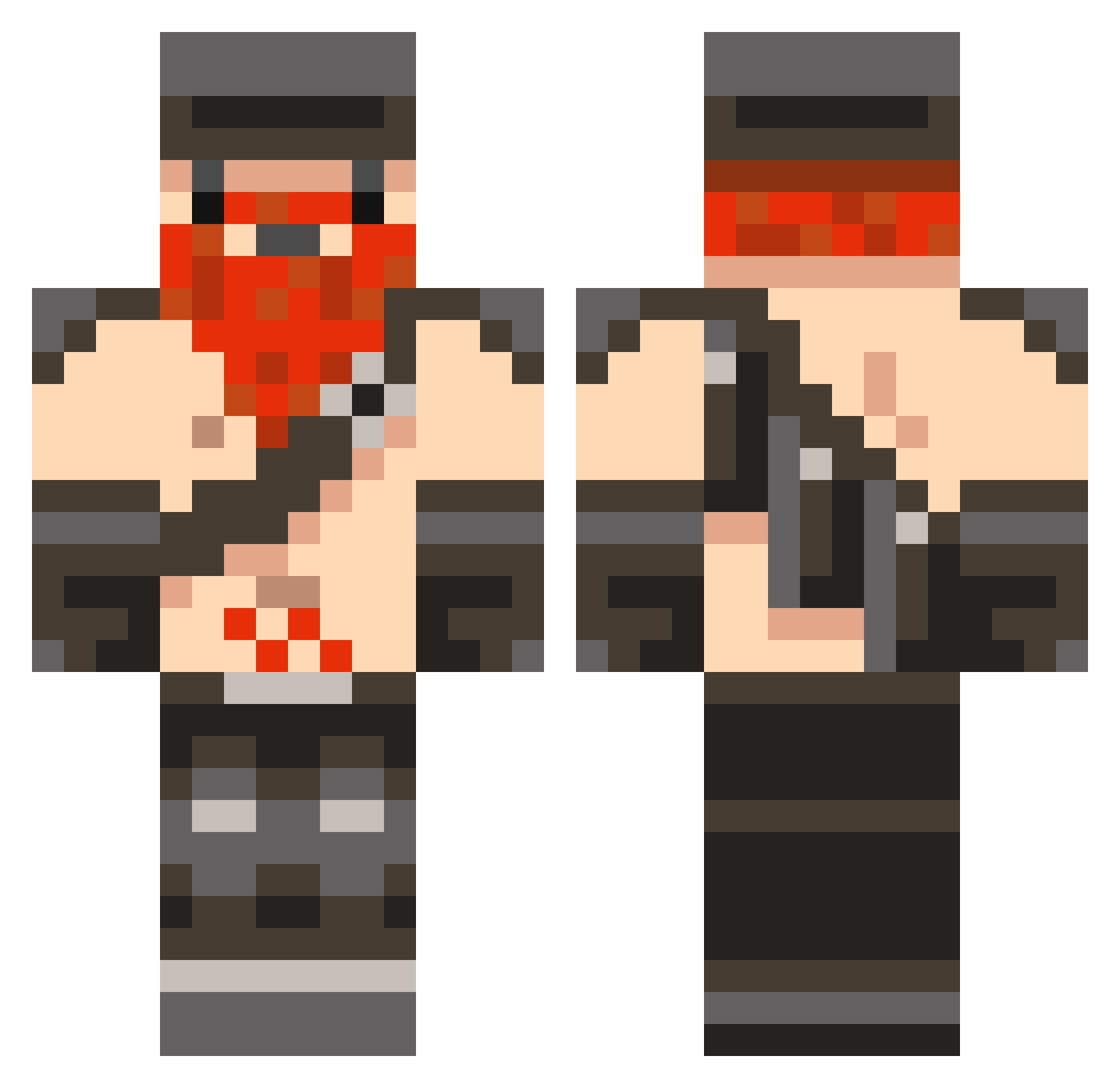
Current Minecraft skin of the player fortmcminer, loaded from the official Mojang API. Rotate the 3D model with your mouse or finger, then download the skin as a PNG file and use it in Minecraft: Bedrock Edition or Java Edition for free. When fortmcminer changes their skin, this page updates automatically and the old skin stays in the history below.
Other players with this skin (1042)
fortmcminer was the 906th player we have seen with this skin, first spotted on 06.11.2026. The same skin was seen on these players. Open a nickname to see their current skin and skin history.
 Jfree2k HOW_THE_HELL jordy_tun98 Fai2oomer juala Logan_Bristow elf750 brandino214 Woezel13 tjkorp evilord600 mindrats uSimart BqdlionTryhqrd carl1010 svinedrengen CadeJames6969 Skylord_Mushroom Juliankkk Lord_leeroy thetriger96 ETF666 zippo215 georgeingram38 n00bxhunter Wilbertjhd dedwa11 blue_dolphin08 welsh_skills Nathanisnate120 DheltaHalo Ganon1338 FwiFwi ByDaaago slayersboys Babble Halfthebottle cartyboy67 EEdworthy pedro171198 benjon10 mobious46 Zayd767 bobdehuisbaas123 Franticall robin8585 FknGhoosty louislouis10 njgreen hairymamba Flawsphor mrcjchaps someonezworld222 maxbe diggydwarf Videinfra91 einxiety bluebull2003 rvbfan B3rclaw
More Dwarf Minecraft skins
How to install the fortmcminer skin
- Press the Download button above to save the skin as a PNG file.
- Minecraft: Bedrock Edition (PE): open the Dressing Room from the main menu (or tap your character → Edit Character), go to Classic Skins → Owned, press the + (new skin) button, choose the downloaded PNG and pick the Classic (Steve) model. Works on PC and mobile; consoles cannot import custom skins.
- Minecraft: Java Edition: open the Minecraft Launcher, go to the Skins tab, click New Skin, load the PNG, pick the Classic (Steve) model and press Save & Use. You can also upload it at minecraft.net → Profile → Change Skin.
The skin does not show up after import - what should I do?
Restart Minecraft and open the Dressing Room again - imported skins sometimes appear only after a restart. Also make sure you selected the imported skin and picked the Classic (Steve) model.
Which model should I choose, Classic or Slim?
This skin is designed for the Classic (Steve) model. If you pick the wrong model, the arms of the skin will look stretched or squeezed.
Is the skin of fortmcminer free to download?
Yes. Press Download, save the PNG file and use it in Minecraft: Bedrock Edition or Java Edition - no payment or registration needed. The skin also works on multiplayer servers and Realms.
More skins
Looking for more? Go back to all Minecraft skins and check the top skins of the week, month and all time, or find any player's skin by nickname.