
flyingmonkey1023 - Minecraft Skins & Skin History
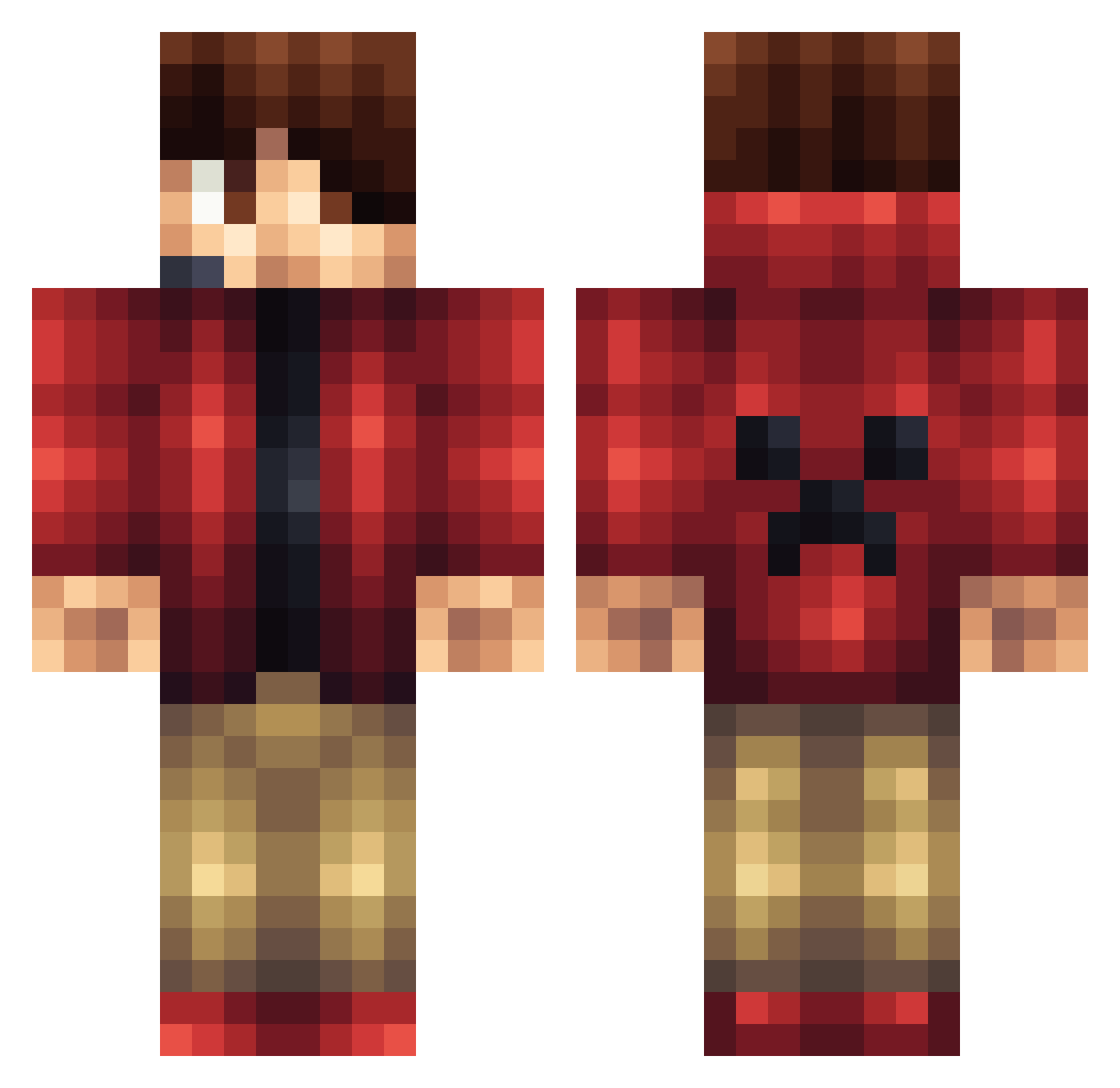
Current Minecraft skin of the player flyingmonkey1023, loaded from the official Mojang API. Rotate the 3D model with your mouse or finger, then download the skin as a PNG file and use it in Minecraft: Bedrock Edition or Java Edition for free. When flyingmonkey1023 changes their skin, this page updates automatically and the old skin stays in the history below.
Other players with this skin (1171)
flyingmonkey1023 was the 575th player we have seen with this skin, first spotted on 18.09.2026. The same skin was seen on these players. Open a nickname to see their current skin and skin history.
 Lymb0 fin29jake StormForgotten Draygoor BadDarkMemes iKawaii_Bamboo concraft56 CaptainObsidian Andyv12 AthleticKiller3 NdoubleOB100 GScope96 xXesTriXx Lopirania thesausageofdoom ChubbyPanda878 CritiCalZzs tezzz0 SpYz_HyPnOtIk JakeOfTheValley gabe1600 epicfailfox kchambers MeneerMandje2015 DOPA24 LetsMalziLP jEdwardz PWCorruption Spitfire7011 DiamondLlama11 rob123abc drnkg74 Vranger0925 xXdaPXx benbassett Ilikespies123 Pulse_Gaming nikebrojj Nykk09 eldercaist Andrejotti Tearz_Of_Gold tatosh thebutler511 Minercrafter1244 Naka658 P4infull LMS_06 dTCannon JKB325 Nick12_Thegreat Hanny991 Regleogrim music3000 AndrewBro123 DarkPsyd erice8 SoyMaltey fatwilly10 HNVZD
More Headset Minecraft skins
How to install the flyingmonkey1023 skin
- Press the Download button above to save the skin as a PNG file.
- Minecraft: Bedrock Edition (PE): open the Dressing Room from the main menu (or tap your character → Edit Character), go to Classic Skins → Owned, press the + (new skin) button, choose the downloaded PNG and pick the Classic (Steve) model. Works on PC and mobile; consoles cannot import custom skins.
- Minecraft: Java Edition: open the Minecraft Launcher, go to the Skins tab, click New Skin, load the PNG, pick the Classic (Steve) model and press Save & Use. You can also upload it at minecraft.net → Profile → Change Skin.
The skin does not show up after import - what should I do?
Restart Minecraft and open the Dressing Room again - imported skins sometimes appear only after a restart. Also make sure you selected the imported skin and picked the Classic (Steve) model.
Which model should I choose, Classic or Slim?
This skin is designed for the Classic (Steve) model. If you pick the wrong model, the arms of the skin will look stretched or squeezed.
Is the skin of flyingmonkey1023 free to download?
Yes. Press Download, save the PNG file and use it in Minecraft: Bedrock Edition or Java Edition - no payment or registration needed. The skin also works on multiplayer servers and Realms.
More skins
Looking for more? Go back to all Minecraft skins and check the top skins of the week, month and all time, or find any player's skin by nickname.