
flusha187 - Minecraft Skins & Skin History
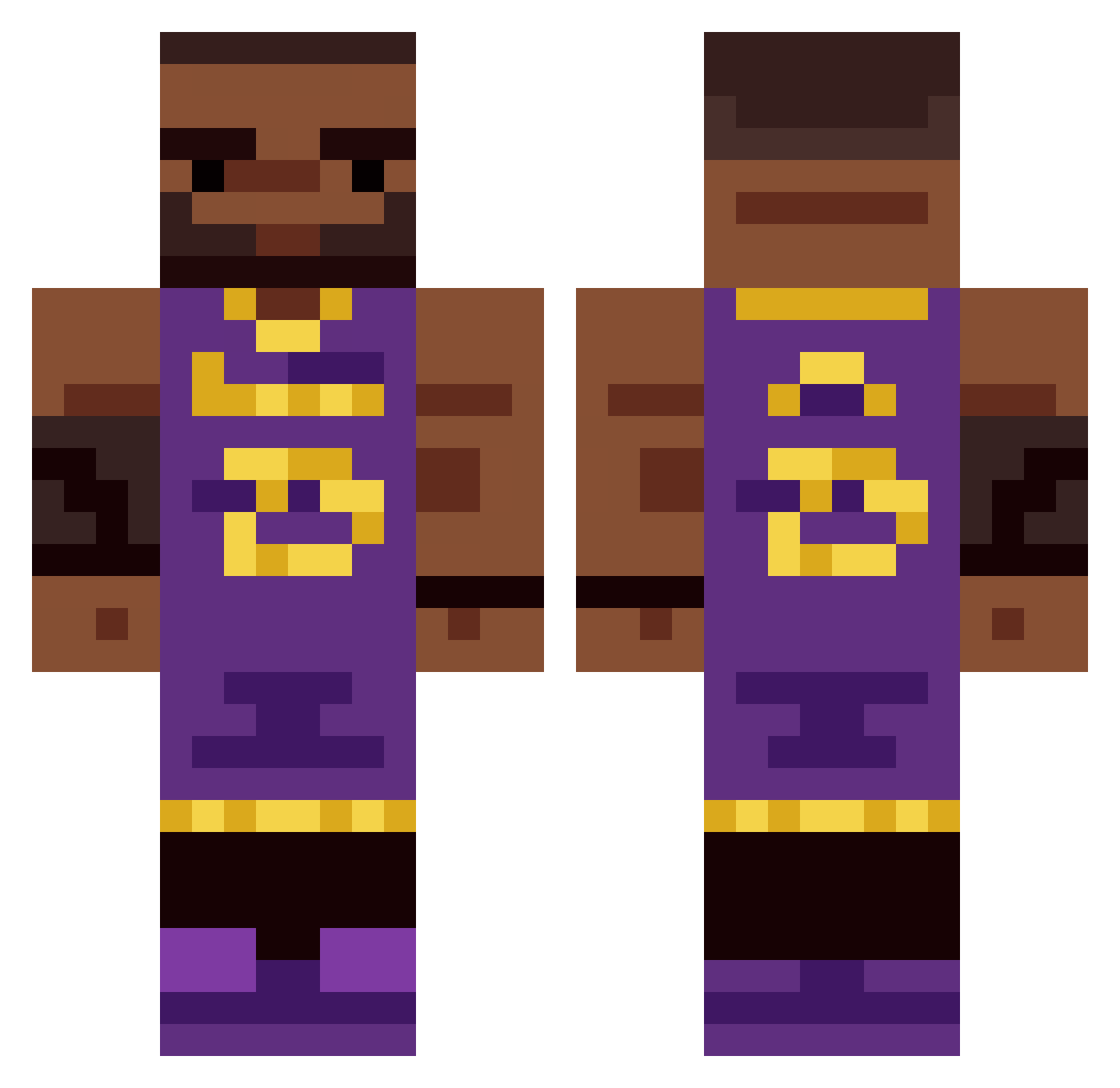
Current Minecraft skin of the player flusha187, loaded from the official Mojang API. Rotate the 3D model with your mouse or finger, then download the skin as a PNG file and use it in Minecraft: Bedrock Edition or Java Edition for free. When flusha187 changes their skin, this page updates automatically and the old skin stays in the history below.
Other players with this skin (335)
flusha187 was the 107th player we have seen with this skin, first spotted on 22.08.2026. The same skin was seen on these players. Open a nickname to see their current skin and skin history.
 mqtn Gabypou12 MarsDP digger611 Tharon gelones Tal0s__ The_Cre8tor SHAP3333 Matthesk6 Hyper1_ KasonFr OneAndOnlyMonkey FeelingFil AsiansHyper LeBroned LeSunshine23 AbeLit009 poopychoo bro_okk Racken55 pedalslayer727 D1Andujar01 MOOMOOMEAD vexhaskeyboard bonk489 fonxy2123 cuzzzy Ninshu_ imachugjug Pergi98 RiceMonk zRealzki Cypherr65 alllooooo Drag0pito awesamdude2626 Rubbishman GaboGlez5455 NorthWind10 BEN23027 SSLandon LeeBron_James CactusMax15 Apol064 zackattack16916 Swehns skopson321 KodyHoang marcoslr AsaSpades LeBronington CrimsonMenace MoSwag Lil_thickums69 Sve_z Lebronjames222 baodasilvasantos Fronch_Man AgentCheeseCurdz
More Lakers Minecraft skins
How to install the flusha187 skin
- Press the Download button above to save the skin as a PNG file.
- Minecraft: Bedrock Edition (PE): open the Dressing Room from the main menu (or tap your character → Edit Character), go to Classic Skins → Owned, press the + (new skin) button, choose the downloaded PNG and pick the Classic (Steve) model. Works on PC and mobile; consoles cannot import custom skins.
- Minecraft: Java Edition: open the Minecraft Launcher, go to the Skins tab, click New Skin, load the PNG, pick the Classic (Steve) model and press Save & Use. You can also upload it at minecraft.net → Profile → Change Skin.
The skin does not show up after import - what should I do?
Restart Minecraft and open the Dressing Room again - imported skins sometimes appear only after a restart. Also make sure you selected the imported skin and picked the Classic (Steve) model.
Which model should I choose, Classic or Slim?
This skin is designed for the Classic (Steve) model. If you pick the wrong model, the arms of the skin will look stretched or squeezed.
Is the skin of flusha187 free to download?
Yes. Press Download, save the PNG file and use it in Minecraft: Bedrock Edition or Java Edition - no payment or registration needed. The skin also works on multiplayer servers and Realms.
More skins
Looking for more? Go back to all Minecraft skins and check the top skins of the week, month and all time, or find any player's skin by nickname.