
flohave - Minecraft Skins & Skin History
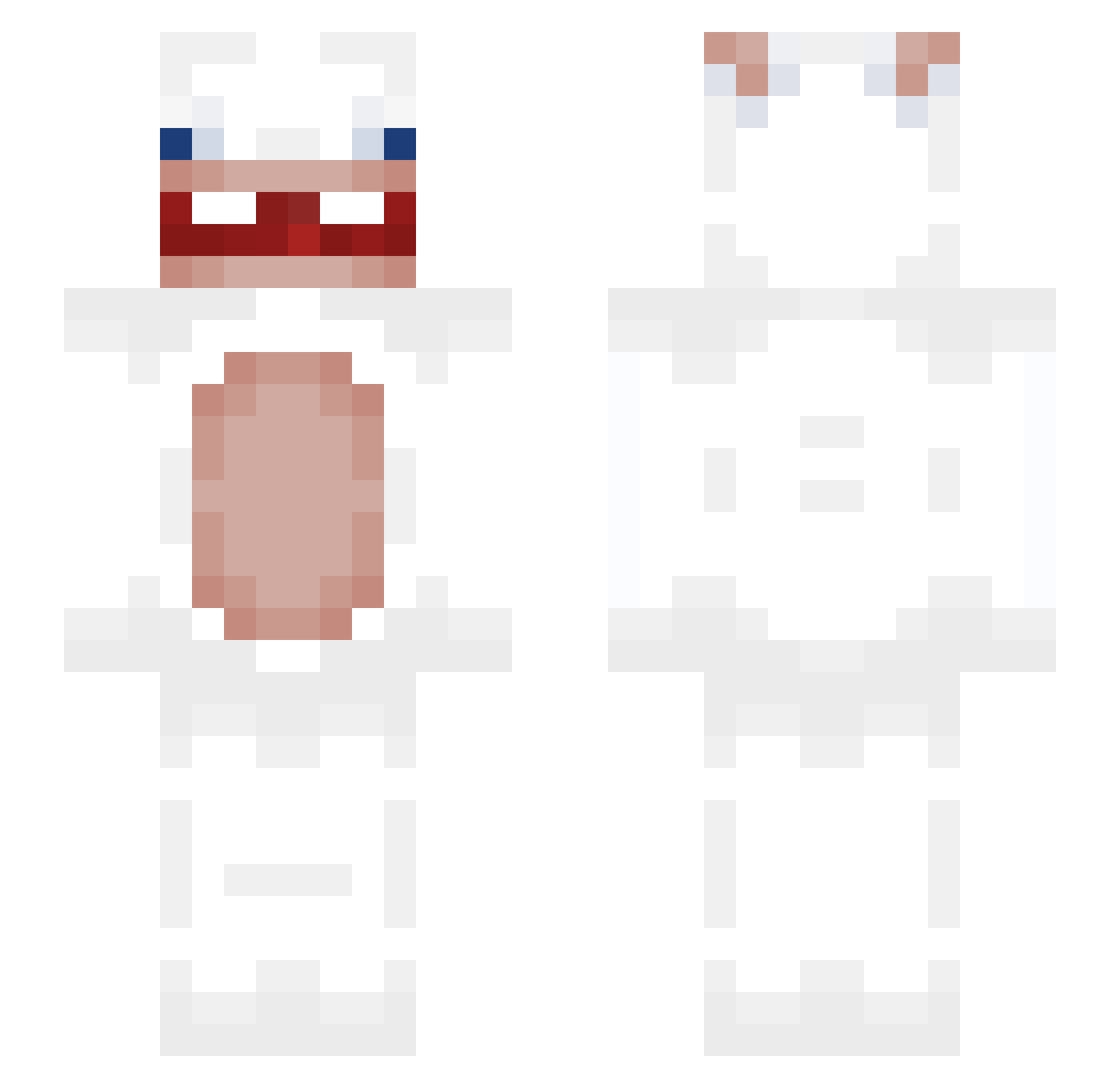
Current Minecraft skin of the player flohave, loaded from the official Mojang API. Rotate the 3D model with your mouse or finger, then download the skin as a PNG file and use it in Minecraft: Bedrock Edition or Java Edition for free. When flohave changes their skin, this page updates automatically and the old skin stays in the history below.
Other players with this skin (290)
flohave was the 175th player we have seen with this skin, first spotted on 18.09.2026. The same skin was seen on these players. Open a nickname to see their current skin and skin history.
 vivi108 TenMoreTimes Krulic dkdrlahEL2 Yeelan_ RichHomeboyQuan ilovemiaows BiggestBirdek17 Ayt1st67 yo_EK eboreg wakeuus Yhimon skinL manelbueno amel1337 itzphilipwk Grozny_pulp3t Spxghettii maaruki WMMW1123 NuttyMrTumble Srk4 AliceWu79 Drill0077 446p Daan645 Vadim_Bandit Pearsson112 Wincenty03 thesilverbow mr3owzz cl9wnn piaopia0 polyys FoxxEEee Chut_ jjagiya poisypoo legaura csyking LobMeASoda Ancienthive kimsam1410 SandPaperMain TheBigDawg101 Bl00dBath06 ggokGyoon G0dC0mpl3x Lin_Didy VVWVVVW striuk Qfitah yc3009 YAAAHOOOO Graphvc canovitas Birb_Lord1 ubelicous Kaini12
More Rabbids Minecraft skins
How to install the flohave skin
- Press the Download button above to save the skin as a PNG file.
- Minecraft: Bedrock Edition (PE): open the Dressing Room from the main menu (or tap your character → Edit Character), go to Classic Skins → Owned, press the + (new skin) button, choose the downloaded PNG and pick the Slim (Alex) model. Works on PC and mobile; consoles cannot import custom skins.
- Minecraft: Java Edition: open the Minecraft Launcher, go to the Skins tab, click New Skin, load the PNG, pick the Slim (Alex) model and press Save & Use. You can also upload it at minecraft.net → Profile → Change Skin.
The skin does not show up after import - what should I do?
Restart Minecraft and open the Dressing Room again - imported skins sometimes appear only after a restart. Also make sure you selected the imported skin and picked the Slim (Alex) model.
Which model should I choose, Classic or Slim?
This skin is designed for the Slim (Alex) model. If you pick the wrong model, the arms of the skin will look stretched or squeezed.
Is the skin of flohave free to download?
Yes. Press Download, save the PNG file and use it in Minecraft: Bedrock Edition or Java Edition - no payment or registration needed. The skin also works on multiplayer servers and Realms.
More skins
Looking for more? Go back to all Minecraft skins and check the top skins of the week, month and all time, or find any player's skin by nickname.