
flobbyjoe243 - Minecraft Skins & Skin History
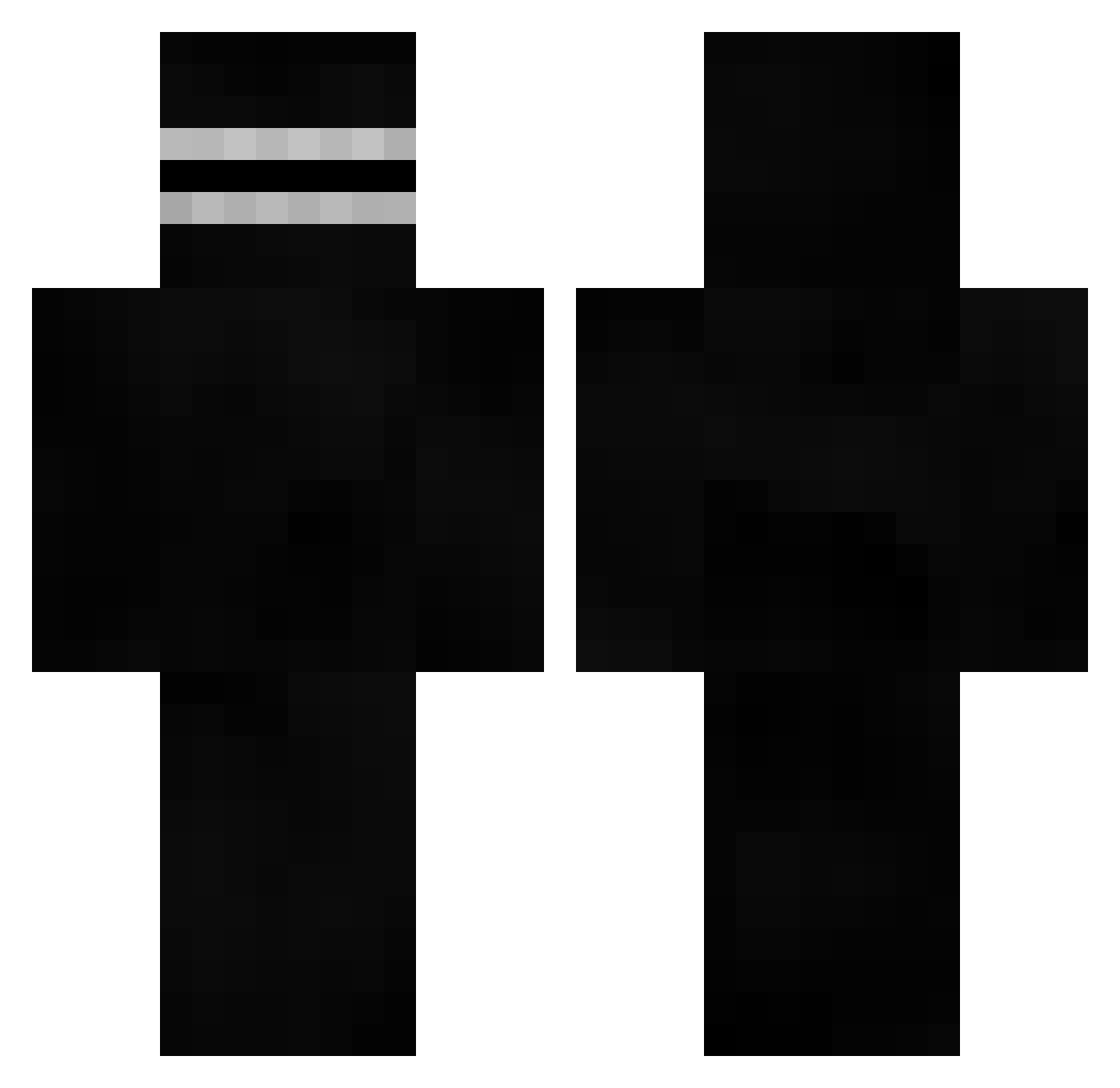
Current Minecraft skin of the player flobbyjoe243, loaded from the official Mojang API. Rotate the 3D model with your mouse or finger, then download the skin as a PNG file and use it in Minecraft: Bedrock Edition or Java Edition for free. When flobbyjoe243 changes their skin, this page updates automatically and the old skin stays in the history below.
Other players with this skin (520)
flobbyjoe243 was the 465th player we have seen with this skin, first spotted on 12.10.2026. The same skin was seen on these players. Open a nickname to see their current skin and skin history.
 Vitokap AnsuSeinFati IGhFK pabloo_89 DeikRuizz BruhBot3 papuLynnce opal_tuonela Staxistic EmaCabiz FoodForDog EllieBeanTwT NachTotErsmaBrot JeffHashimoto Anin9 PIZZAbLoK123 TTVGrubbz Tra1n_ Timbox123 a_pro_weeb zDreeyz Coolooser oDxrkness Treewiki BamNooN HardBoat02 Stockpra DiscountSal yaebuchurok TheRobas TheGr8TZ Wxlfz DrHigh76 markybash VanderPlouk Cris593 SimpinNpimpin CokeGotTapped KingBoofer DaeyongE _Nariyuki_ Negigi Gabriel8734 damch guglielm LeFonsder HuggeGangsta LargeBlackHammer thebigboy4 sinotu blacksun04 SaharaOS VEL_33 Tokseek windingflame401 cobra428sc GUMPPER dartingo GP_iO CamilleXx2001
More Visor Minecraft skins
How to install the flobbyjoe243 skin
- Press the Download button above to save the skin as a PNG file.
- Minecraft: Bedrock Edition (PE): open the Dressing Room from the main menu (or tap your character → Edit Character), go to Classic Skins → Owned, press the + (new skin) button, choose the downloaded PNG and pick the Classic (Steve) model. Works on PC and mobile; consoles cannot import custom skins.
- Minecraft: Java Edition: open the Minecraft Launcher, go to the Skins tab, click New Skin, load the PNG, pick the Classic (Steve) model and press Save & Use. You can also upload it at minecraft.net → Profile → Change Skin.
The skin does not show up after import - what should I do?
Restart Minecraft and open the Dressing Room again - imported skins sometimes appear only after a restart. Also make sure you selected the imported skin and picked the Classic (Steve) model.
Which model should I choose, Classic or Slim?
This skin is designed for the Classic (Steve) model. If you pick the wrong model, the arms of the skin will look stretched or squeezed.
Is the skin of flobbyjoe243 free to download?
Yes. Press Download, save the PNG file and use it in Minecraft: Bedrock Edition or Java Edition - no payment or registration needed. The skin also works on multiplayer servers and Realms.
More skins
Looking for more? Go back to all Minecraft skins and check the top skins of the week, month and all time, or find any player's skin by nickname.