
flaming09 - Minecraft Skins & Skin History
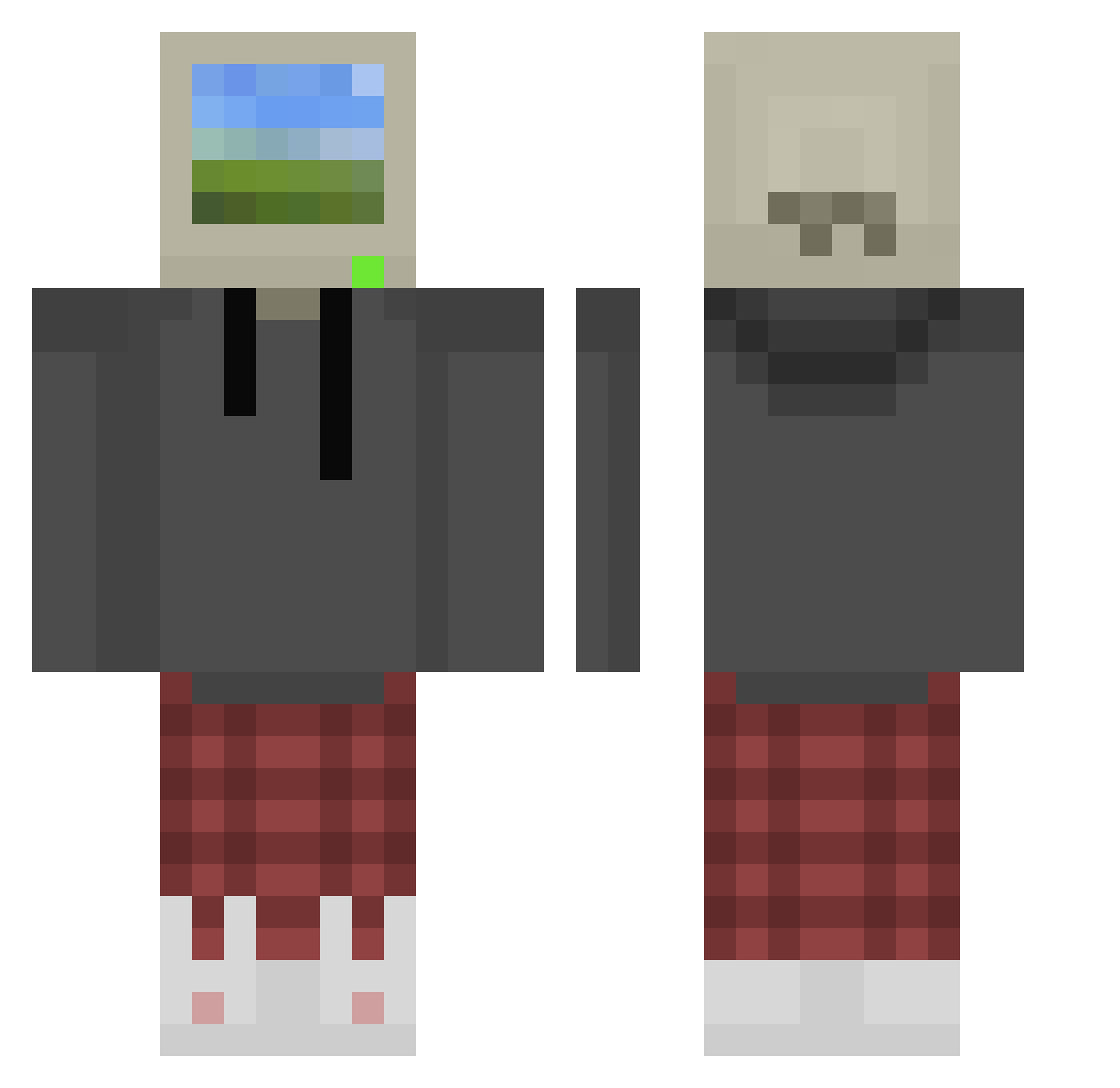
Current Minecraft skin of the player flaming09, loaded from the official Mojang API. Rotate the 3D model with your mouse or finger, then download the skin as a PNG file and use it in Minecraft: Bedrock Edition or Java Edition for free. When flaming09 changes their skin, this page updates automatically and the old skin stays in the history below.
Other players with this skin (874)
flaming09 was the 212th player we have seen with this skin, first spotted on 22.08.2026. The same skin was seen on these players. Open a nickname to see their current skin and skin history.
 Wingdings17 jerrythepopper MR_81LE game4life12 FRANQUITON PwarpYou Crilat SirBeanbagg Gerark SlickandThick Egeozby UrKumSock__UvU peszynn AruzARG2 DarkNescau Dionysus_MC Elayasxd NebulaWand Lobinho9090 AHFilms salamouche nylti bedye xodiume 3_69 CFlowers710 adslamb Tanninho MChewie Kefth MataCholos5000 bhnl ProxyHKs XVZN Aldal_628 Foofdoodle
 SirDedsec ImNotPlamen iRayzor Wes1y SheHatesJacinto JeSuisBen Espantalho1 try_to_ca7ch Anninaaa Luna_117_ slipperypickle00 CansWCans McDonaldKFC Poseidonn6 Mallio_ WooYongKim st0neridge nobody042 WaveBeem Toonery Alpfennstein kwuiqi Simon1090 q_nt
More Windows XP Minecraft skins
How to install the flaming09 skin
- Press the Download button above to save the skin as a PNG file.
- Minecraft: Bedrock Edition (PE): open the Dressing Room from the main menu (or tap your character → Edit Character), go to Classic Skins → Owned, press the + (new skin) button, choose the downloaded PNG and pick the Classic (Steve) model. Works on PC and mobile; consoles cannot import custom skins.
- Minecraft: Java Edition: open the Minecraft Launcher, go to the Skins tab, click New Skin, load the PNG, pick the Classic (Steve) model and press Save & Use. You can also upload it at minecraft.net → Profile → Change Skin.
The skin does not show up after import - what should I do?
Restart Minecraft and open the Dressing Room again - imported skins sometimes appear only after a restart. Also make sure you selected the imported skin and picked the Classic (Steve) model.
Which model should I choose, Classic or Slim?
This skin is designed for the Classic (Steve) model. If you pick the wrong model, the arms of the skin will look stretched or squeezed.
Is the skin of flaming09 free to download?
Yes. Press Download, save the PNG file and use it in Minecraft: Bedrock Edition or Java Edition - no payment or registration needed. The skin also works on multiplayer servers and Realms.
More skins
Looking for more? Go back to all Minecraft skins and check the top skins of the week, month and all time, or find any player's skin by nickname.