
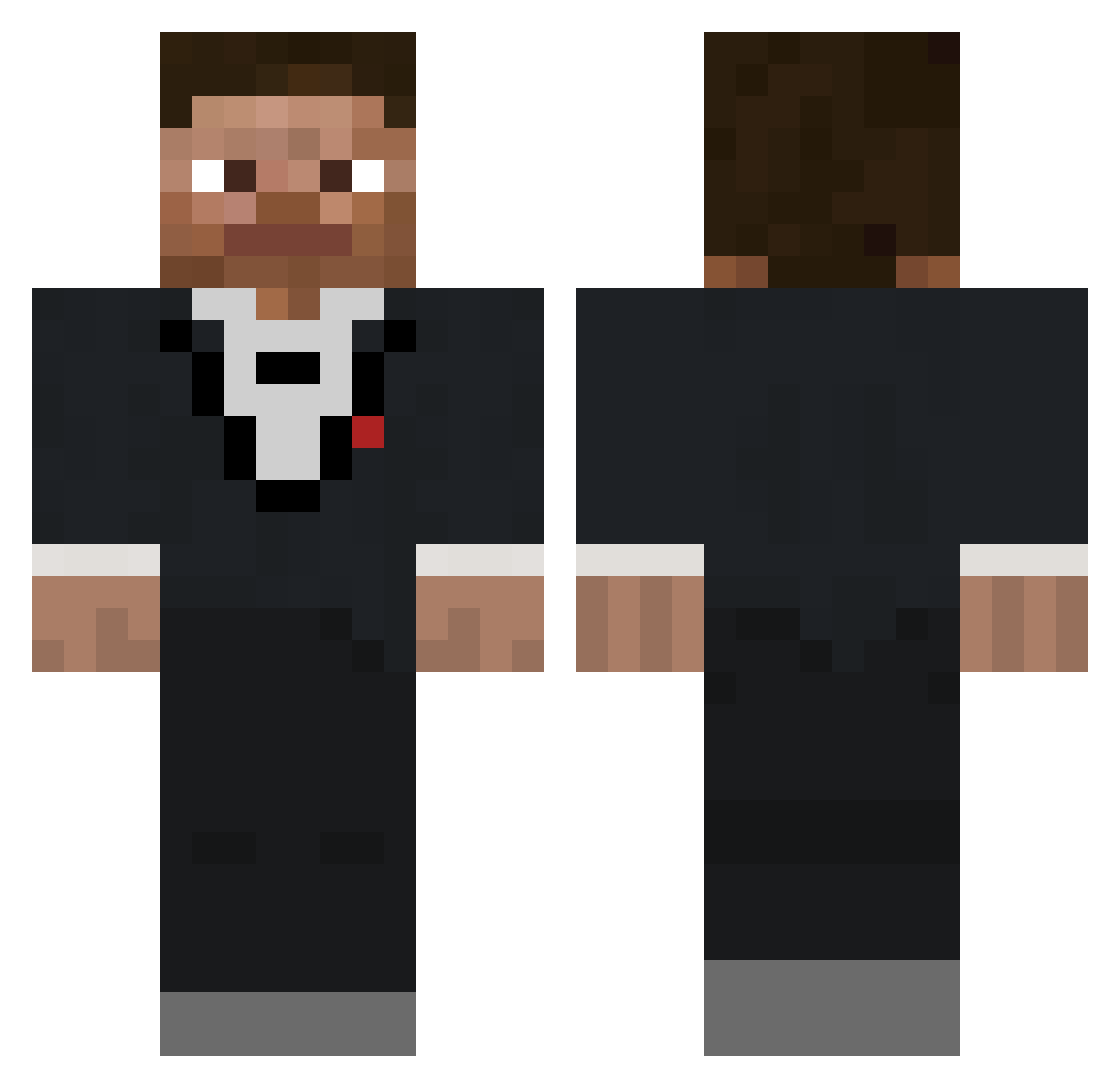
Current Minecraft skin of the player ffreeysl, loaded from the official Mojang API. Rotate the 3D model with your mouse or finger, then download the skin as a PNG file and use it in Minecraft: Bedrock Edition or Java Edition for free. When ffreeysl changes their skin, this page updates automatically and the old skin stays in the history below.
Other players with this skin (307)
ffreeysl was the 43rd player we have seen with this skin, first spotted on 07.08.2026. The same skin was seen on these players. Open a nickname to see their current skin and skin history.
 AaronStarin TastyTaco14 Onairrav SirSuccsALot dmillz_ MeatStreet Cjnator38 5forscher Ammos10 jaredworm Jimbaguy skerttt CIACRACKEPIDEMIC Tung19
 cnuggeth TimBoetoe Mac04 Decoy077 kytms Bravo1RSA JardonEx eddieedward4 JamJam9305 GappyAddock iqeq jakebytes icecreamandcake philip_lud BarbiesAreCool69 MLP_Karios QuantumMech127 shdyn sirmatt_ DoggoneTube201 AzA90100 _poom_ DannyDoofus ThePeachMan ninjadude119 Midnauss Reijinloll Jadenmclovin ZXM0__ Greenman4529 AlperenOzturk Qualf kakmeister12 DDAXXII HIM2339 lokki42442 Wishedarcher AaronFlo7 13_Tomahawk_13
 PriorSneeze Nihtmine WorriedClocks __EB__
 shrudd LulleBaous S8fierypotato8S
How to install the ffreeysl skin
- Press the Download button above to save the skin as a PNG file.
- Minecraft: Bedrock Edition (PE): open the Dressing Room from the main menu (or tap your character → Edit Character), go to Classic Skins → Owned, press the + (new skin) button, choose the downloaded PNG and pick the Classic (Steve) model. Works on PC and mobile; consoles cannot import custom skins.
- Minecraft: Java Edition: open the Minecraft Launcher, go to the Skins tab, click New Skin, load the PNG, pick the Classic (Steve) model and press Save & Use. You can also upload it at minecraft.net → Profile → Change Skin.
The skin does not show up after import - what should I do?
Restart Minecraft and open the Dressing Room again - imported skins sometimes appear only after a restart. Also make sure you selected the imported skin and picked the Classic (Steve) model.
Which model should I choose, Classic or Slim?
This skin is designed for the Classic (Steve) model. If you pick the wrong model, the arms of the skin will look stretched or squeezed.
Is the skin of ffreeysl free to download?
Yes. Press Download, save the PNG file and use it in Minecraft: Bedrock Edition or Java Edition - no payment or registration needed. The skin also works on multiplayer servers and Realms.
More skins
Looking for more? Go back to all Minecraft skins and check the top skins of the week, month and all time, or find any player's skin by nickname.