
fastsniper229 - Minecraft Skins & Skin History
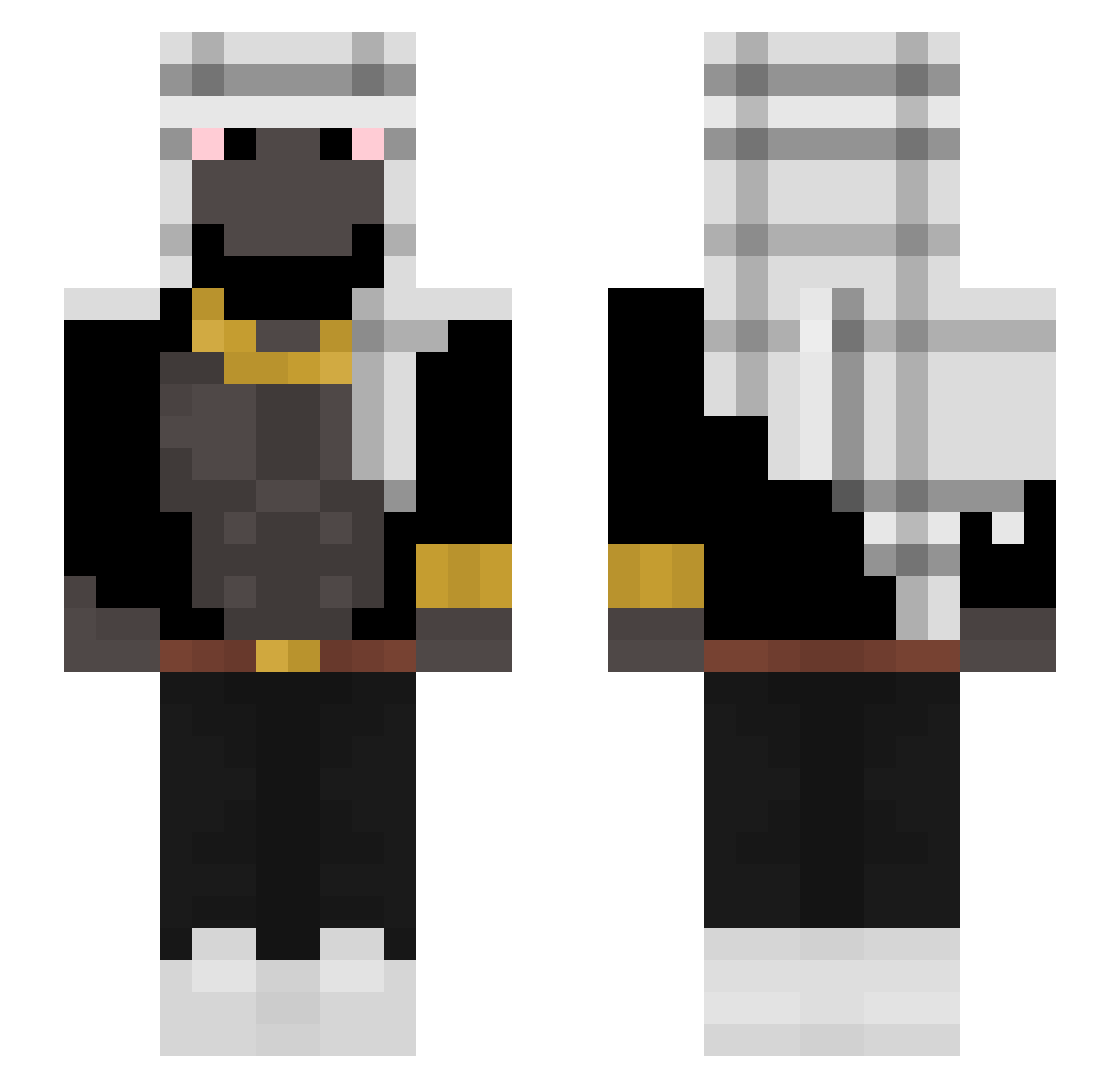
Current Minecraft skin of the player fastsniper229, loaded from the official Mojang API. Rotate the 3D model with your mouse or finger, then download the skin as a PNG file and use it in Minecraft: Bedrock Edition or Java Edition for free. When fastsniper229 changes their skin, this page updates automatically and the old skin stays in the history below.
Other players with this skin (297)
fastsniper229 was the 129th player we have seen with this skin, first spotted on 08.09.2026. The same skin was seen on these players. Open a nickname to see their current skin and skin history.
 noyadog vaultPIRATERIE yashtagi Lakamaka19 MrBeyaz Mack552 Piter_milk YesSirna Cl3menscool Gekonn TioShoy Clyde9017 monkeyape42 MrDutchDerp Lautypana 081_ Dudaaar Kalavera_07 card_approved sebaacasla Suklaamuru coonga Crusher246 mrzplay Ahmeed0011 Aluuuxx iraqibomber33 CJones13 GC_hpp5_9UH Magnusnus NBHGanker83 Lucidenemy sebitaprogamer kyeuski Zcxrew lleret aleksandarr PlatapusPaul prestigewhale YT_Ghost itsQush 11SEPTEMBRE2OO1 NedAfDenCykel DerPostbote88 BarongKingZ BlairSimple Danio000 hellflow Konssa Elevqtor Trixying abdulini Viiciio ohHealthy KamelTurken Umutee Ninjeko K1wzy imperiumgermanyt henriqqs
More Shemagh Minecraft skins
How to install the fastsniper229 skin
- Press the Download button above to save the skin as a PNG file.
- Minecraft: Bedrock Edition (PE): open the Dressing Room from the main menu (or tap your character → Edit Character), go to Classic Skins → Owned, press the + (new skin) button, choose the downloaded PNG and pick the Slim (Alex) model. Works on PC and mobile; consoles cannot import custom skins.
- Minecraft: Java Edition: open the Minecraft Launcher, go to the Skins tab, click New Skin, load the PNG, pick the Slim (Alex) model and press Save & Use. You can also upload it at minecraft.net → Profile → Change Skin.
The skin does not show up after import - what should I do?
Restart Minecraft and open the Dressing Room again - imported skins sometimes appear only after a restart. Also make sure you selected the imported skin and picked the Slim (Alex) model.
Which model should I choose, Classic or Slim?
This skin is designed for the Slim (Alex) model. If you pick the wrong model, the arms of the skin will look stretched or squeezed.
Is the skin of fastsniper229 free to download?
Yes. Press Download, save the PNG file and use it in Minecraft: Bedrock Edition or Java Edition - no payment or registration needed. The skin also works on multiplayer servers and Realms.
More skins
Looking for more? Go back to all Minecraft skins and check the top skins of the week, month and all time, or find any player's skin by nickname.