
fabribolcraft - Minecraft Skins & Skin History
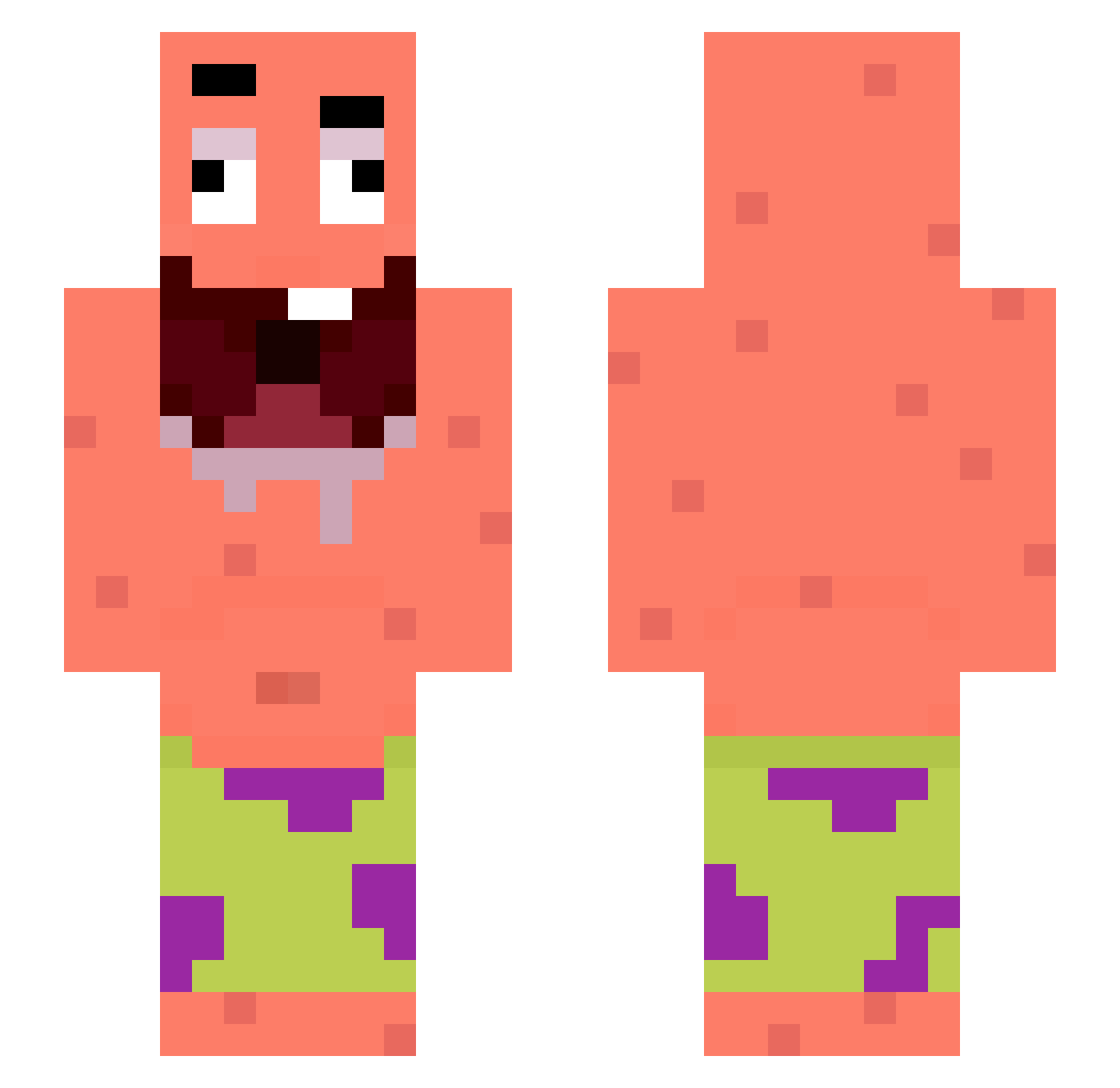
Current Minecraft skin of the player fabribolcraft, loaded from the official Mojang API. Rotate the 3D model with your mouse or finger, then download the skin as a PNG file and use it in Minecraft: Bedrock Edition or Java Edition for free. When fabribolcraft changes their skin, this page updates automatically and the old skin stays in the history below.
Other players with this skin (269)
fabribolcraft was the 201st player we have seen with this skin, first spotted on 08.10.2026. The same skin was seen on these players. Open a nickname to see their current skin and skin history.
 McSpeed1000 Deadweight Haaribooo longlongge L0STGH0ST DK2022 Tiptoecrow Pescuezo HybridsTho r2geko NieJaraMnieT02 Rikyan11 angelopro02 leearon02 julesdbt21 pjnkroses Gagamelius84 DorryFish Zesiok EmeraldSnake Jdvilloso JxyXero moniasonia z00za SecretBot155 Johnyyy ehvuhn GumBallv05 TC5ItsDavis GpixL hothead522 astonfora389 sergio78787 ShinWoo0317 boskooo1 p3xer rivasssjpg zyxva invalid120 Seraxphim pzze _P4BL0 seokhun0111 Michels7 Chondle WiilczeQ x9ksa Q1V_ Im_Rains reggieroo12122 GBWEEZY NHDY gum_s11 JasM7364 gazizouytb Dihu67 bearshield dbcksrbqkqh Fern4nd Midcreeperman93
More Patrick Star Minecraft skins
See all 611 Patrick Star skins
How to install the fabribolcraft skin
- Press the Download button above to save the skin as a PNG file.
- Minecraft: Bedrock Edition (PE): open the Dressing Room from the main menu (or tap your character → Edit Character), go to Classic Skins → Owned, press the + (new skin) button, choose the downloaded PNG and pick the Slim (Alex) model. Works on PC and mobile; consoles cannot import custom skins.
- Minecraft: Java Edition: open the Minecraft Launcher, go to the Skins tab, click New Skin, load the PNG, pick the Slim (Alex) model and press Save & Use. You can also upload it at minecraft.net → Profile → Change Skin.
The skin does not show up after import - what should I do?
Restart Minecraft and open the Dressing Room again - imported skins sometimes appear only after a restart. Also make sure you selected the imported skin and picked the Slim (Alex) model.
Which model should I choose, Classic or Slim?
This skin is designed for the Slim (Alex) model. If you pick the wrong model, the arms of the skin will look stretched or squeezed.
Is the skin of fabribolcraft free to download?
Yes. Press Download, save the PNG file and use it in Minecraft: Bedrock Edition or Java Edition - no payment or registration needed. The skin also works on multiplayer servers and Realms.
More skins
Looking for more? Go back to all Minecraft skins and check the top skins of the week, month and all time, or find any player's skin by nickname.