
eunchanbigpig - Minecraft Skins & Skin History
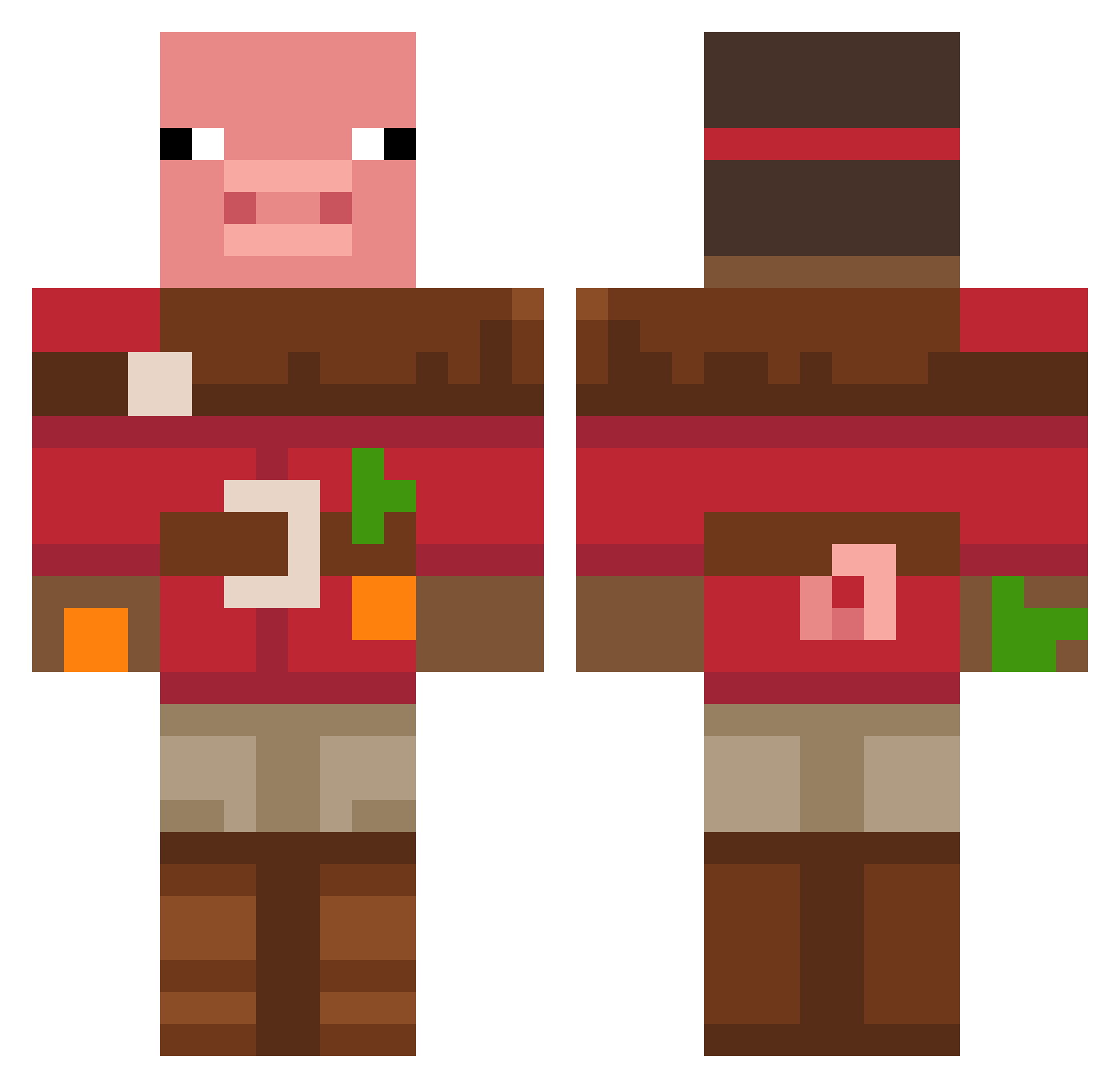
Current Minecraft skin of the player eunchanbigpig, loaded from the official Mojang API. Rotate the 3D model with your mouse or finger, then download the skin as a PNG file and use it in Minecraft: Bedrock Edition or Java Edition for free. When eunchanbigpig changes their skin, this page updates automatically and the old skin stays in the history below.
Other players with this skin (48)
eunchanbigpig was the 20th player we have seen with this skin, first spotted on 13.09.2026. The same skin was seen on these players. Open a nickname to see their current skin and skin history.
 shalev28 Adiruk kiryxa2280011 piskun yairos909 helmanyuval radioash95
 Tucky_J CJGoopper giusecherchi weloveyoutecca1 Cizu pcboy123 Apple2048 CarloKing13 Redraven187 Jk_kr nuggies1872 mdebb
 BlessedPug po229
 lasan5699 pbwowdq RastinWasTaken Steve1134 CoolGoo22 Marihuanitaaa Aydin9 krytoi_goose42 toilavua Logis2013 blacksheep2208
 woop_woon
 enjoyer1021 itsmeyourfriend dogeboy3124 QwertTheWert lolek3161 Pepazzini 1WantToPahan Hagud JaydenSFC 8iak Osinss S23PlusHype GibiNEGtanyahu sesame42seed Pedrojps123
More Pig Minecraft skins
How to install the eunchanbigpig skin
- Press the Download button above to save the skin as a PNG file.
- Minecraft: Bedrock Edition (PE): open the Dressing Room from the main menu (or tap your character → Edit Character), go to Classic Skins → Owned, press the + (new skin) button, choose the downloaded PNG and pick the Classic (Steve) model. Works on PC and mobile; consoles cannot import custom skins.
- Minecraft: Java Edition: open the Minecraft Launcher, go to the Skins tab, click New Skin, load the PNG, pick the Classic (Steve) model and press Save & Use. You can also upload it at minecraft.net → Profile → Change Skin.
The skin does not show up after import - what should I do?
Restart Minecraft and open the Dressing Room again - imported skins sometimes appear only after a restart. Also make sure you selected the imported skin and picked the Classic (Steve) model.
Which model should I choose, Classic or Slim?
This skin is designed for the Classic (Steve) model. If you pick the wrong model, the arms of the skin will look stretched or squeezed.
Is the skin of eunchanbigpig free to download?
Yes. Press Download, save the PNG file and use it in Minecraft: Bedrock Edition or Java Edition - no payment or registration needed. The skin also works on multiplayer servers and Realms.
More skins
Looking for more? Go back to all Minecraft skins and check the top skins of the week, month and all time, or find any player's skin by nickname.