
eunbunnie - Minecraft Skins & Skin History
Current Minecraft skin of the player eunbunnie, loaded from the official Mojang API. Rotate the 3D model with your mouse or finger, then download the skin as a PNG file and use it in Minecraft: Bedrock Edition or Java Edition for free. When eunbunnie changes their skin, this page updates automatically and the old skin stays in the history below.
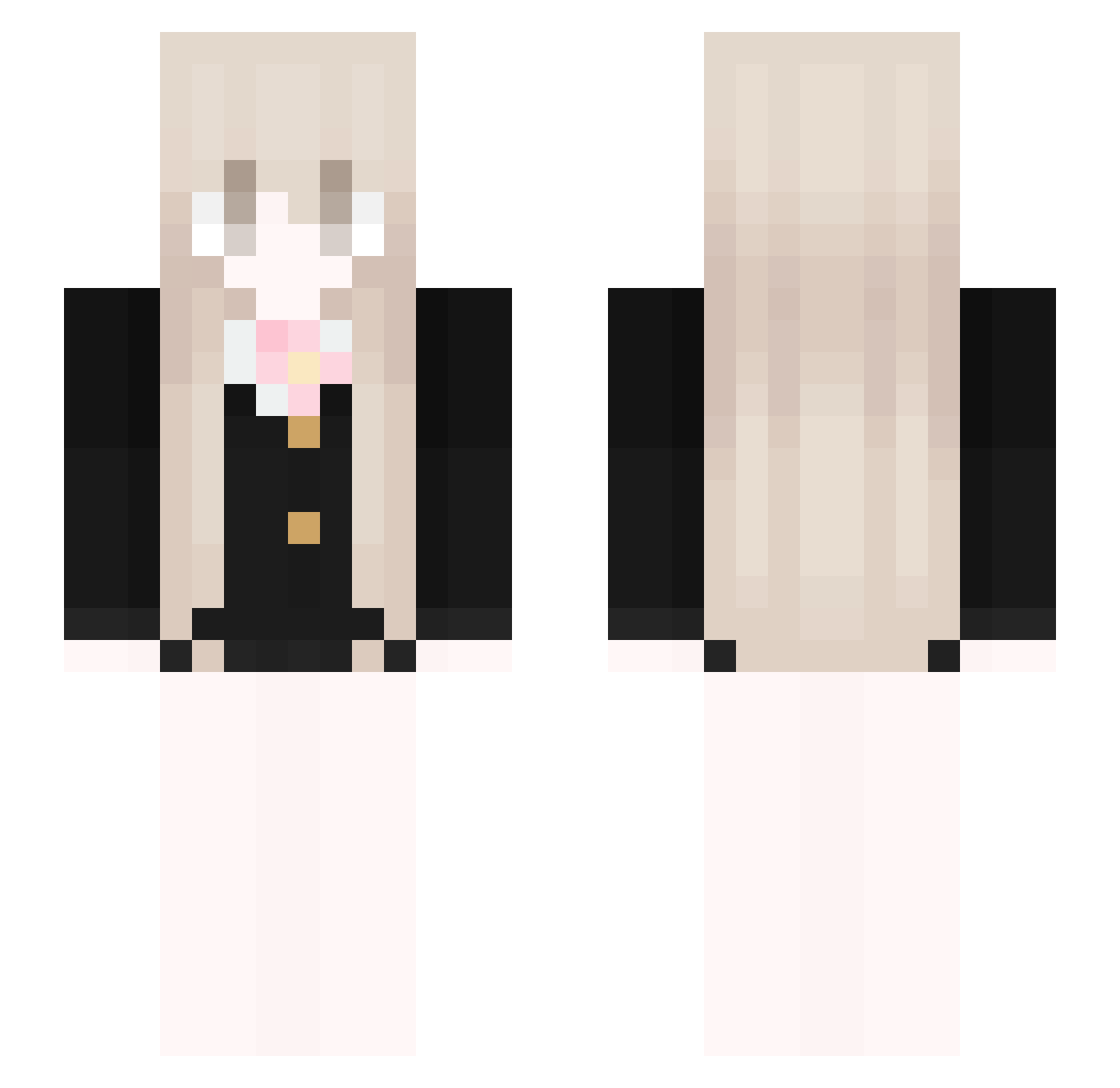
Other players with this skin (45)
eunbunnie was the 20th player we have seen with this skin, first spotted on 21.09.2026. The same skin was seen on these players. Open a nickname to see their current skin and skin history.
 84AM asthaluv TheAutumnBreeze _____T_T_____ sakuraaa1234 Xs_freedom Him_1295 SophJoe Lina120710
 nzih fishwie rzursti eyo12 TheMercedes oliwcaxxx 65T huyou8042 Hannes876 MrsDepressiv iAsmer Quiescence_ LuzSys expectantly omorint Anabelqui san9996
 yipss kaede477
 holizonTY GG_bond14514 JIN_Ms Enters47
 70lv kaluea Natasz1i CatgirlLumi catforums graphologist MrBoley deathadorant
 Brooks_grim uhcplayer1337 milkteac aysa__ hilrodo
More School Uniform Minecraft skins
See all 7629 School Uniform skins
How to install the eunbunnie skin
- Press the Download button above to save the skin as a PNG file.
- Minecraft: Bedrock Edition (PE): open the Dressing Room from the main menu (or tap your character → Edit Character), go to Classic Skins → Owned, press the + (new skin) button, choose the downloaded PNG and pick the Slim (Alex) model. Works on PC and mobile; consoles cannot import custom skins.
- Minecraft: Java Edition: open the Minecraft Launcher, go to the Skins tab, click New Skin, load the PNG, pick the Slim (Alex) model and press Save & Use. You can also upload it at minecraft.net → Profile → Change Skin.
The skin does not show up after import - what should I do?
Restart Minecraft and open the Dressing Room again - imported skins sometimes appear only after a restart. Also make sure you selected the imported skin and picked the Slim (Alex) model.
Which model should I choose, Classic or Slim?
This skin is designed for the Slim (Alex) model. If you pick the wrong model, the arms of the skin will look stretched or squeezed.
Is the skin of eunbunnie free to download?
Yes. Press Download, save the PNG file and use it in Minecraft: Bedrock Edition or Java Edition - no payment or registration needed. The skin also works on multiplayer servers and Realms.
More skins
Looking for more? Go back to all Minecraft skins and check the top skins of the week, month and all time, or find any player's skin by nickname.