
erykso123 - Minecraft Skins & Skin History
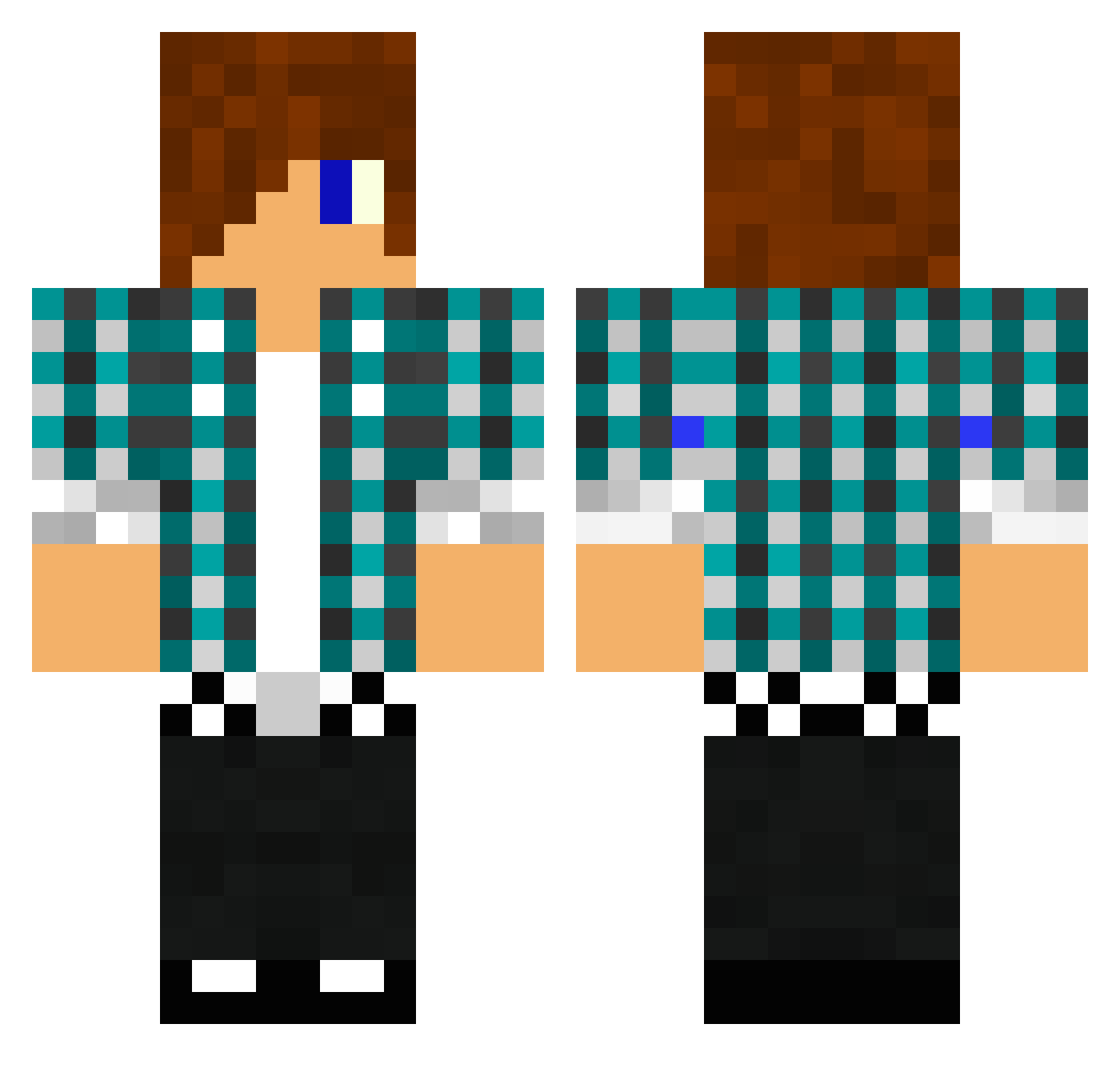
Current Minecraft skin of the player erykso123, loaded from the official Mojang API. Rotate the 3D model with your mouse or finger, then download the skin as a PNG file and use it in Minecraft: Bedrock Edition or Java Edition for free. When erykso123 changes their skin, this page updates automatically and the old skin stays in the history below.
Other players with this skin (1476)
erykso123 was the 248th player we have seen with this skin, first spotted on 13.08.2026. The same skin was seen on these players. Open a nickname to see their current skin and skin history.
 NJBeaver zamal9999 McBache SASMaster989 Tornadobbby minecraftian_kid builder12477 tomgart2 covfefeed chickenbiscuit52 Enyox JosephhhLee Kai73198 mitchelld2000 Bebopvox1 willH2000 ShiftyOriginal fartfun2468 ShadowLuc16 daninerd12 nitay100 Fgtherock amirdemiri Starwar100 Dovo76 Dunniboy96 svartisb Tobiaszekf2 Kingdragon_ TheWarrior115 floschrank Dimanz CarstenLJ Marsl89 Phillbu98 lukemiller48 GadgetGuy39 wubbysnow Duck_Man04 thundabuddy boboll25 CrazyCallum02 the_punisher502 Roelswag orange5548 ktmtoby namenlosaccount danielcrl pabloskicano FIREBOUY jack7556 robowarior506 skytheminecraft safari39 Leo452 NateMcCann geeli99 AndresGamer1324 togood98 lennartwiedmann
More Emo Minecraft skins
How to install the erykso123 skin
- Press the Download button above to save the skin as a PNG file.
- Minecraft: Bedrock Edition (PE): open the Dressing Room from the main menu (or tap your character → Edit Character), go to Classic Skins → Owned, press the + (new skin) button, choose the downloaded PNG and pick the Classic (Steve) model. Works on PC and mobile; consoles cannot import custom skins.
- Minecraft: Java Edition: open the Minecraft Launcher, go to the Skins tab, click New Skin, load the PNG, pick the Classic (Steve) model and press Save & Use. You can also upload it at minecraft.net → Profile → Change Skin.
The skin does not show up after import - what should I do?
Restart Minecraft and open the Dressing Room again - imported skins sometimes appear only after a restart. Also make sure you selected the imported skin and picked the Classic (Steve) model.
Which model should I choose, Classic or Slim?
This skin is designed for the Classic (Steve) model. If you pick the wrong model, the arms of the skin will look stretched or squeezed.
Is the skin of erykso123 free to download?
Yes. Press Download, save the PNG file and use it in Minecraft: Bedrock Edition or Java Edition - no payment or registration needed. The skin also works on multiplayer servers and Realms.
More skins
Looking for more? Go back to all Minecraft skins and check the top skins of the week, month and all time, or find any player's skin by nickname.