
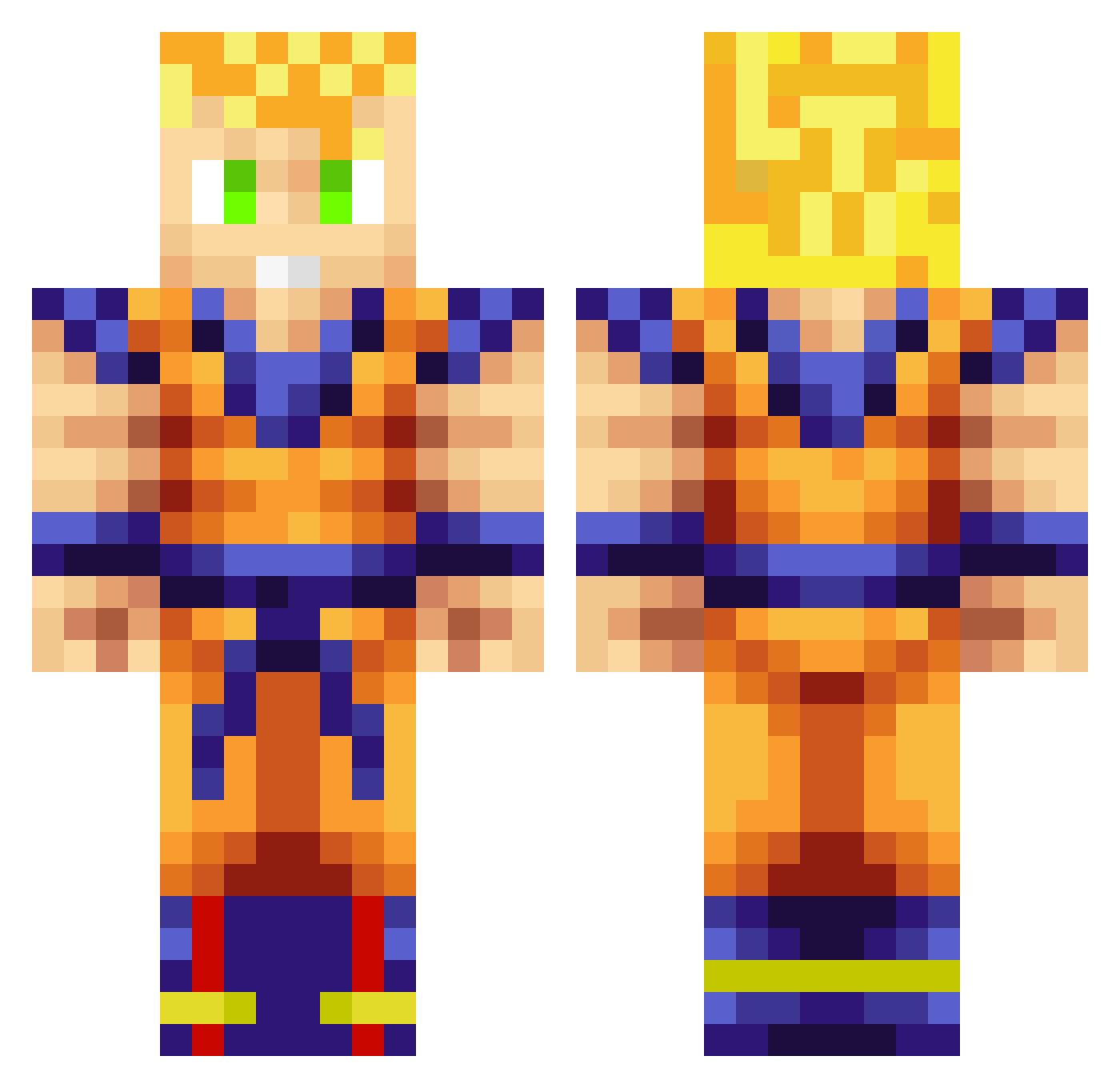
Current Minecraft skin of the player ephramd, loaded from the official Mojang API. Rotate the 3D model with your mouse or finger, then download the skin as a PNG file and use it in Minecraft: Bedrock Edition or Java Edition for free. When ephramd changes their skin, this page updates automatically and the old skin stays in the history below.
Other players with this skin (703)
ephramd was the 318th player we have seen with this skin, first spotted on 01.09.2026. The same skin was seen on these players. Open a nickname to see their current skin and skin history.
 SilentScoper mack112009 KingNobu HasanderBoss NathanTMc Adrianzh1001 britishtwist BraedenNZ NitrOoX75 SLYxWOOD UnafraidPony2 wowaB JordanK1LL Darkros3r cancevik026 Tharlin31 jcdkny Gohanstrongest Gromjar kourito Hermitopia _ENGOZA_ Puzzlecrafter12 _KroWd_ HellHunter12 Xavier205 BradMan1493 iNookle wabeldy N3m3sis32 paperminttree giraffegirl23 adiereynolds TheJapanMan pepes99 KiwiJames84 Lord_ZenTriZz RustyTheClown The_Marc89 joshuaboss GimmeJuice kwharu JorgeSenpai R4cso Crankbait97 Myllerup EasyEvan246 RmDzZ Kylher 4drlowciv Shawnc3232 Reliicx Sharking987 xxxTURBOGLADxxx EwanJoeJones HelionMusic Sevaro MaximusXtreme KaminaSerena PARTYKING121
More Goku Minecraft skins
How to install the ephramd skin
- Press the Download button above to save the skin as a PNG file.
- Minecraft: Bedrock Edition (PE): open the Dressing Room from the main menu (or tap your character → Edit Character), go to Classic Skins → Owned, press the + (new skin) button, choose the downloaded PNG and pick the Classic (Steve) model. Works on PC and mobile; consoles cannot import custom skins.
- Minecraft: Java Edition: open the Minecraft Launcher, go to the Skins tab, click New Skin, load the PNG, pick the Classic (Steve) model and press Save & Use. You can also upload it at minecraft.net → Profile → Change Skin.
The skin does not show up after import - what should I do?
Restart Minecraft and open the Dressing Room again - imported skins sometimes appear only after a restart. Also make sure you selected the imported skin and picked the Classic (Steve) model.
Which model should I choose, Classic or Slim?
This skin is designed for the Classic (Steve) model. If you pick the wrong model, the arms of the skin will look stretched or squeezed.
Is the skin of ephramd free to download?
Yes. Press Download, save the PNG file and use it in Minecraft: Bedrock Edition or Java Edition - no payment or registration needed. The skin also works on multiplayer servers and Realms.
More skins
Looking for more? Go back to all Minecraft skins and check the top skins of the week, month and all time, or find any player's skin by nickname.