
emwilliams55 - Minecraft Skins & Skin History
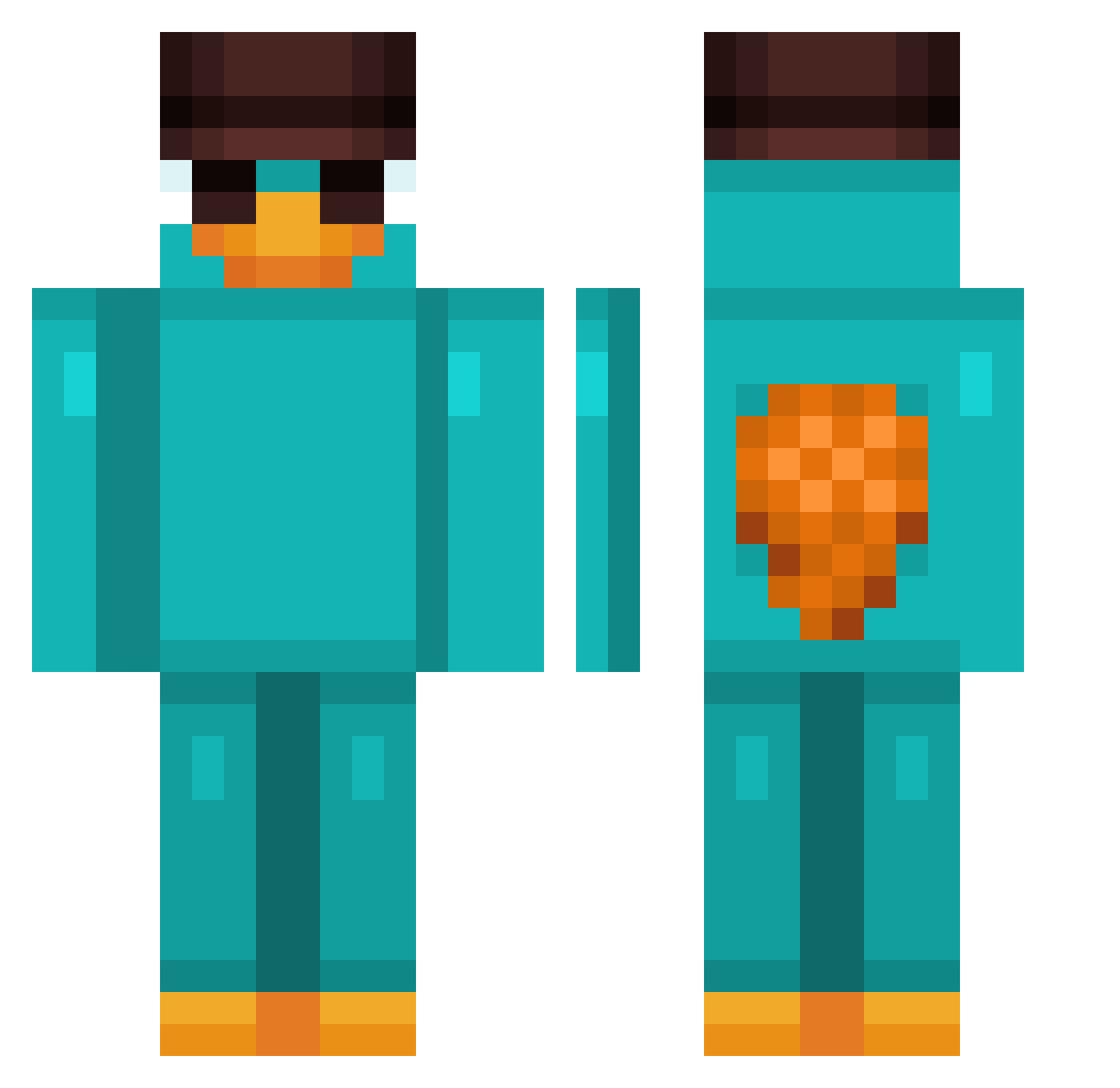
Current Minecraft skin of the player emwilliams55, loaded from the official Mojang API. Rotate the 3D model with your mouse or finger, then download the skin as a PNG file and use it in Minecraft: Bedrock Edition or Java Edition for free. When emwilliams55 changes their skin, this page updates automatically and the old skin stays in the history below.
Other players with this skin (812)
emwilliams55 was the 241st player we have seen with this skin, first spotted on 22.08.2026. The same skin was seen on these players. Open a nickname to see their current skin and skin history.
 JustFacer JaegerBoy88 MrTranc hiroshingg Mariolo_ taVeiro june52 marcmarc2002 Doritos_m SpECIAL2003 ReepayZ Rajith Monsieur1990 Hatesleep TheMayck
 Pam1r Stellarsun04 NotGiey Babiboux Dominik100x BuenosMartinezPL O1ixx Yddac _Anzai_ scamo09 Jejebp DepressedMi Majeranek001 Kim_Dimo baryfn BENIJU4424 NetherNomad7 Oreo158 Boss_Baby_09 Jallerr BigBoiBridges NieAdam Ray7605 pablorodriguezg SZDEUS IAM_1000 Lejonn77
 Jinoxc NoahKim9 Hroni_Phoenix ppopp0 Falkore42 JKunhaPt adom2003 NAYSOGOOD Zima0126 VitinhoBobRx Commander_Oskar Shaxxy_ manumanito_ _Klopik_ JOGEBYE7788 SeaPedroLapis alvarehh_ GodFelps
More Platypus Minecraft skins
How to install the emwilliams55 skin
- Press the Download button above to save the skin as a PNG file.
- Minecraft: Bedrock Edition (PE): open the Dressing Room from the main menu (or tap your character → Edit Character), go to Classic Skins → Owned, press the + (new skin) button, choose the downloaded PNG and pick the Classic (Steve) model. Works on PC and mobile; consoles cannot import custom skins.
- Minecraft: Java Edition: open the Minecraft Launcher, go to the Skins tab, click New Skin, load the PNG, pick the Classic (Steve) model and press Save & Use. You can also upload it at minecraft.net → Profile → Change Skin.
The skin does not show up after import - what should I do?
Restart Minecraft and open the Dressing Room again - imported skins sometimes appear only after a restart. Also make sure you selected the imported skin and picked the Classic (Steve) model.
Which model should I choose, Classic or Slim?
This skin is designed for the Classic (Steve) model. If you pick the wrong model, the arms of the skin will look stretched or squeezed.
Is the skin of emwilliams55 free to download?
Yes. Press Download, save the PNG file and use it in Minecraft: Bedrock Edition or Java Edition - no payment or registration needed. The skin also works on multiplayer servers and Realms.
More skins
Looking for more? Go back to all Minecraft skins and check the top skins of the week, month and all time, or find any player's skin by nickname.