
emerald_ddd - Minecraft Skins & Skin History
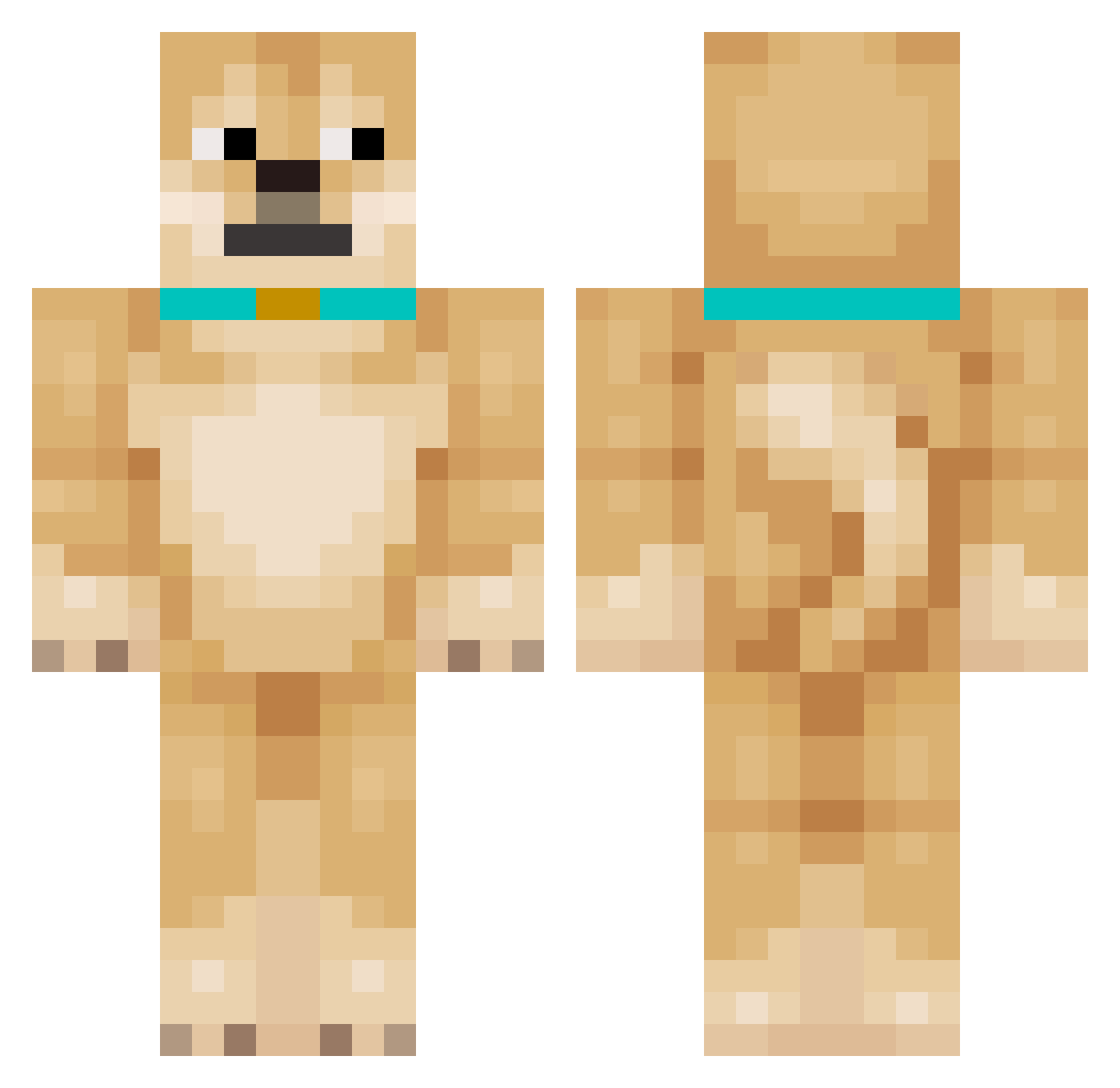
Current Minecraft skin of the player emerald_ddd, loaded from the official Mojang API. Rotate the 3D model with your mouse or finger, then download the skin as a PNG file and use it in Minecraft: Bedrock Edition or Java Edition for free. When emerald_ddd changes their skin, this page updates automatically and the old skin stays in the history below.
Other players with this skin (144)
emerald_ddd was the 125th player we have seen with this skin, first spotted on 12.10.2026. The same skin was seen on these players. Open a nickname to see their current skin and skin history.
 BloodlineAdmin inkognita13 SingleDoge666 JUNHO09 pmj0308 Finoed chaka_tan Atlas_Orbis Bambo_o JoNs19 mango8150 Chachka D0GE nsy8_ clouddoge233 pengin1011 Pansyfaust EDPK hhplayer kong_bai019 Igorunka0 binq8008 drdre3 VeryFlyingDoge Kyrttt alfresco loranwallick MNNikka shenni2 myongmyown sawe1903 Dogdoobo Jisoo_BlackPink wwd623 gayfishboy ch130225 WJDDMSTJD xiaoyaodog innazy Blkfxx doggggggggg kushomaniac Gu1zin8_8 hyunhi olo2709 Zylba rlo_alt PutteTheLegend ZRX777 nijumetLikesdogs Doge78 CaptEthan20 dani69_ jeongzer0 hood5851 tga_msmc_qc6 PieselowyPiesel DolDam2 PeterZhang666 b0_7ks
More Shiba Inu Minecraft skins
How to install the emerald_ddd skin
- Press the Download button above to save the skin as a PNG file.
- Minecraft: Bedrock Edition (PE): open the Dressing Room from the main menu (or tap your character → Edit Character), go to Classic Skins → Owned, press the + (new skin) button, choose the downloaded PNG and pick the Classic (Steve) model. Works on PC and mobile; consoles cannot import custom skins.
- Minecraft: Java Edition: open the Minecraft Launcher, go to the Skins tab, click New Skin, load the PNG, pick the Classic (Steve) model and press Save & Use. You can also upload it at minecraft.net → Profile → Change Skin.
The skin does not show up after import - what should I do?
Restart Minecraft and open the Dressing Room again - imported skins sometimes appear only after a restart. Also make sure you selected the imported skin and picked the Classic (Steve) model.
Which model should I choose, Classic or Slim?
This skin is designed for the Classic (Steve) model. If you pick the wrong model, the arms of the skin will look stretched or squeezed.
Is the skin of emerald_ddd free to download?
Yes. Press Download, save the PNG file and use it in Minecraft: Bedrock Edition or Java Edition - no payment or registration needed. The skin also works on multiplayer servers and Realms.
More skins
Looking for more? Go back to all Minecraft skins and check the top skins of the week, month and all time, or find any player's skin by nickname.