
elo86 - Minecraft Skins & Skin History
Current Minecraft skin of the player elo86, loaded from the official Mojang API. Rotate the 3D model with your mouse or finger, then download the skin as a PNG file and use it in Minecraft: Bedrock Edition or Java Edition for free. When elo86 changes their skin, this page updates automatically and the old skin stays in the history below.
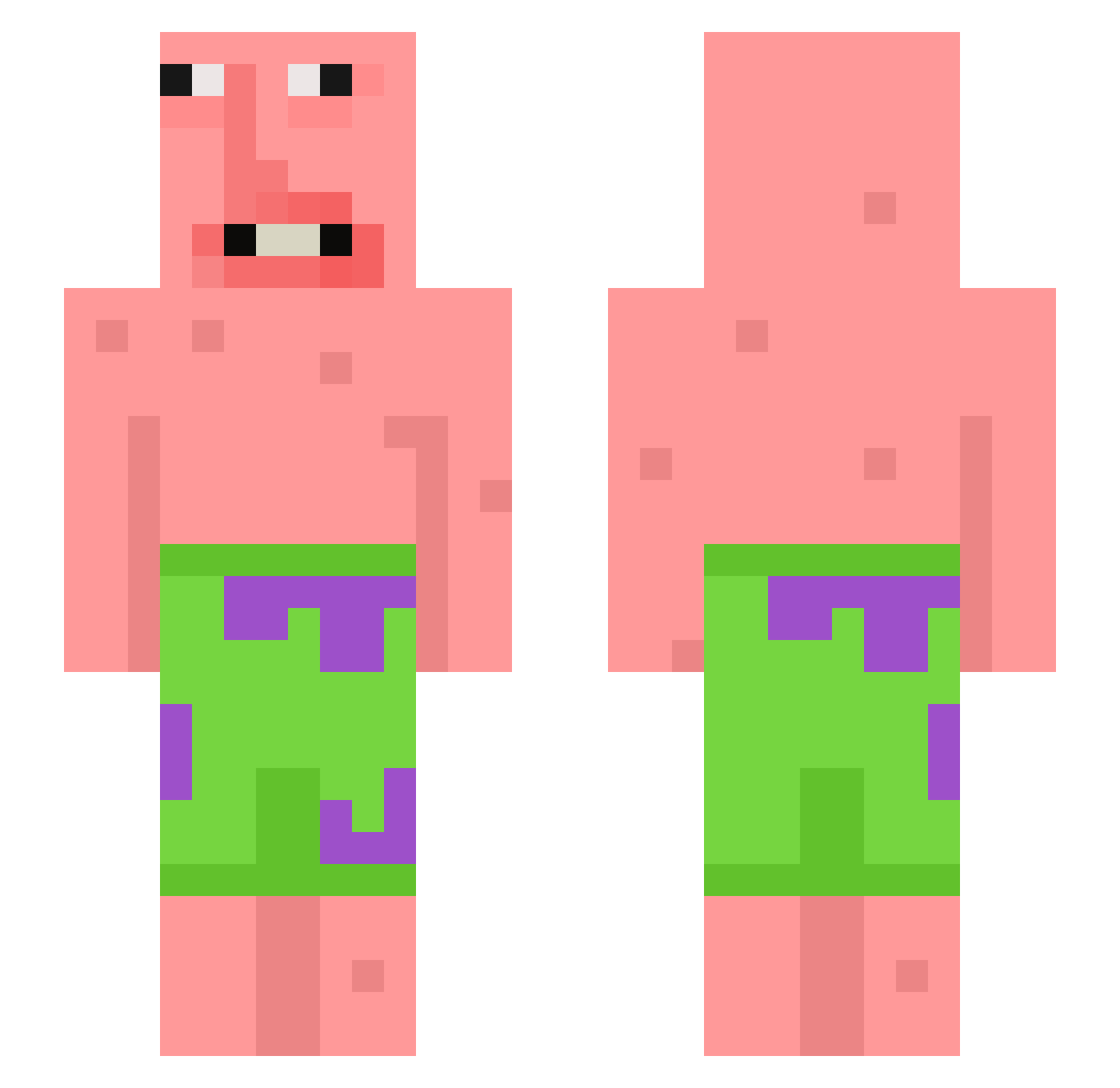
Other players with this skin (398)
elo86 was the 310th player we have seen with this skin, first spotted on 13.10.2026. The same skin was seen on these players. Open a nickname to see their current skin and skin history.
 Susumuaizawa liljeff74 doom_204 Tintin_201 Pelonhn mmad1 cowsed yups_ salt1470 ItDoBeDo SodaJosh gliizzyglobber felvilsmb wapmaster51 patatkoning1 Tomster25 KimDeokSu Porazenie123 TheIsmaelGuy2900 Kaze_009 austin544 Daifplay CHENHW Monke_shmeat xxxbrnj4ioon mitchdlions succ_o_o TOKTK Kazam0414 hanseungo 17IFRA t0adlordx Jariwu bidullgi999 Eissn JTissogood MoistMelven THE_UNIT_JADAMAN Robexr muxisute AvaPlays09 DarkStrayker OgTripper rebornjbb Ripley11 Kitsino_ ShavedBaloney Atrainlol Goldeim thexdguyo_o spacemoles Heater_z TyTyandBaxter SpeedsterLife pekpekstench SeasonedBread insomniaa_ Hoppitt KHIthePeanut guayee
More Patrick Star Minecraft skins
See all 612 Patrick Star skins
How to install the elo86 skin
- Press the Download button above to save the skin as a PNG file.
- Minecraft: Bedrock Edition (PE): open the Dressing Room from the main menu (or tap your character → Edit Character), go to Classic Skins → Owned, press the + (new skin) button, choose the downloaded PNG and pick the Slim (Alex) model. Works on PC and mobile; consoles cannot import custom skins.
- Minecraft: Java Edition: open the Minecraft Launcher, go to the Skins tab, click New Skin, load the PNG, pick the Slim (Alex) model and press Save & Use. You can also upload it at minecraft.net → Profile → Change Skin.
The skin does not show up after import - what should I do?
Restart Minecraft and open the Dressing Room again - imported skins sometimes appear only after a restart. Also make sure you selected the imported skin and picked the Slim (Alex) model.
Which model should I choose, Classic or Slim?
This skin is designed for the Slim (Alex) model. If you pick the wrong model, the arms of the skin will look stretched or squeezed.
Is the skin of elo86 free to download?
Yes. Press Download, save the PNG file and use it in Minecraft: Bedrock Edition or Java Edition - no payment or registration needed. The skin also works on multiplayer servers and Realms.
More skins
Looking for more? Go back to all Minecraft skins and check the top skins of the week, month and all time, or find any player's skin by nickname.