
elgielgi - Minecraft Skins & Skin History
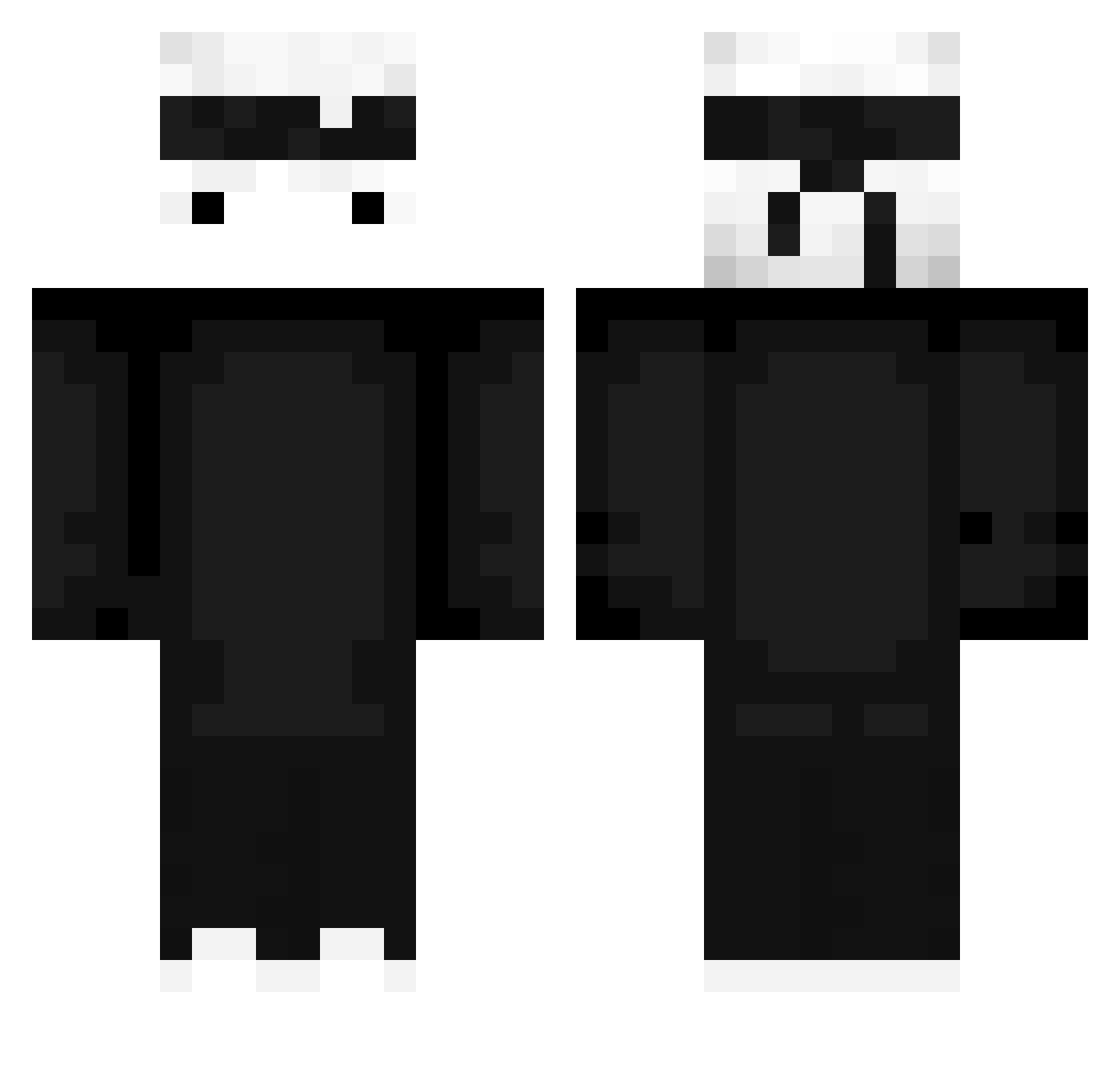
Current Minecraft skin of the player elgielgi, loaded from the official Mojang API. Rotate the 3D model with your mouse or finger, then download the skin as a PNG file and use it in Minecraft: Bedrock Edition or Java Edition for free. When elgielgi changes their skin, this page updates automatically and the old skin stays in the history below.
Other players with this skin (427)
elgielgi was the 43rd player we have seen with this skin, first spotted on 02.08.2026. The same skin was seen on these players. Open a nickname to see their current skin and skin history.
 Danzarrr oliver0100 TheOnlyRoad Sloppy_Johns leTTuces_ Spasttert walido1510 XD_aqua EV33K chicken0105 Revcnance _Ramanujan AsianSalad TTVAdri YoruNx_ SaltyF1nn ERHANGUNES Seikaa29 NeoKoZ_ The_Allahnator Alix_000111 KungFuMike lil_MoonMoon avatar079 Frungis13 TohaTa099 TohaTa089 Elxusaki UncleBlue Sky_Ottario _MrMormich_ faker449 _kyes Shten1k Manu_Golanu IrvingSKO BalloonKarma853 IBUUDI BozyBloat Enzo0_ez NEO__404 Attraktiv_ Liberty_bedless OhDhai sh4derka Potissimum SrLouiz Purple1234567 _kapi_ziomal_ _Rivvan_ Dawers Labod77 Roozal red0201 peng715 Exeecc Bbayou_ FrituurBaas Littlefear ChocolasxD120
More Ninja Minecraft skins
How to install the elgielgi skin
- Press the Download button above to save the skin as a PNG file.
- Minecraft: Bedrock Edition (PE): open the Dressing Room from the main menu (or tap your character → Edit Character), go to Classic Skins → Owned, press the + (new skin) button, choose the downloaded PNG and pick the Classic (Steve) model. Works on PC and mobile; consoles cannot import custom skins.
- Minecraft: Java Edition: open the Minecraft Launcher, go to the Skins tab, click New Skin, load the PNG, pick the Classic (Steve) model and press Save & Use. You can also upload it at minecraft.net → Profile → Change Skin.
The skin does not show up after import - what should I do?
Restart Minecraft and open the Dressing Room again - imported skins sometimes appear only after a restart. Also make sure you selected the imported skin and picked the Classic (Steve) model.
Which model should I choose, Classic or Slim?
This skin is designed for the Classic (Steve) model. If you pick the wrong model, the arms of the skin will look stretched or squeezed.
Is the skin of elgielgi free to download?
Yes. Press Download, save the PNG file and use it in Minecraft: Bedrock Edition or Java Edition - no payment or registration needed. The skin also works on multiplayer servers and Realms.
More skins
Looking for more? Go back to all Minecraft skins and check the top skins of the week, month and all time, or find any player's skin by nickname.