
_Rivvan_ - Minecraft Skins & Skin History
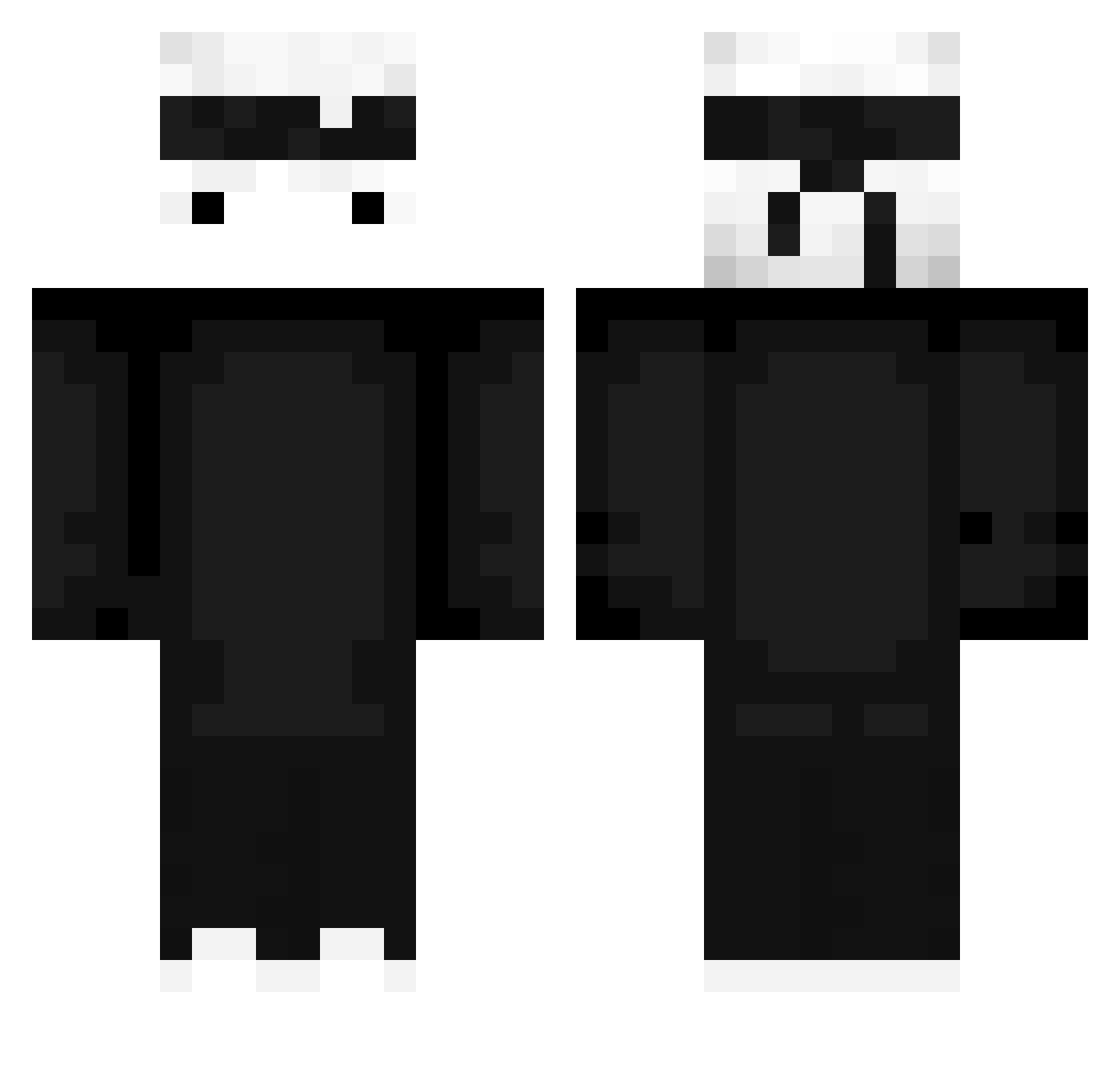
Current Minecraft skin of the player _Rivvan_, loaded from the official Mojang API. Rotate the 3D model with your mouse or finger, then download the skin as a PNG file and use it in Minecraft: Bedrock Edition or Java Edition for free. When _Rivvan_ changes their skin, this page updates automatically and the old skin stays in the history below.
Other players with this skin (428)
_Rivvan_ was the 66th player we have seen with this skin, first spotted on 09.08.2026. The same skin was seen on these players. Open a nickname to see their current skin and skin history.
 _kapi_ziomal_ Roozal SrLouiz sh4derka ChocolasxD120 chekoxD Visa_SENSEI Xyqrqf xv4z Number3 Bygrycn IBUUDI IrvingSKO Manu_Golanu Shten1k _MrMormich_ Elxusaki TohaTa089 TohaTa099 eduardoo_1723 boqii avatar079 Santiago0627 PatatjeOOrlog703 miquuu KungFuMike xWiidy_ xRgM Alix_000111 The_Allahnator lucagoood Seikaa29 MaTallceT Frezieru Sgt_Bergi aless06310 Revcnance Madmaxalex Tunish Piiombus CKernaghan walido1510 Spasttert Dakdot Sloppy_Johns T0haTa099 MateusNozeia WWMatheusHHss TheOnlyRoad Danzarrr Tdyuz_ elgielgi snackerg4 Kabeau oliver0100 Tw1xX8i FROSTY_BR leTTuces_ Diho_Raz XD_aqua
More Ninja Minecraft skins
How to install the _Rivvan_ skin
- Press the Download button above to save the skin as a PNG file.
- Minecraft: Bedrock Edition (PE): open the Dressing Room from the main menu (or tap your character → Edit Character), go to Classic Skins → Owned, press the + (new skin) button, choose the downloaded PNG and pick the Classic (Steve) model. Works on PC and mobile; consoles cannot import custom skins.
- Minecraft: Java Edition: open the Minecraft Launcher, go to the Skins tab, click New Skin, load the PNG, pick the Classic (Steve) model and press Save & Use. You can also upload it at minecraft.net → Profile → Change Skin.
The skin does not show up after import - what should I do?
Restart Minecraft and open the Dressing Room again - imported skins sometimes appear only after a restart. Also make sure you selected the imported skin and picked the Classic (Steve) model.
Which model should I choose, Classic or Slim?
This skin is designed for the Classic (Steve) model. If you pick the wrong model, the arms of the skin will look stretched or squeezed.
Is the skin of _Rivvan_ free to download?
Yes. Press Download, save the PNG file and use it in Minecraft: Bedrock Edition or Java Edition - no payment or registration needed. The skin also works on multiplayer servers and Realms.
More skins
Looking for more? Go back to all Minecraft skins and check the top skins of the week, month and all time, or find any player's skin by nickname.