
el_rivio - Minecraft Skins & Skin History
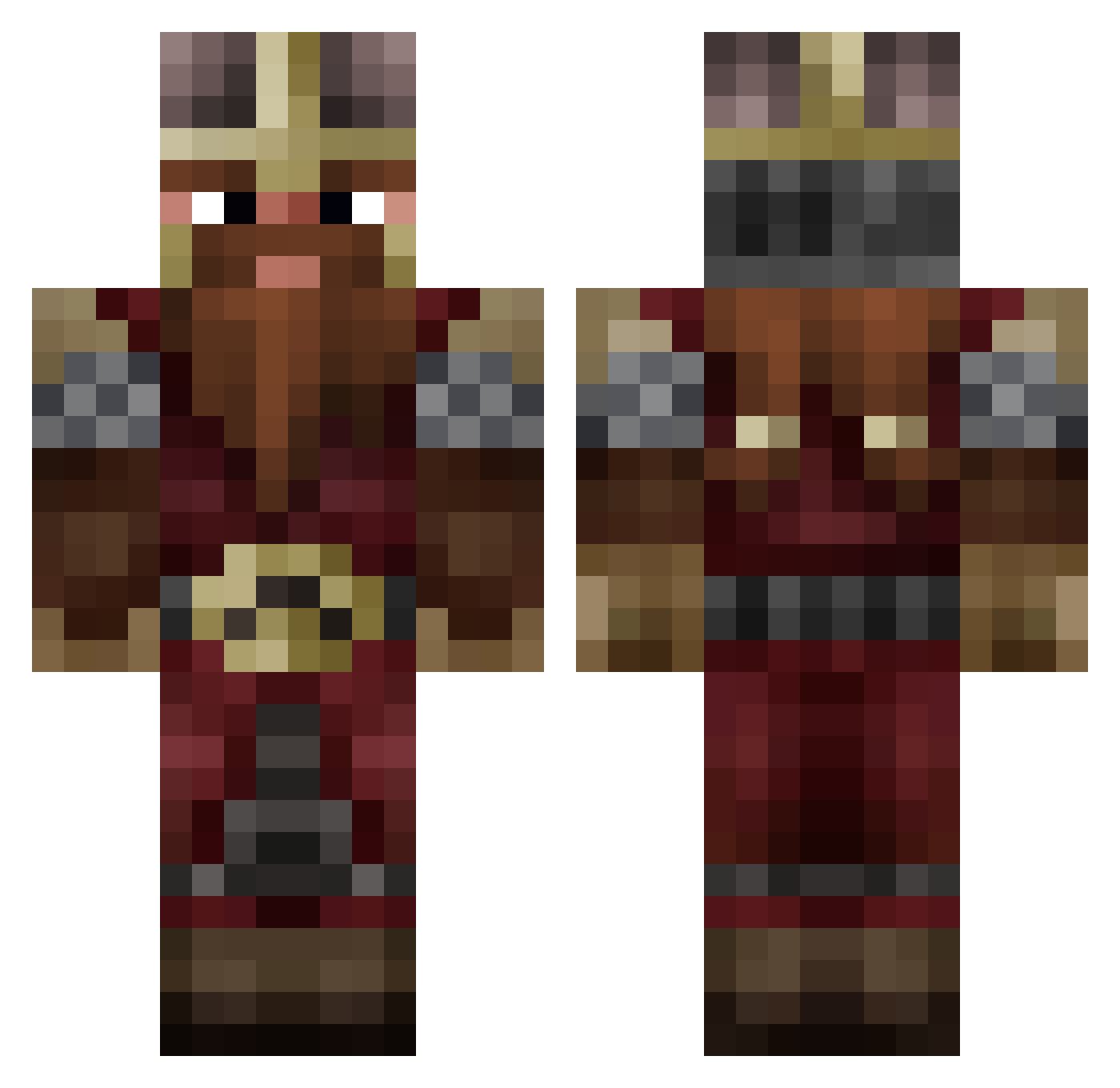
Current Minecraft skin of the player el_rivio, loaded from the official Mojang API. Rotate the 3D model with your mouse or finger, then download the skin as a PNG file and use it in Minecraft: Bedrock Edition or Java Edition for free. When el_rivio changes their skin, this page updates automatically and the old skin stays in the history below.
Other players with this skin (809)
el_rivio was the 210th player we have seen with this skin, first spotted on 16.08.2026. The same skin was seen on these players. Open a nickname to see their current skin and skin history.
 XxxNightravenxxX MarkCzzt GreenEagle1007 Spqrethan lilleafyy
 Justintobar280 Danielepic12 xt127 TommyBoy311 Felix_Turtle mirekwariat103 Swagreaper Vanturi515 Wirkel 0bmas TheCannonDwarf Vaderhater15 Bravemore16 DestroSC kibatavu Cyere Yorrian Kingofnerds4
 snacksizedevan Draken_2 Raulillo777 Kseon_Tv Gimli_Games DrewTheGreat Komnenus EricBrooks Prema69 kaliedascope schenat Weirder_everyday GallaEnot AngrySpock _HolyGrail_ yoyoman8554 DrakoLyn mentecato IndiJunior DaftDovahkiin zexman LoSvizzerone LTKaljish Mattleytwin3 Gubknak KingulecPusheen Naashoba Leogerio Placebo01 Aurow ZeTropipou Thoralask GarnicKa drunkgimlig _Radis__ fenjrill mrgovernment2
More Dwarf Minecraft skins
How to install the el_rivio skin
- Press the Download button above to save the skin as a PNG file.
- Minecraft: Bedrock Edition (PE): open the Dressing Room from the main menu (or tap your character → Edit Character), go to Classic Skins → Owned, press the + (new skin) button, choose the downloaded PNG and pick the Classic (Steve) model. Works on PC and mobile; consoles cannot import custom skins.
- Minecraft: Java Edition: open the Minecraft Launcher, go to the Skins tab, click New Skin, load the PNG, pick the Classic (Steve) model and press Save & Use. You can also upload it at minecraft.net → Profile → Change Skin.
The skin does not show up after import - what should I do?
Restart Minecraft and open the Dressing Room again - imported skins sometimes appear only after a restart. Also make sure you selected the imported skin and picked the Classic (Steve) model.
Which model should I choose, Classic or Slim?
This skin is designed for the Classic (Steve) model. If you pick the wrong model, the arms of the skin will look stretched or squeezed.
Is the skin of el_rivio free to download?
Yes. Press Download, save the PNG file and use it in Minecraft: Bedrock Edition or Java Edition - no payment or registration needed. The skin also works on multiplayer servers and Realms.
More skins
Looking for more? Go back to all Minecraft skins and check the top skins of the week, month and all time, or find any player's skin by nickname.