
ekptwtos - Minecraft Skins & Skin History
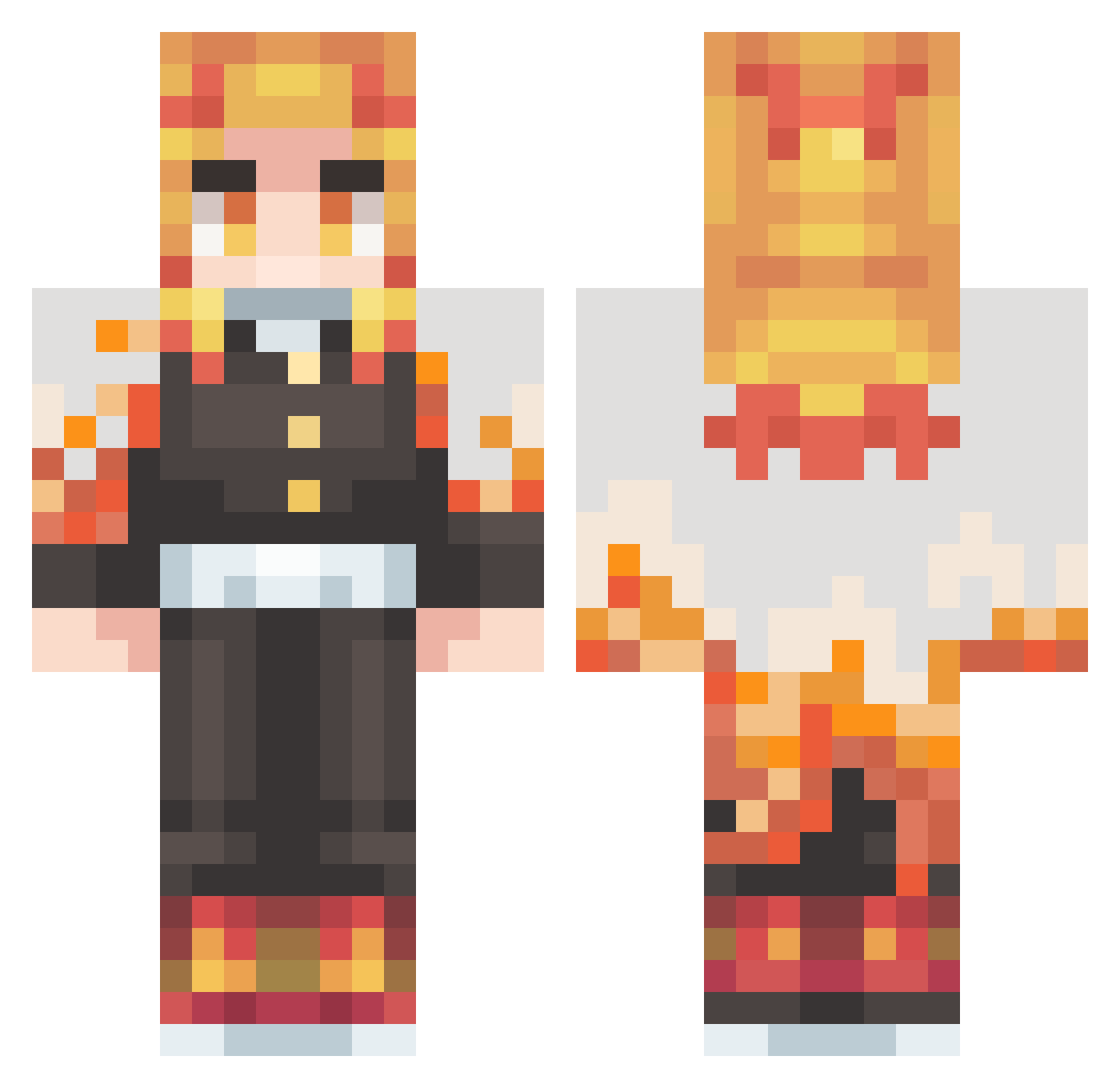
Current Minecraft skin of the player ekptwtos, loaded from the official Mojang API. Rotate the 3D model with your mouse or finger, then download the skin as a PNG file and use it in Minecraft: Bedrock Edition or Java Edition for free. When ekptwtos changes their skin, this page updates automatically and the old skin stays in the history below.
Other players with this skin (431)
ekptwtos was the 413th player we have seen with this skin, first spotted on 02.11.2026. The same skin was seen on these players. Open a nickname to see their current skin and skin history.
 adiyeetya JustinP16 ichimatsuuu buildevent SirDraco974 MetinMainTwo EQS16 Wei_Chih chojunyoung AyoMalcolm abdullahimohd sky253 UrbanWarrior31 Zoru78 Pacomor3 nori_shio reggie0418 AKAZAKUUUUU takirou6 VinnieRiii DarkSnack10 Jpmendesssz rikiardo99 AxianNn LdrLoki D4r10_96 Xapaum EroWasTaken TheGrez Jp_0402 Ryu8711 Kaburke Masaki_Kodama __BlackLung__ _Didou_ papilinho swimming_29 PanicLUL Sulfuricwolf263 cendol666 ogKyntra RengokuKyujuro LeonidasNox AVTA hinjed fqr92 HOISING kurando1216 svente_btw Chief571 rhysbland Linus0227 BOTIMAS Hanioken jr_devil AnimalFriend524 BlackDevil_Shion The_reaper282 Aranachiel DIMONiop
More Kyojuro Rengoku Minecraft skins
See all 114 Kyojuro Rengoku skins
How to install the ekptwtos skin
- Press the Download button above to save the skin as a PNG file.
- Minecraft: Bedrock Edition (PE): open the Dressing Room from the main menu (or tap your character → Edit Character), go to Classic Skins → Owned, press the + (new skin) button, choose the downloaded PNG and pick the Classic (Steve) model. Works on PC and mobile; consoles cannot import custom skins.
- Minecraft: Java Edition: open the Minecraft Launcher, go to the Skins tab, click New Skin, load the PNG, pick the Classic (Steve) model and press Save & Use. You can also upload it at minecraft.net → Profile → Change Skin.
The skin does not show up after import - what should I do?
Restart Minecraft and open the Dressing Room again - imported skins sometimes appear only after a restart. Also make sure you selected the imported skin and picked the Classic (Steve) model.
Which model should I choose, Classic or Slim?
This skin is designed for the Classic (Steve) model. If you pick the wrong model, the arms of the skin will look stretched or squeezed.
Is the skin of ekptwtos free to download?
Yes. Press Download, save the PNG file and use it in Minecraft: Bedrock Edition or Java Edition - no payment or registration needed. The skin also works on multiplayer servers and Realms.
More skins
Looking for more? Go back to all Minecraft skins and check the top skins of the week, month and all time, or find any player's skin by nickname.