
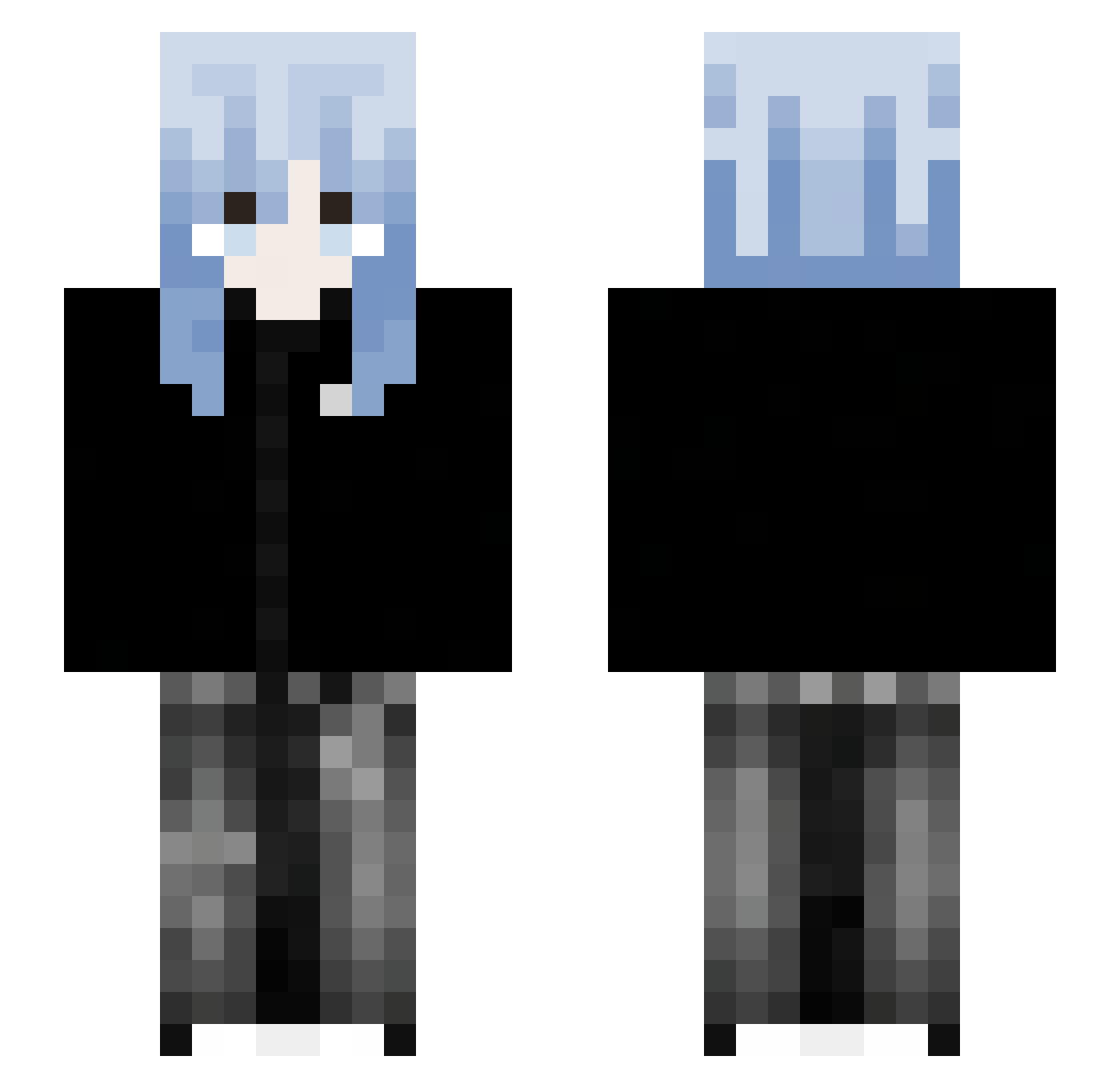
Current Minecraft skin of the player ekbj, loaded from the official Mojang API. Rotate the 3D model with your mouse or finger, then download the skin as a PNG file and use it in Minecraft: Bedrock Edition or Java Edition for free. When ekbj changes their skin, this page updates automatically and the old skin stays in the history below.
Other players with this skin (49)
ekbj was the 33rd player we have seen with this skin, first spotted on 11.09.2026. The same skin was seen on these players. Open a nickname to see their current skin and skin history.
 eMseekK 4shfi_ yumwwy SALlNE YokeWDP Nzx6 SUFAN520 majnkraft1221 NameNotAvalible Efesss_ Azuviketsu Gehackt15 closer__ kitriko Boom_TwT_ Aoa_momo Tsuki_slvr 8akk1x2 Mewzt Vornatrix Queen778 kenogori Akaya_1123 Rui8004 Treckz__ chae_yy Endtoye xRevenn CanDoorHey WLW_Ghost
 charchutowa xZenith13 4Noxic lsiqus 1Apr swk_x
 Nautikaa sillioll leijiaqi123 perfectlyteri Rione_1211 xsatanica Sorotane Rivirian anotheryaso xiahanyun21 Bsancy BSYdr lazarus1_
More Anime Girl Minecraft skins
See all 10210 Anime Girl skins
How to install the ekbj skin
- Press the Download button above to save the skin as a PNG file.
- Minecraft: Bedrock Edition (PE): open the Dressing Room from the main menu (or tap your character → Edit Character), go to Classic Skins → Owned, press the + (new skin) button, choose the downloaded PNG and pick the Slim (Alex) model. Works on PC and mobile; consoles cannot import custom skins.
- Minecraft: Java Edition: open the Minecraft Launcher, go to the Skins tab, click New Skin, load the PNG, pick the Slim (Alex) model and press Save & Use. You can also upload it at minecraft.net → Profile → Change Skin.
The skin does not show up after import - what should I do?
Restart Minecraft and open the Dressing Room again - imported skins sometimes appear only after a restart. Also make sure you selected the imported skin and picked the Slim (Alex) model.
Which model should I choose, Classic or Slim?
This skin is designed for the Slim (Alex) model. If you pick the wrong model, the arms of the skin will look stretched or squeezed.
Is the skin of ekbj free to download?
Yes. Press Download, save the PNG file and use it in Minecraft: Bedrock Edition or Java Edition - no payment or registration needed. The skin also works on multiplayer servers and Realms.
More skins
Looking for more? Go back to all Minecraft skins and check the top skins of the week, month and all time, or find any player's skin by nickname.