
eemer - Minecraft Skins & Skin History
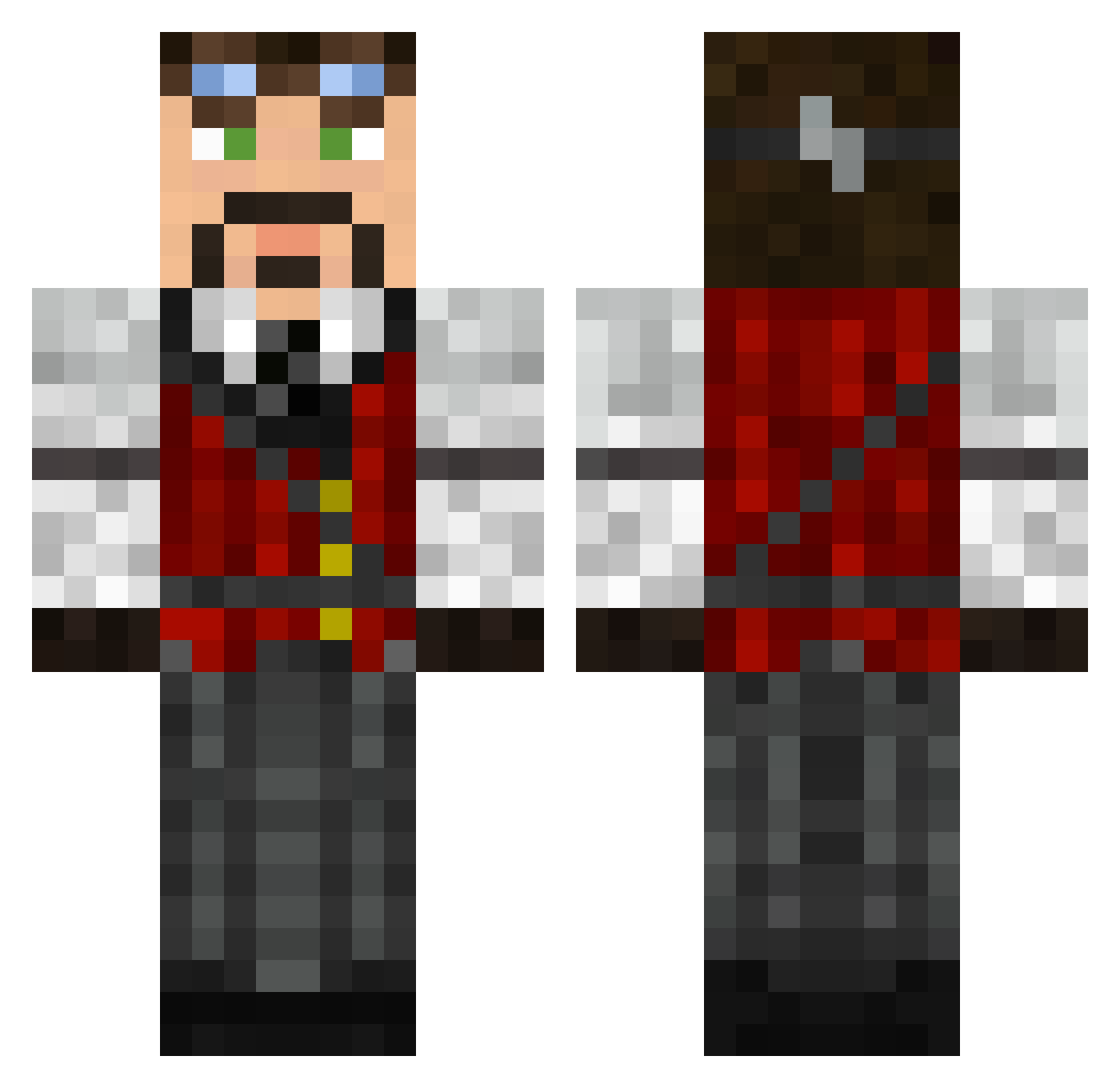
Current Minecraft skin of the player eemer, loaded from the official Mojang API. Rotate the 3D model with your mouse or finger, then download the skin as a PNG file and use it in Minecraft: Bedrock Edition or Java Edition for free. When eemer changes their skin, this page updates automatically and the old skin stays in the history below.
Other players with this skin (626)
eemer was the 268th player we have seen with this skin, first spotted on 19.09.2026. The same skin was seen on these players. Open a nickname to see their current skin and skin history.
 NYC_Monster Maisonian majora2007 Nallaak Daskmammut Epic_Stone Myroddin ImpMagic jt96 Sven19991 ecthae Geeimawalnut noirjinto Tvasan bubbles_550 Rinzler0001 DarkMookie Markou_31 Brittlejf TheJayBob Nostalgia00 HENNY2001 Preacher27 Insaniacks emptyafternoon Aleks_Sher MrFreeMan23 MaiaBee ZeroSigea Balddrick tro1 Tadjio lusse3 DrKrunch19 _frnk gigasimon Frisain NotPikka unknownsole4493 Ravewolf420 Kebalo Polab sixesnsevens Strahll ADEN2015 arnefootball tombomb31 jeniculousjools9 Bila4p Time_lord514 tahquitz05 predbites Laic2584 Pulp060 Bourne89 HannibalBadger MightyN0ob Gustav24 HawkerTyphoon Comparso
More Steampunk Minecraft skins
How to install the eemer skin
- Press the Download button above to save the skin as a PNG file.
- Minecraft: Bedrock Edition (PE): open the Dressing Room from the main menu (or tap your character → Edit Character), go to Classic Skins → Owned, press the + (new skin) button, choose the downloaded PNG and pick the Classic (Steve) model. Works on PC and mobile; consoles cannot import custom skins.
- Minecraft: Java Edition: open the Minecraft Launcher, go to the Skins tab, click New Skin, load the PNG, pick the Classic (Steve) model and press Save & Use. You can also upload it at minecraft.net → Profile → Change Skin.
The skin does not show up after import - what should I do?
Restart Minecraft and open the Dressing Room again - imported skins sometimes appear only after a restart. Also make sure you selected the imported skin and picked the Classic (Steve) model.
Which model should I choose, Classic or Slim?
This skin is designed for the Classic (Steve) model. If you pick the wrong model, the arms of the skin will look stretched or squeezed.
Is the skin of eemer free to download?
Yes. Press Download, save the PNG file and use it in Minecraft: Bedrock Edition or Java Edition - no payment or registration needed. The skin also works on multiplayer servers and Realms.
More skins
Looking for more? Go back to all Minecraft skins and check the top skins of the week, month and all time, or find any player's skin by nickname.