
eduzitoo8 - Minecraft Skins & Skin History
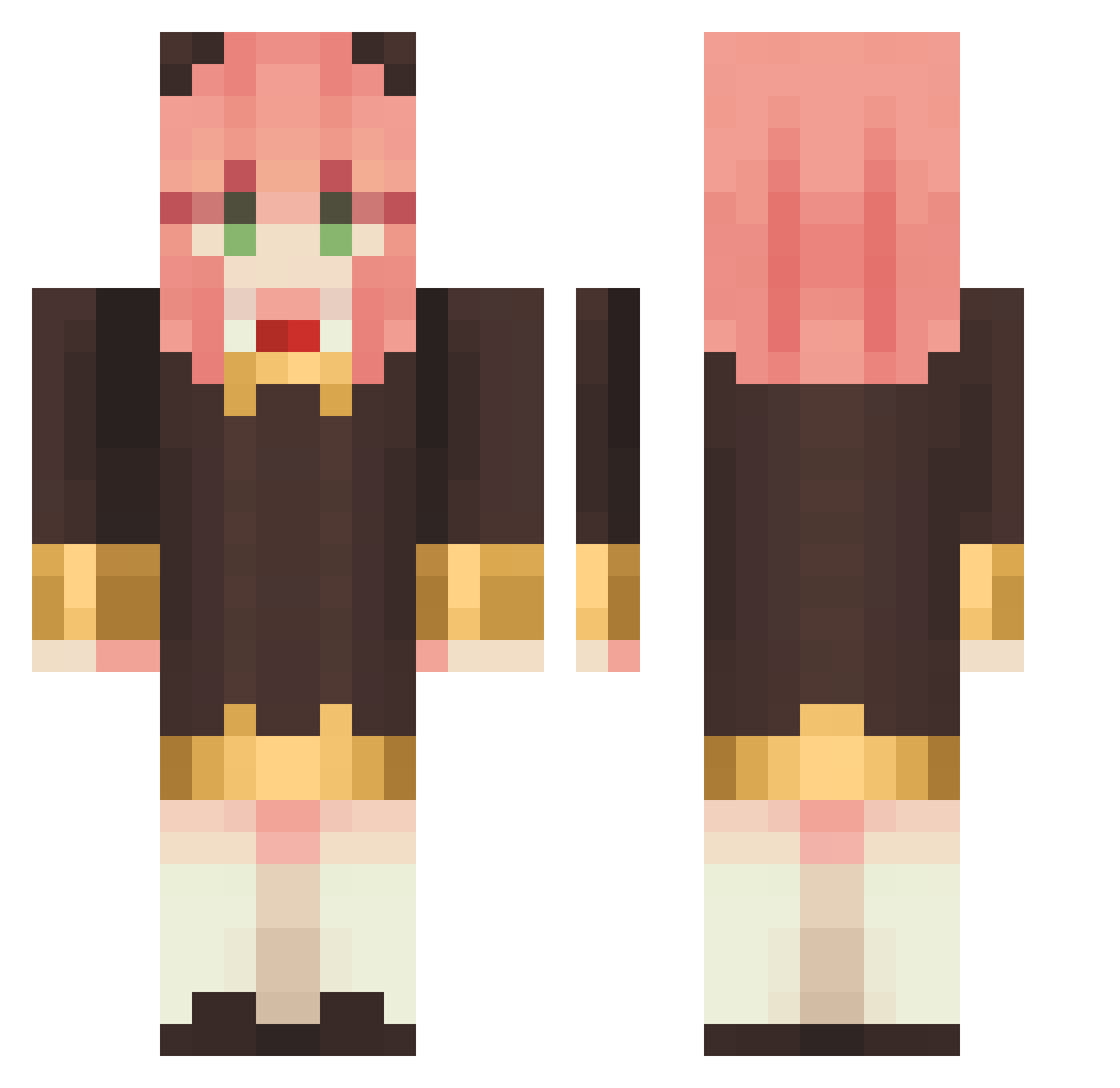
Current Minecraft skin of the player eduzitoo8, loaded from the official Mojang API. Rotate the 3D model with your mouse or finger, then download the skin as a PNG file and use it in Minecraft: Bedrock Edition or Java Edition for free. When eduzitoo8 changes their skin, this page updates automatically and the old skin stays in the history below.
Other players with this skin (1147)
eduzitoo8 was the 419th player we have seen with this skin, first spotted on 06.09.2026. The same skin was seen on these players. Open a nickname to see their current skin and skin history.
 doaaaaaaaah K_PA JanofBlood new_GG52 cmttttttttttt chloe2wen uuu1010 CrozzJinzz ao__sk oonon0721 NakamaShota zhangmi_ AnyaForger__ Rinoruban
 volumeutdn SpokyFps mikutojp clay5o FLAN0547 Momofy Sophia_1029
 Terakomi Irawshima Luizsick sijiminecraft Amairany98 Asubenz hannahswyu Vichinwn CIAAAAAAAA kkmiku S2UwU DD474 chrystaan taeyoonkun Attar_ Baconstrips420 MyNameIsLordTiga ShyRobyS lue02 BBBBenny PapaFlame AoiForger anyagrams Bibiesta Joygame2027 rguaie Fate9154 ivanliu0706 Striker64lp x8o7x SniperBomb1211 ScarletttQueen congoyang calebets2011 AniaForger hungyihan DuNkHann tomato000o ShiroNeko007XD
More Anya Forger Minecraft skins
How to install the eduzitoo8 skin
- Press the Download button above to save the skin as a PNG file.
- Minecraft: Bedrock Edition (PE): open the Dressing Room from the main menu (or tap your character → Edit Character), go to Classic Skins → Owned, press the + (new skin) button, choose the downloaded PNG and pick the Classic (Steve) model. Works on PC and mobile; consoles cannot import custom skins.
- Minecraft: Java Edition: open the Minecraft Launcher, go to the Skins tab, click New Skin, load the PNG, pick the Classic (Steve) model and press Save & Use. You can also upload it at minecraft.net → Profile → Change Skin.
The skin does not show up after import - what should I do?
Restart Minecraft and open the Dressing Room again - imported skins sometimes appear only after a restart. Also make sure you selected the imported skin and picked the Classic (Steve) model.
Which model should I choose, Classic or Slim?
This skin is designed for the Classic (Steve) model. If you pick the wrong model, the arms of the skin will look stretched or squeezed.
Is the skin of eduzitoo8 free to download?
Yes. Press Download, save the PNG file and use it in Minecraft: Bedrock Edition or Java Edition - no payment or registration needed. The skin also works on multiplayer servers and Realms.
More skins
Looking for more? Go back to all Minecraft skins and check the top skins of the week, month and all time, or find any player's skin by nickname.