
edlison - Minecraft Skins & Skin History
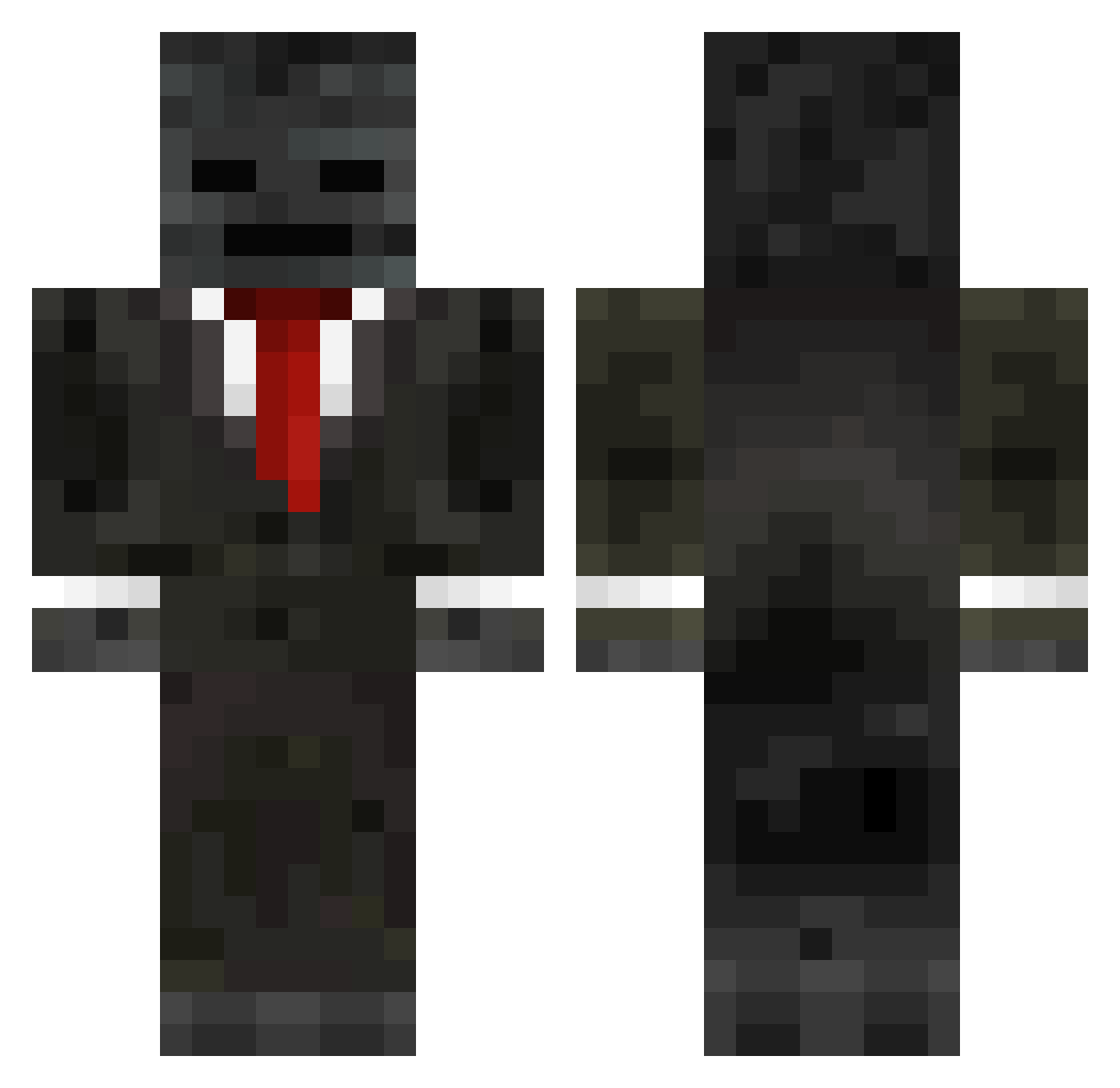
Current Minecraft skin of the player edlison, loaded from the official Mojang API. Rotate the 3D model with your mouse or finger, then download the skin as a PNG file and use it in Minecraft: Bedrock Edition or Java Edition for free. When edlison changes their skin, this page updates automatically and the old skin stays in the history below.
Other players with this skin (249)
edlison was the 136th player we have seen with this skin, first spotted on 22.09.2026. The same skin was seen on these players. Open a nickname to see their current skin and skin history.
 loooyu Alansparoww356 Ahm3t_eren38 memepark13 Billby610 pepe1112005 ThunderScout8 Klatkesiak ilfalcoblu podzio_ Stryker898 Groxjr hwjwcnm Bluekid1 Hexdge TONY8018 ShunnedWeevil59 Gh_osty ArdaJr07 ZakkAttack2012 prorobocraft sigmapolo calebschrein cocoPringles yetty4 zmarcelzp RainbowFrog1738 GrozMC GodGrox Rykerpro poeticss Ryanpieters HHaselton theastralplane rayzz1709 ViscaOlvera mono1233 YOUTING191 brews_ clxps720 DAYIPS Trevorrrrrr Detesting_Sleep _Minecrafters jerrod88jr Karvain WG_rwHurD inoneliya122 p1d0r Fake223 deathangel17 BoLlZ Grox619 Macher1207 BIGBADDADDYx Elliot0402 Musti6129 DanceringCat LAURI5 pimilokiooo
More Wither Skeleton Minecraft skins
See all 409 Wither Skeleton skins
How to install the edlison skin
- Press the Download button above to save the skin as a PNG file.
- Minecraft: Bedrock Edition (PE): open the Dressing Room from the main menu (or tap your character → Edit Character), go to Classic Skins → Owned, press the + (new skin) button, choose the downloaded PNG and pick the Classic (Steve) model. Works on PC and mobile; consoles cannot import custom skins.
- Minecraft: Java Edition: open the Minecraft Launcher, go to the Skins tab, click New Skin, load the PNG, pick the Classic (Steve) model and press Save & Use. You can also upload it at minecraft.net → Profile → Change Skin.
The skin does not show up after import - what should I do?
Restart Minecraft and open the Dressing Room again - imported skins sometimes appear only after a restart. Also make sure you selected the imported skin and picked the Classic (Steve) model.
Which model should I choose, Classic or Slim?
This skin is designed for the Classic (Steve) model. If you pick the wrong model, the arms of the skin will look stretched or squeezed.
Is the skin of edlison free to download?
Yes. Press Download, save the PNG file and use it in Minecraft: Bedrock Edition or Java Edition - no payment or registration needed. The skin also works on multiplayer servers and Realms.
More skins
Looking for more? Go back to all Minecraft skins and check the top skins of the week, month and all time, or find any player's skin by nickname.