
Grox619 - Minecraft Skins & Skin History
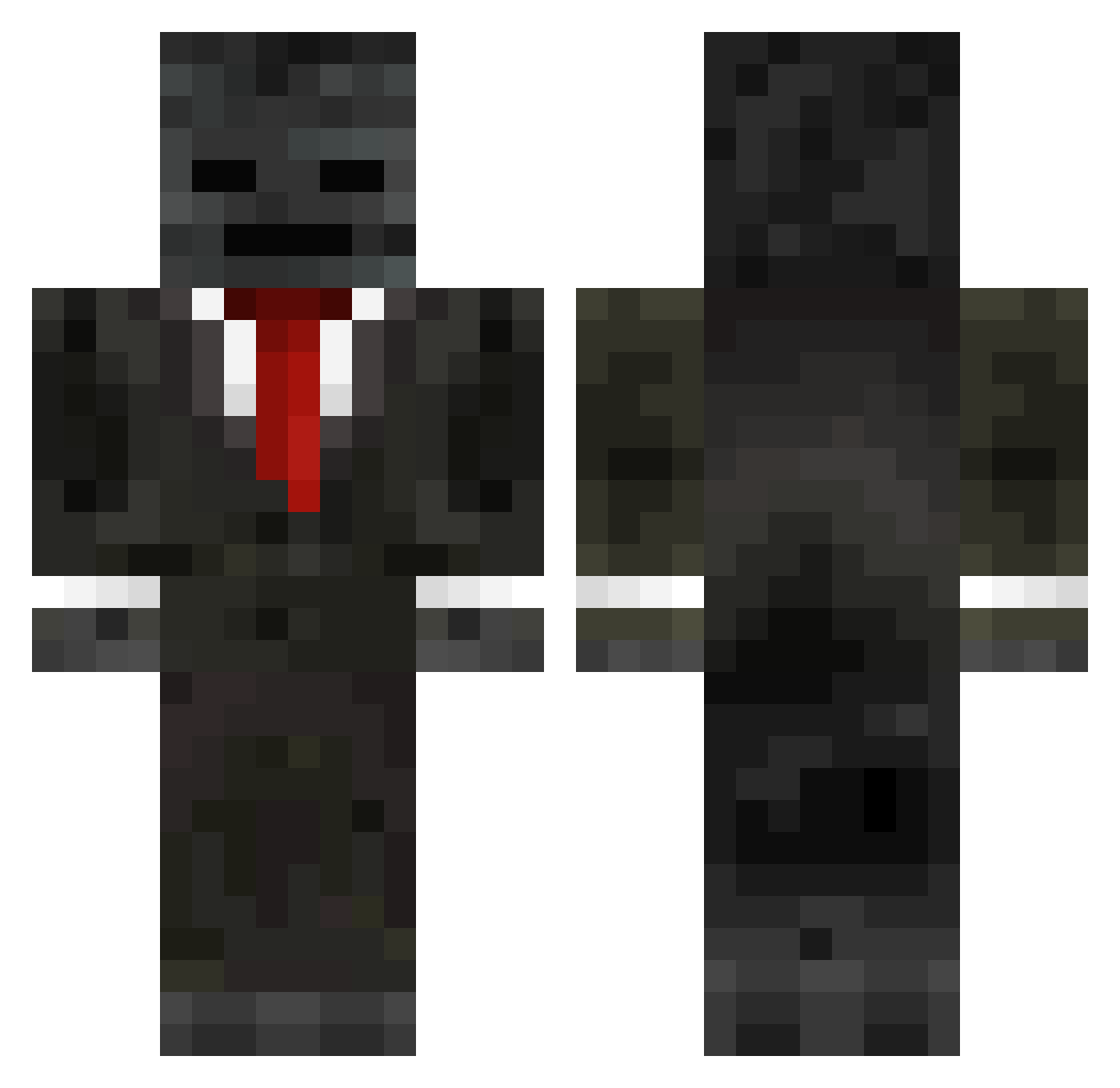
Current Minecraft skin of the player Grox619, loaded from the official Mojang API. Rotate the 3D model with your mouse or finger, then download the skin as a PNG file and use it in Minecraft: Bedrock Edition or Java Edition for free. When Grox619 changes their skin, this page updates automatically and the old skin stays in the history below.
Other players with this skin (249)
Grox619 was the 113th player we have seen with this skin, first spotted on 09.09.2026. The same skin was seen on these players. Open a nickname to see their current skin and skin history.
 BoLlZ Macher1207 BIGBADDADDYx Elliot0402 deathangel17 Fake223 inoneliya122 FatherRobBob Zynjar Bogeymangrunt133
 Senhor_Aurax _Minecrafters NOSgaming3125 Malta525 Detesting_Sleep yamayama805 clxps720 brews_ Mr_ChangXiang YOUTING191 Groxmc142 rayzz1709 SteveSucker MrCloverYT ThTGuY30 ToaFR poeticss
 xpzmshqmffpdlem GodGrox FoxLauncher32 Asso206 cocoPringles Minosprine sigmapolo LobunoLc noahbud1948 Ryberro777 ZakkAttack2012 stanpcmc TONY8018 joobi123 x1no_ nait1280 Assassin1955 hwjwcnm Groxjr Stryker898 Elwinkungbulle Marquito100yo duck_gamer1641 ninepointfive95 civildefense08 ilfalcoblu Billby610 Se7enCraft Ahm3t_eren38 stoalbero edlison loooyu MillyeGuel
More Wither Skeleton Minecraft skins
See all 409 Wither Skeleton skins
How to install the Grox619 skin
- Press the Download button above to save the skin as a PNG file.
- Minecraft: Bedrock Edition (PE): open the Dressing Room from the main menu (or tap your character → Edit Character), go to Classic Skins → Owned, press the + (new skin) button, choose the downloaded PNG and pick the Classic (Steve) model. Works on PC and mobile; consoles cannot import custom skins.
- Minecraft: Java Edition: open the Minecraft Launcher, go to the Skins tab, click New Skin, load the PNG, pick the Classic (Steve) model and press Save & Use. You can also upload it at minecraft.net → Profile → Change Skin.
The skin does not show up after import - what should I do?
Restart Minecraft and open the Dressing Room again - imported skins sometimes appear only after a restart. Also make sure you selected the imported skin and picked the Classic (Steve) model.
Which model should I choose, Classic or Slim?
This skin is designed for the Classic (Steve) model. If you pick the wrong model, the arms of the skin will look stretched or squeezed.
Is the skin of Grox619 free to download?
Yes. Press Download, save the PNG file and use it in Minecraft: Bedrock Edition or Java Edition - no payment or registration needed. The skin also works on multiplayer servers and Realms.
More skins
Looking for more? Go back to all Minecraft skins and check the top skins of the week, month and all time, or find any player's skin by nickname.