
ed67 - Minecraft Skins & Skin History
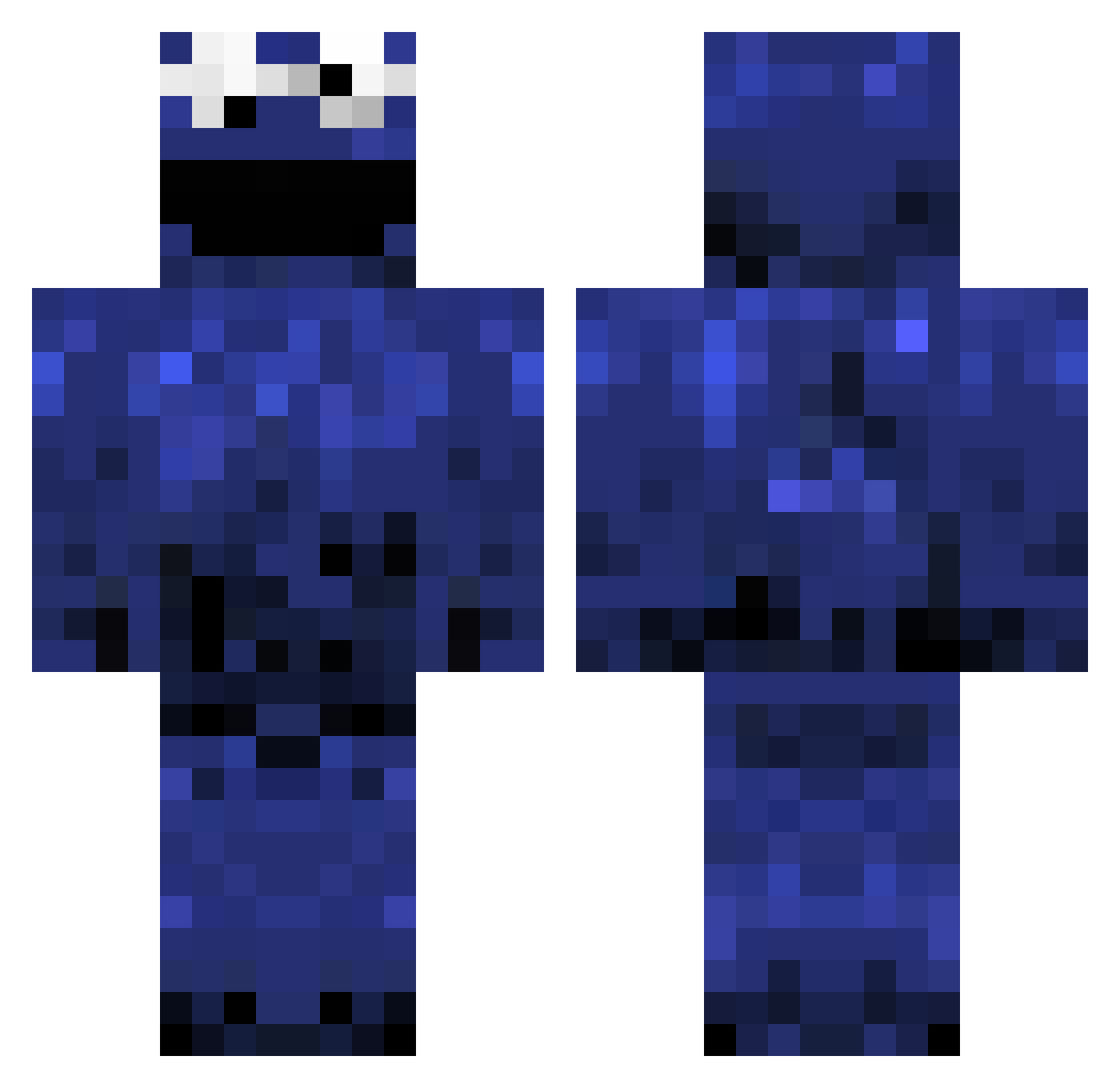
Current Minecraft skin of the player ed67, loaded from the official Mojang API. Rotate the 3D model with your mouse or finger, then download the skin as a PNG file and use it in Minecraft: Bedrock Edition or Java Edition for free. When ed67 changes their skin, this page updates automatically and the old skin stays in the history below.
Other players with this skin (1382)
ed67 was the 1304th player we have seen with this skin, first spotted on 14.11.2026. The same skin was seen on these players. Open a nickname to see their current skin and skin history.
 drunkunicorn CookiemonstretI Verigain Laginha marky0140 Stoooneeur GlennernSurv GezzyMezzy floppyflakes Rileygirl543 BrockObama27 TheRustyChicken Kaosthatstix thriek theSmallturtle hazenlogan Caotina eugenehomie LuddeL97 ratcw75 Katbat465 Scorpio1987 Lazyboy0072 vonderlinp Lellovv Crispyseed Austinflame50 Moomsiemoo chriss1708 detoxic8 branberg Paramour132 FrancescoGFX RamsiHartmann69 BrownNoser Assdestroyer456 bedcoomer drabbermoss99 Liamtheboy17 kissmybutt2001 eivindo PlatypusDork FluffyBlueCow Grover28 JiLlEn samjones1999 Tobleron3 switchxl zzkidmonkeyzz12 cwhealy BLTMommy lolnoms Benji090 CockRockets PepperJellah_ aleksa_jovanovic playing2012 cookie_monsta252 InDesire Dr3adSkin
More Cookie Monster Minecraft skins
See all 320 Cookie Monster skins
How to install the ed67 skin
- Press the Download button above to save the skin as a PNG file.
- Minecraft: Bedrock Edition (PE): open the Dressing Room from the main menu (or tap your character → Edit Character), go to Classic Skins → Owned, press the + (new skin) button, choose the downloaded PNG and pick the Classic (Steve) model. Works on PC and mobile; consoles cannot import custom skins.
- Minecraft: Java Edition: open the Minecraft Launcher, go to the Skins tab, click New Skin, load the PNG, pick the Classic (Steve) model and press Save & Use. You can also upload it at minecraft.net → Profile → Change Skin.
The skin does not show up after import - what should I do?
Restart Minecraft and open the Dressing Room again - imported skins sometimes appear only after a restart. Also make sure you selected the imported skin and picked the Classic (Steve) model.
Which model should I choose, Classic or Slim?
This skin is designed for the Classic (Steve) model. If you pick the wrong model, the arms of the skin will look stretched or squeezed.
Is the skin of ed67 free to download?
Yes. Press Download, save the PNG file and use it in Minecraft: Bedrock Edition or Java Edition - no payment or registration needed. The skin also works on multiplayer servers and Realms.
More skins
Looking for more? Go back to all Minecraft skins and check the top skins of the week, month and all time, or find any player's skin by nickname.