
econs1 - Minecraft Skins & Skin History
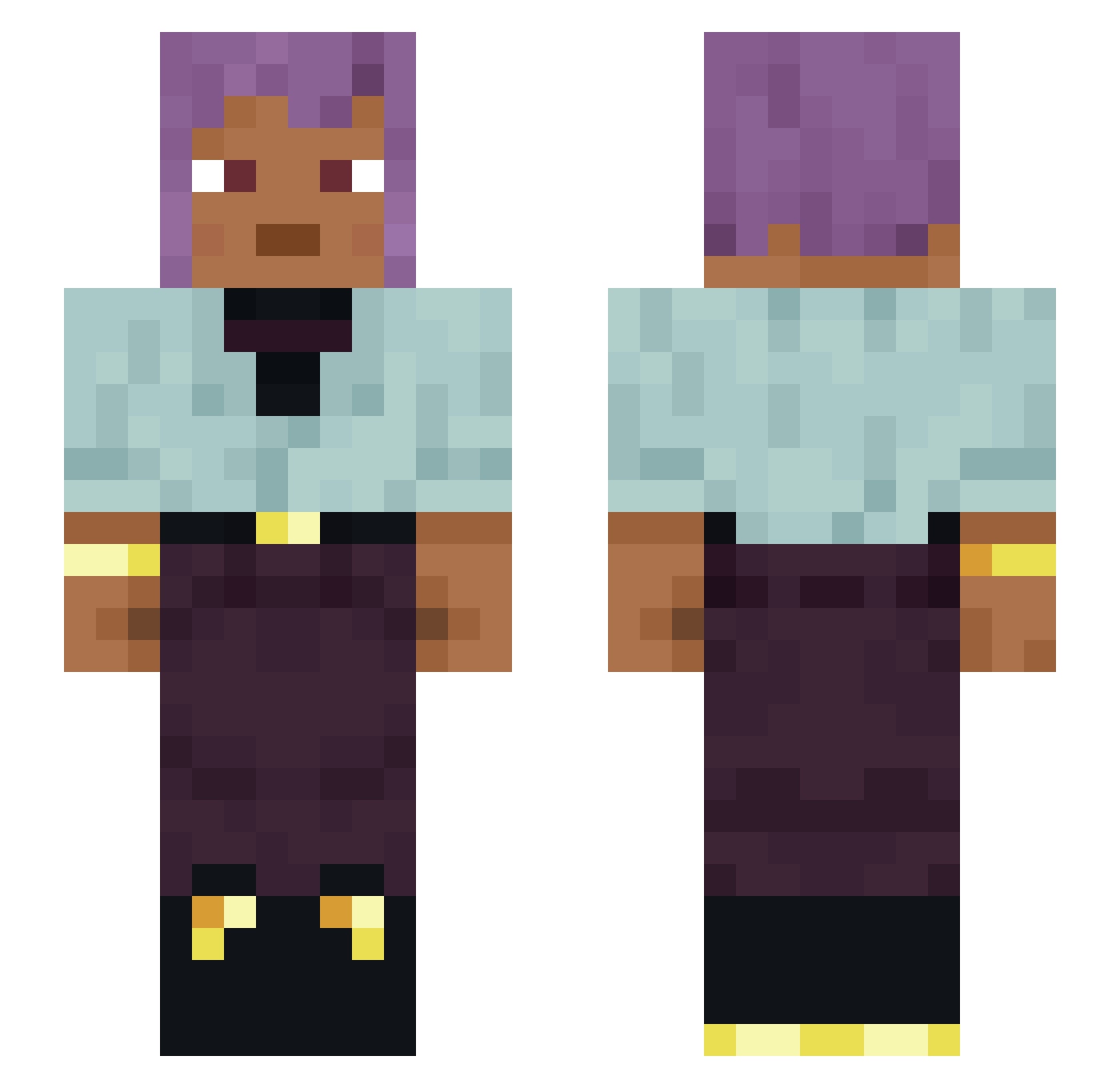
Current Minecraft skin of the player econs1, loaded from the official Mojang API. Rotate the 3D model with your mouse or finger, then download the skin as a PNG file and use it in Minecraft: Bedrock Edition or Java Edition for free. When econs1 changes their skin, this page updates automatically and the old skin stays in the history below.
Other players with this skin (1120)
econs1 was the 15th player we have seen with this skin, first spotted on 23.07.2026. The same skin was seen on these players. Open a nickname to see their current skin and skin history.
 unrequested
 JustLuggi
 Amonli ssejoya JPEGMAFlA yoghurtman Transcendence Girl carone Glaceed TherealJacobyB Metencephalon dlaguswns0917 reaction0
 Bandana ikronoz_ DEXT3R_M0RGAN_ Despoilment Rydic
 Voythic Paxillose Haryungharu Rawbones BGextrem
 Artyom013 WeithzeR BBuik neokatarn norikP0RN0 ANGELO013467902 NexusFromDaHood GamerboyVDW Calcarate Flytrap Birdnest BOSS_Bank h4art
 Scrubini CactiCultivator Embryonary Alessandra ChopKing420 Incepts Polemicist Geoff72 ideating SMricky AuriR Besteal 69dinonuggies360 Bismar punctum Izzarelli39 Kayda7293 IdkTf TheAetherverse cricetus spookryn Winegrower TechnosElbow21
How to install the econs1 skin
- Press the Download button above to save the skin as a PNG file.
- Minecraft: Bedrock Edition (PE): open the Dressing Room from the main menu (or tap your character → Edit Character), go to Classic Skins → Owned, press the + (new skin) button, choose the downloaded PNG and pick the Slim (Alex) model. Works on PC and mobile; consoles cannot import custom skins.
- Minecraft: Java Edition: open the Minecraft Launcher, go to the Skins tab, click New Skin, load the PNG, pick the Slim (Alex) model and press Save & Use. You can also upload it at minecraft.net → Profile → Change Skin.
The skin does not show up after import - what should I do?
Restart Minecraft and open the Dressing Room again - imported skins sometimes appear only after a restart. Also make sure you selected the imported skin and picked the Slim (Alex) model.
Which model should I choose, Classic or Slim?
This skin is designed for the Slim (Alex) model. If you pick the wrong model, the arms of the skin will look stretched or squeezed.
Is the skin of econs1 free to download?
Yes. Press Download, save the PNG file and use it in Minecraft: Bedrock Edition or Java Edition - no payment or registration needed. The skin also works on multiplayer servers and Realms.
More skins
Looking for more? Go back to all Minecraft skins and check the top skins of the week, month and all time, or find any player's skin by nickname.