
e571224 - Minecraft Skins & Skin History
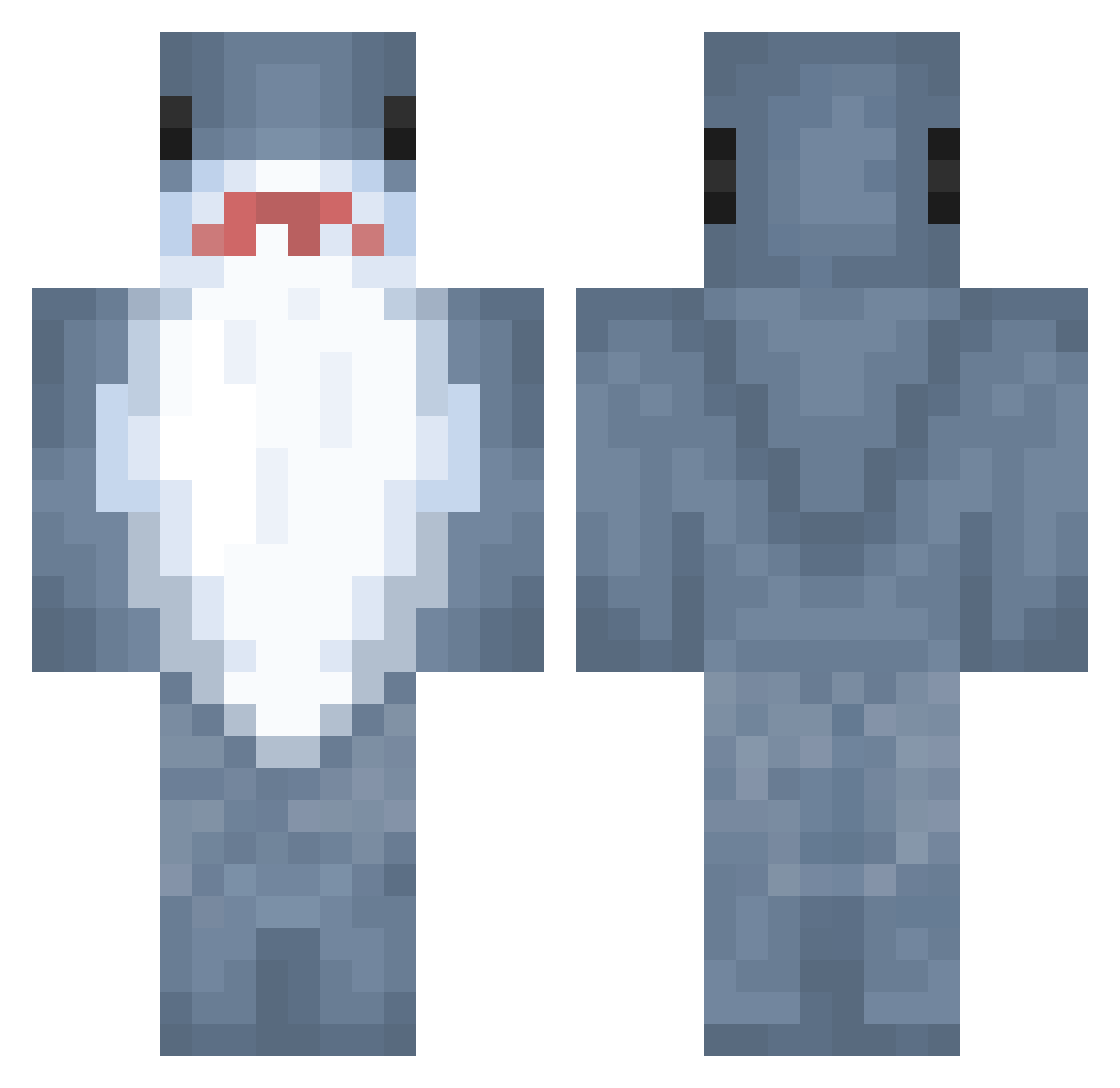
Current Minecraft skin of the player e571224, loaded from the official Mojang API. Rotate the 3D model with your mouse or finger, then download the skin as a PNG file and use it in Minecraft: Bedrock Edition or Java Edition for free. When e571224 changes their skin, this page updates automatically and the old skin stays in the history below.
Other players with this skin (768)
e571224 was the 359th player we have seen with this skin, first spotted on 05.09.2026. The same skin was seen on these players. Open a nickname to see their current skin and skin history.
 Levitasss SWAXHEY JETTSTAR0 Mimisiro FentyWap yichunnnnn ilyyPain trumpin_ svcw VeGa160 WetNappie OrangeChicken26 AiKue UniqueArtist16 audsilvia Akaity jac0rb Landshark2127 elysia1_ Shark_Bait_03 Glitch73 lyshx_ alo24nso LuckyRabbit6163 Lunastime2 __Garp__ BurairAlixoxo zZaco snowrs YT_memedog AsTrisk71 FateSable Shen___Yang s_leepy KinkyShark8981 bigdawgkura inmymotel akikirii Guadah gobanans AR2RO21
 TrojanHrse itsraining7 OhHeiWassup RRooggeerr L3lEves SkySky069 xGhostElite Bacon0426 June2007kr tanuki_00 Pindoz RASHOFORD JackiGoesSnoozz helokittyhasgun dsdguy SirStuka PoopieDoodie69 LilyyLovesLilyy raehittinthehay
More Shark Minecraft skins
How to install the e571224 skin
- Press the Download button above to save the skin as a PNG file.
- Minecraft: Bedrock Edition (PE): open the Dressing Room from the main menu (or tap your character → Edit Character), go to Classic Skins → Owned, press the + (new skin) button, choose the downloaded PNG and pick the Classic (Steve) model. Works on PC and mobile; consoles cannot import custom skins.
- Minecraft: Java Edition: open the Minecraft Launcher, go to the Skins tab, click New Skin, load the PNG, pick the Classic (Steve) model and press Save & Use. You can also upload it at minecraft.net → Profile → Change Skin.
The skin does not show up after import - what should I do?
Restart Minecraft and open the Dressing Room again - imported skins sometimes appear only after a restart. Also make sure you selected the imported skin and picked the Classic (Steve) model.
Which model should I choose, Classic or Slim?
This skin is designed for the Classic (Steve) model. If you pick the wrong model, the arms of the skin will look stretched or squeezed.
Is the skin of e571224 free to download?
Yes. Press Download, save the PNG file and use it in Minecraft: Bedrock Edition or Java Edition - no payment or registration needed. The skin also works on multiplayer servers and Realms.
More skins
Looking for more? Go back to all Minecraft skins and check the top skins of the week, month and all time, or find any player's skin by nickname.