
dylancoolasbeans - Minecraft Skins & Skin History
Current Minecraft skin of the player dylancoolasbeans, loaded from the official Mojang API. Rotate the 3D model with your mouse or finger, then download the skin as a PNG file and use it in Minecraft: Bedrock Edition or Java Edition for free. When dylancoolasbeans changes their skin, this page updates automatically and the old skin stays in the history below.
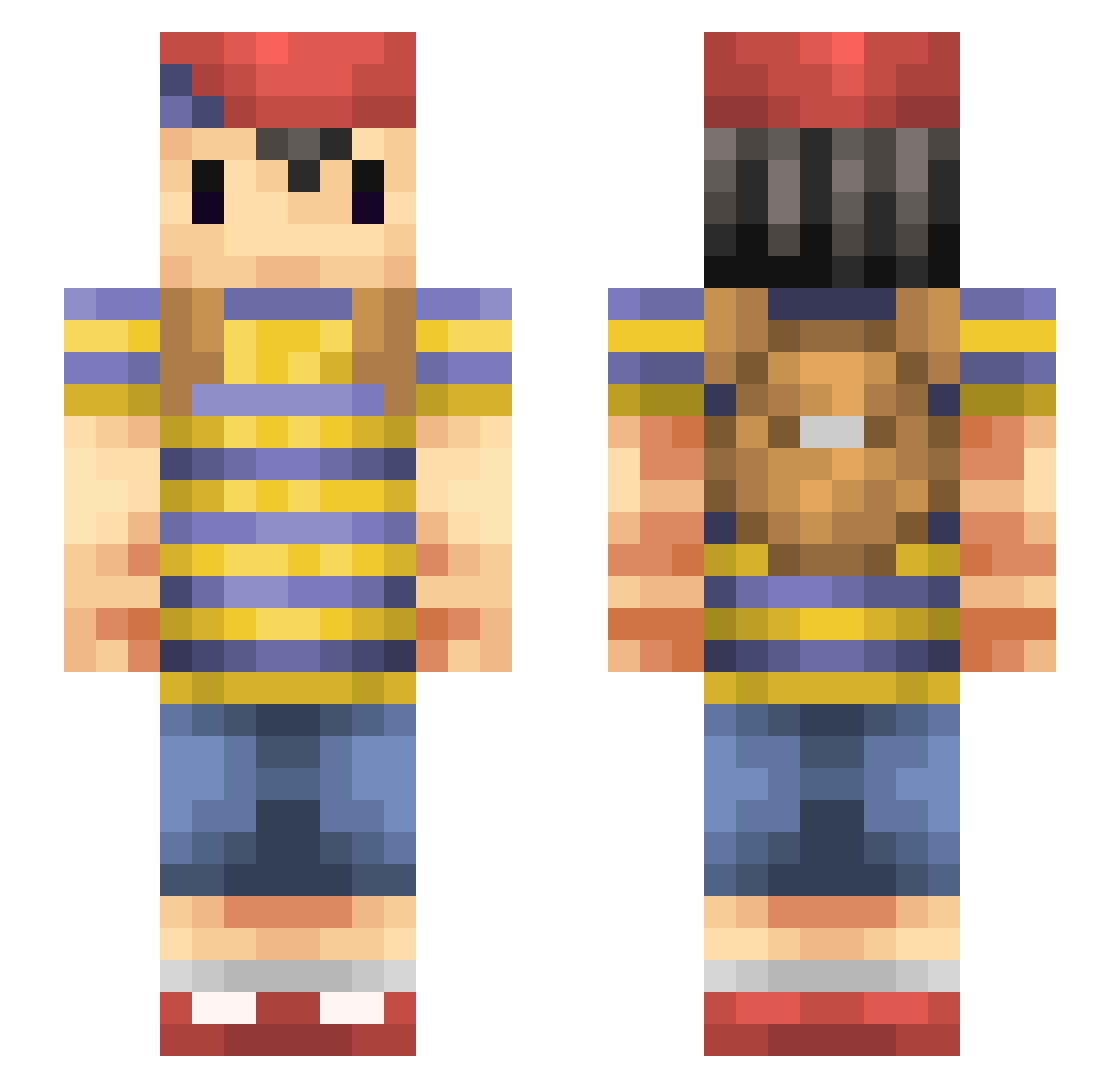
Other players with this skin (152)
dylancoolasbeans was the 27th player we have seen with this skin, first spotted on 12.08.2026. The same skin was seen on these players. Open a nickname to see their current skin and skin history.
 Nexplo Claus267 PkWhatever Traav337 yoshymimi Nessyboio aiantosu Ziko64 5ouper Ness_1994 Ciprianulus YUKKUN4126 Varounard alzLoL _Bailey_Boi Totality_ MasterRickard Cirlum mouse626 17cruzc ReidVicious Anoobin PtO39 Kiwachan_ Tynk_snpy D_Pad29 PVO459 WTFvHndIdtAoB954 lOC660 NadisVEVO HarveyFresh GoyardGodFather PelhamoftheStars PedroBentoo03 AndrewCaiazzo _koslo_
 LucidXO mee_JIN keuhkokuume OskiBomba Dystrum KnuckleSandwich_ El_BCRA ComboBreaker1 N_YHJ ResClassic
 AlexWoods5 Ayeetaz Keke0702 GR96 slayer6400 mandarine514 cosmoslip space_olli Justin_qq TLSmuth Cobramike217 Saugglocke26 MinerBoy75 LunarHiro
More Mother Minecraft skins
How to install the dylancoolasbeans skin
- Press the Download button above to save the skin as a PNG file.
- Minecraft: Bedrock Edition (PE): open the Dressing Room from the main menu (or tap your character → Edit Character), go to Classic Skins → Owned, press the + (new skin) button, choose the downloaded PNG and pick the Slim (Alex) model. Works on PC and mobile; consoles cannot import custom skins.
- Minecraft: Java Edition: open the Minecraft Launcher, go to the Skins tab, click New Skin, load the PNG, pick the Slim (Alex) model and press Save & Use. You can also upload it at minecraft.net → Profile → Change Skin.
The skin does not show up after import - what should I do?
Restart Minecraft and open the Dressing Room again - imported skins sometimes appear only after a restart. Also make sure you selected the imported skin and picked the Slim (Alex) model.
Which model should I choose, Classic or Slim?
This skin is designed for the Slim (Alex) model. If you pick the wrong model, the arms of the skin will look stretched or squeezed.
Is the skin of dylancoolasbeans free to download?
Yes. Press Download, save the PNG file and use it in Minecraft: Bedrock Edition or Java Edition - no payment or registration needed. The skin also works on multiplayer servers and Realms.
More skins
Looking for more? Go back to all Minecraft skins and check the top skins of the week, month and all time, or find any player's skin by nickname.