
dustain - Minecraft Skins & Skin History
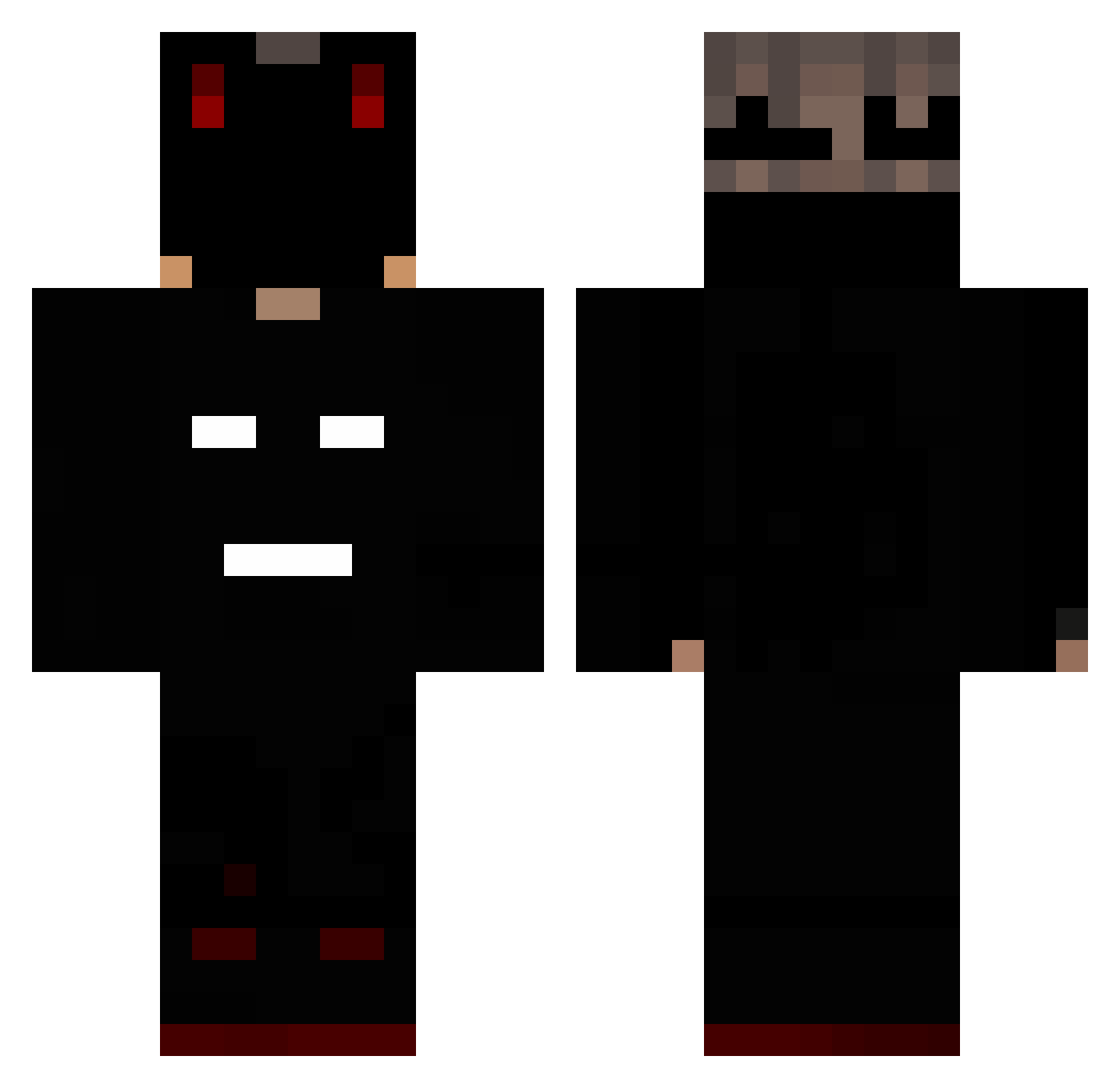
Current Minecraft skin of the player dustain, loaded from the official Mojang API. Rotate the 3D model with your mouse or finger, then download the skin as a PNG file and use it in Minecraft: Bedrock Edition or Java Edition for free. When dustain changes their skin, this page updates automatically and the old skin stays in the history below.
Other players with this skin (220)
dustain was the 187th player we have seen with this skin, first spotted on 29.10.2026. The same skin was seen on these players. Open a nickname to see their current skin and skin history.
 TheElektroniks AsianTobacco Megabrawler60 CokeSnuivertje TanToeThijs DuskyPanda_ Shlumppp flizify Menox420 ImReacher mc_syp1l1s GlitchyMC123 Basketbrain VIK_Shopbank LordMigaru Firecry_ ZegMaarOwenn TTV_Zane bananitasuper01u I3BDO ExpoChaos Ahmed_IFR Lotten0aster1 VeNuS_YT PadokaWrxx Ma20La Taco_Tortilla07 garura70 NichtVersace Enderzx Nudders sog_xy slodkawariatka zBoney Eduardo_Perez szufla_TM Jatyqom777 You_da_bbang_2 Kouttz_RS miyazon09 SheepMaster249 Be2niasty Lev0r seces123 segway1212 Zensaya Ku_ro_no Brokenknight0 R0tts Rainbolt6 Mihai187 mlqaldi_ Velbon KabaxSama Corecracker Omicron_Gamma Koderotagi21 CraftSemy C4T4L1N Marq_1
More Mask Minecraft skins
How to install the dustain skin
- Press the Download button above to save the skin as a PNG file.
- Minecraft: Bedrock Edition (PE): open the Dressing Room from the main menu (or tap your character → Edit Character), go to Classic Skins → Owned, press the + (new skin) button, choose the downloaded PNG and pick the Classic (Steve) model. Works on PC and mobile; consoles cannot import custom skins.
- Minecraft: Java Edition: open the Minecraft Launcher, go to the Skins tab, click New Skin, load the PNG, pick the Classic (Steve) model and press Save & Use. You can also upload it at minecraft.net → Profile → Change Skin.
The skin does not show up after import - what should I do?
Restart Minecraft and open the Dressing Room again - imported skins sometimes appear only after a restart. Also make sure you selected the imported skin and picked the Classic (Steve) model.
Which model should I choose, Classic or Slim?
This skin is designed for the Classic (Steve) model. If you pick the wrong model, the arms of the skin will look stretched or squeezed.
Is the skin of dustain free to download?
Yes. Press Download, save the PNG file and use it in Minecraft: Bedrock Edition or Java Edition - no payment or registration needed. The skin also works on multiplayer servers and Realms.
More skins
Looking for more? Go back to all Minecraft skins and check the top skins of the week, month and all time, or find any player's skin by nickname.