
ducky22455 - Minecraft Skins & Skin History
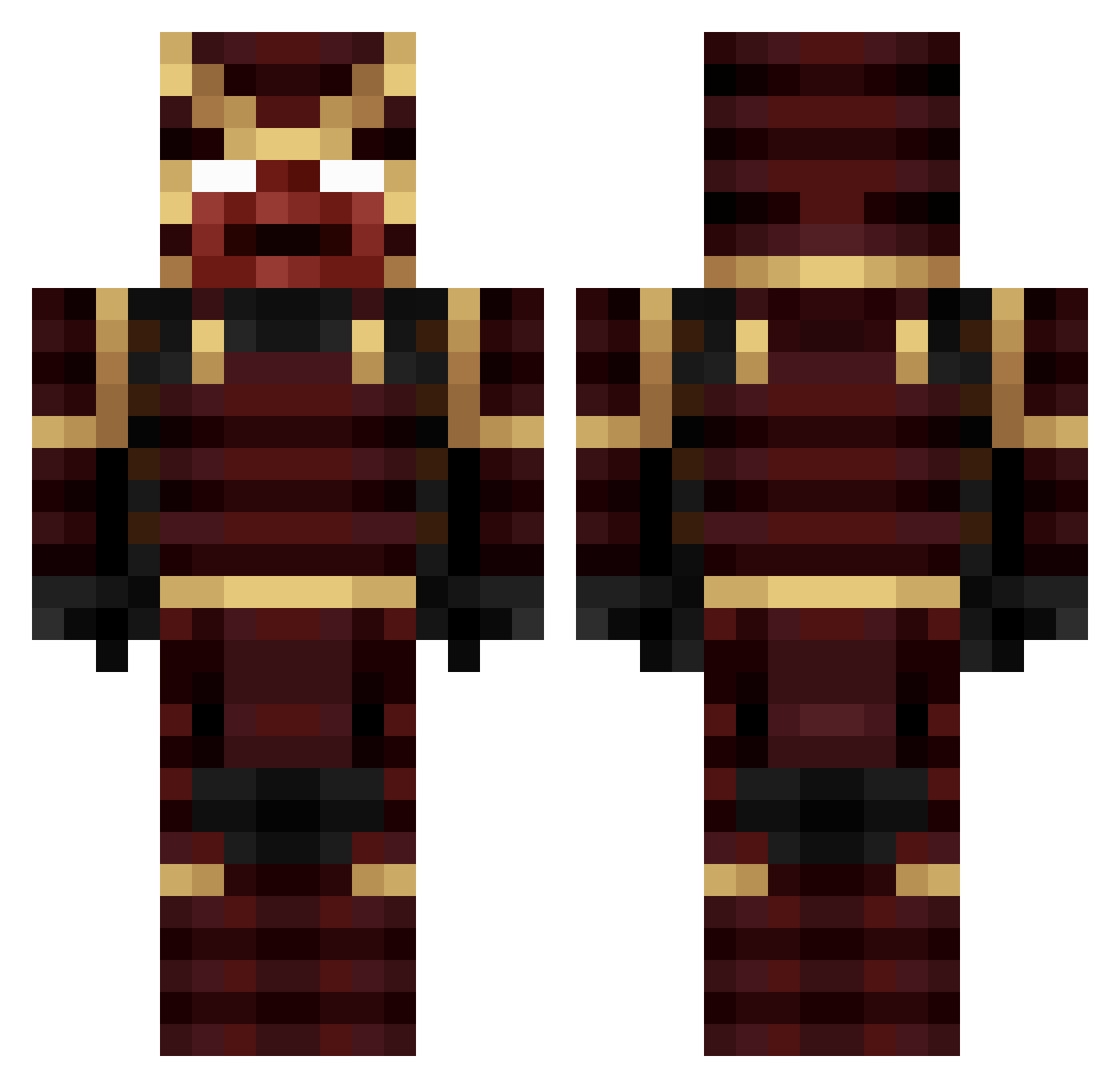
Current Minecraft skin of the player ducky22455, loaded from the official Mojang API. Rotate the 3D model with your mouse or finger, then download the skin as a PNG file and use it in Minecraft: Bedrock Edition or Java Edition for free. When ducky22455 changes their skin, this page updates automatically and the old skin stays in the history below.
Other players with this skin (274)
ducky22455 was the 49th player we have seen with this skin, first spotted on 17.08.2026. The same skin was seen on these players. Open a nickname to see their current skin and skin history.
 ShadowFury01 Zephyrioux azif77 Sensei_Corndog Sakai_Jin3 Frreezing OMEGA_WEEB drrax1 Eggsnake12 Yo_MaMa_420 TheOriginalVu TinyMonkey332 Kr3yn
 rogerioo OrhanM4 RW1444 Frvtm JhonesBR _x_Draco_x_ UWUnoodles euros764 Relic_YT Slownessing SamuraiFen BowlingKongen Cj1804 Yukine_kun AfroShogun bitdfu DonnieDragon05 MysticalCowPig prodiz1234 marci0804 DzigokuDemon ItsShotaro FUZION51 KaiserHailstorm deadlyfeet2315 DRArchieSchwarz TJGamer21_YT LightsMagic jimih3ndr1x Astro749 PurreOG Gabriel_Aiji Biontir BENJARABOT MahiMC Orochimaru81 EldenSamurai wsidiwsidiwsidi D4ni3l BigDaddyJethro ankatarina potatocogadh RealEtherium Passu08 VHR2112 Allobert Sage_Splat
More Juggernaut Minecraft skins
How to install the ducky22455 skin
- Press the Download button above to save the skin as a PNG file.
- Minecraft: Bedrock Edition (PE): open the Dressing Room from the main menu (or tap your character → Edit Character), go to Classic Skins → Owned, press the + (new skin) button, choose the downloaded PNG and pick the Classic (Steve) model. Works on PC and mobile; consoles cannot import custom skins.
- Minecraft: Java Edition: open the Minecraft Launcher, go to the Skins tab, click New Skin, load the PNG, pick the Classic (Steve) model and press Save & Use. You can also upload it at minecraft.net → Profile → Change Skin.
The skin does not show up after import - what should I do?
Restart Minecraft and open the Dressing Room again - imported skins sometimes appear only after a restart. Also make sure you selected the imported skin and picked the Classic (Steve) model.
Which model should I choose, Classic or Slim?
This skin is designed for the Classic (Steve) model. If you pick the wrong model, the arms of the skin will look stretched or squeezed.
Is the skin of ducky22455 free to download?
Yes. Press Download, save the PNG file and use it in Minecraft: Bedrock Edition or Java Edition - no payment or registration needed. The skin also works on multiplayer servers and Realms.
More skins
Looking for more? Go back to all Minecraft skins and check the top skins of the week, month and all time, or find any player's skin by nickname.