
domicraft123 - Minecraft Skins & Skin History
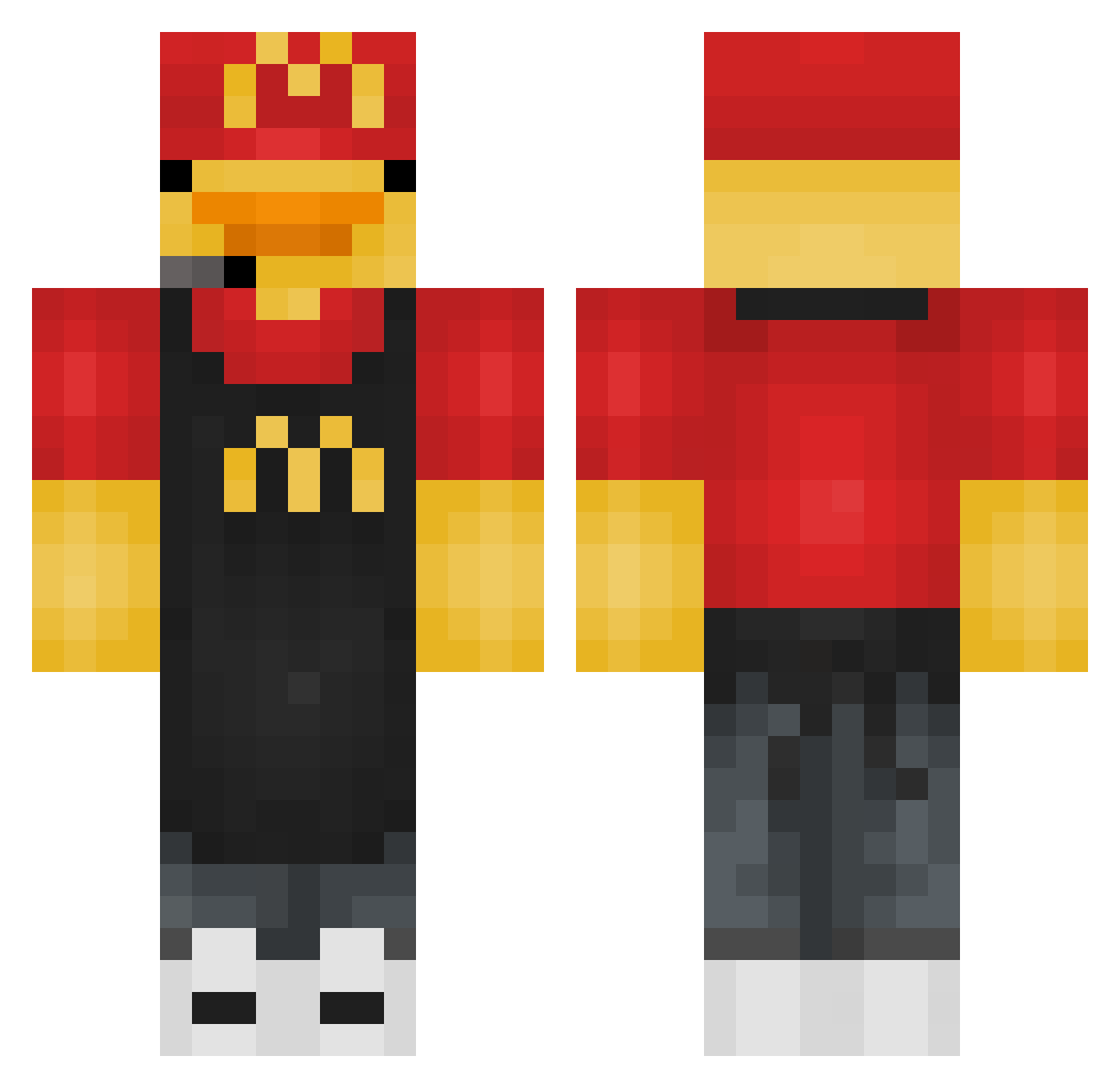
Current Minecraft skin of the player domicraft123, loaded from the official Mojang API. Rotate the 3D model with your mouse or finger, then download the skin as a PNG file and use it in Minecraft: Bedrock Edition or Java Edition for free. When domicraft123 changes their skin, this page updates automatically and the old skin stays in the history below.
Other players with this skin (275)
domicraft123 was the 31st player we have seen with this skin, first spotted on 29.07.2026. The same skin was seen on these players. Open a nickname to see their current skin and skin history.
 waterpluf_ Sonic21iAmSpeed Lexw9 Mukki0815 medo1223
 savageshay19 mason1212m sstanewaa_ MaxGott SaNdaLioO06 SillySalmonboy KESHLEEE The_PIG30
 KayaCPVP am1hawk Sapphire1148 Jamal9279 mr_pigthing thuthuy FrytkaNooB Heeman118 zeyzhan ExertedYT P1uo klaskanie Talbam
 Ccrxsh DuNgEoNmAn566 cookiewookie3 ErdoganZamur Ypsecc Liuphy Creeper6434 BeardedMoose4 Ollsn cullen_1 Gerddiegurkeghg vozelf PMIN_KR Cyclone1200 l0velylobster Ratalouie_ Cocopuffs1234 HY90 pelote1717 Taxkz FrostyMooon DanStan519 UsualyDiamanten SonicVsShadow Compy1 raph019 4c137 Srclaudinhoo Knapik88 wikisiki0803 OJ_slime Kire9002 KoJiWon D1Killua
More Headset Minecraft skins
How to install the domicraft123 skin
- Press the Download button above to save the skin as a PNG file.
- Minecraft: Bedrock Edition (PE): open the Dressing Room from the main menu (or tap your character → Edit Character), go to Classic Skins → Owned, press the + (new skin) button, choose the downloaded PNG and pick the Classic (Steve) model. Works on PC and mobile; consoles cannot import custom skins.
- Minecraft: Java Edition: open the Minecraft Launcher, go to the Skins tab, click New Skin, load the PNG, pick the Classic (Steve) model and press Save & Use. You can also upload it at minecraft.net → Profile → Change Skin.
The skin does not show up after import - what should I do?
Restart Minecraft and open the Dressing Room again - imported skins sometimes appear only after a restart. Also make sure you selected the imported skin and picked the Classic (Steve) model.
Which model should I choose, Classic or Slim?
This skin is designed for the Classic (Steve) model. If you pick the wrong model, the arms of the skin will look stretched or squeezed.
Is the skin of domicraft123 free to download?
Yes. Press Download, save the PNG file and use it in Minecraft: Bedrock Edition or Java Edition - no payment or registration needed. The skin also works on multiplayer servers and Realms.
More skins
Looking for more? Go back to all Minecraft skins and check the top skins of the week, month and all time, or find any player's skin by nickname.