
doldaga - Minecraft Skins & Skin History
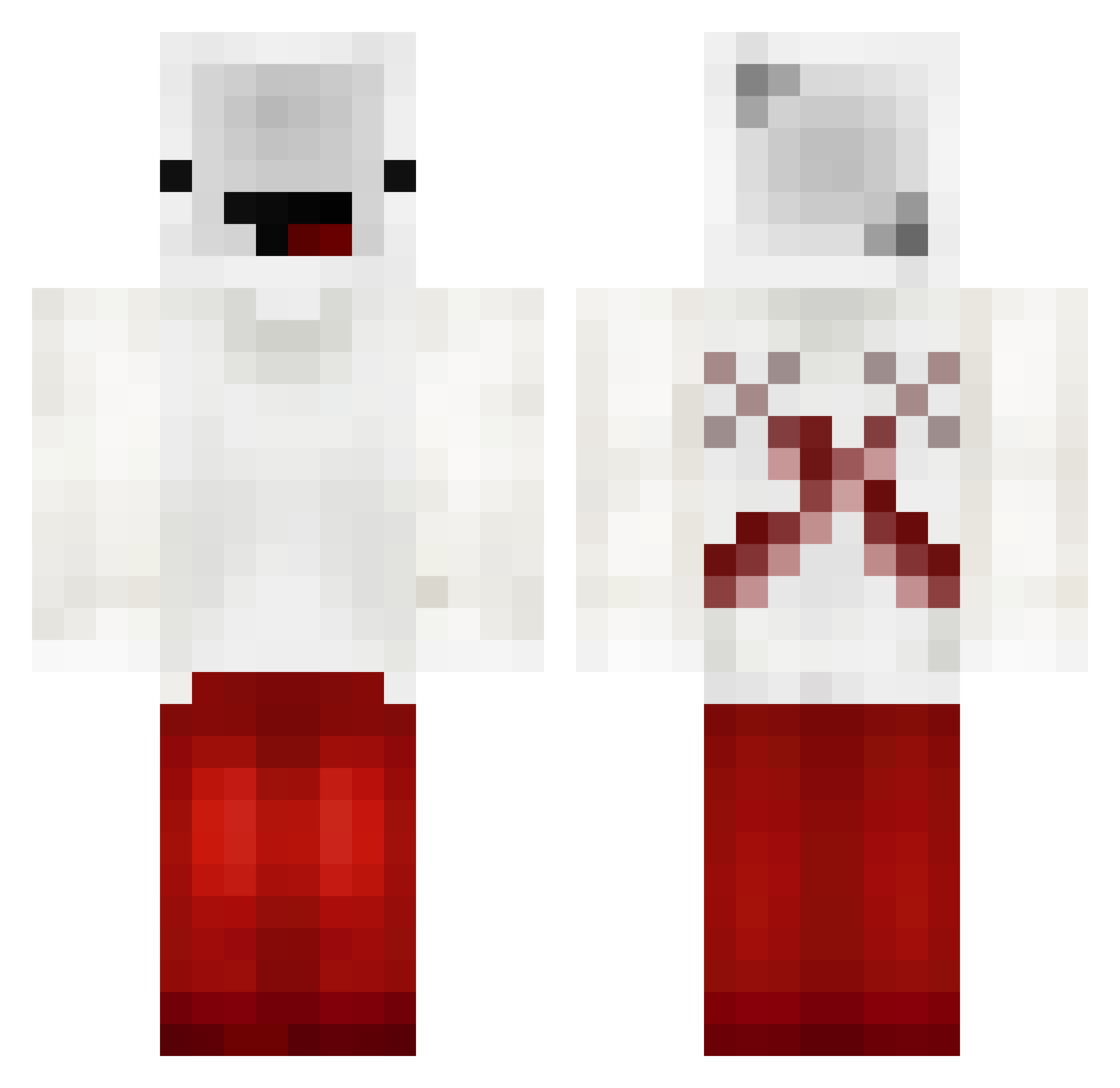
Current Minecraft skin of the player doldaga, loaded from the official Mojang API. Rotate the 3D model with your mouse or finger, then download the skin as a PNG file and use it in Minecraft: Bedrock Edition or Java Edition for free. When doldaga changes their skin, this page updates automatically and the old skin stays in the history below.
Other players with this skin (196)
doldaga was the 134th player we have seen with this skin, first spotted on 06.10.2026. The same skin was seen on these players. Open a nickname to see their current skin and skin history.
 Ehwhatsupdock Donniee1 Harveylmfao Always08 Ghoulz27 GermanlessNoob NeighborCooler Henry_Stickman51 Ax1Leus FixDream_2101 __krypted__ fnagle No_mangos Merzier1 jayleif ItzRapha_ senniorss MobileWasTaken BedlessMooB TzSquid435 MrHege1268 psfn ItzAfzal69 Crewchip PsychoLyfe LNC_lucas Caillou_furtif StreetGames BeansOnToastie Suryansh_ BananaMC Cujor IamNoah_ ScftPctato2 Pacosator UltramanFun73 SuboiPoo BruhScer Turtlecop02 NicoTedddy noam07110 Spectre_Minus Kiweisa Ritawang123 NotBedlessHonest ryguddu GodBridgerNoob Not_ToG kruczekk7 JacsMan7 FixedMicrobe108 rohithjk Cleamentz RubRubIsWatching Erivkk DogWaterSenpai Ace0fSp4de pluto_zero ethann313 JugeToth
More Cross Minecraft skins
How to install the doldaga skin
- Press the Download button above to save the skin as a PNG file.
- Minecraft: Bedrock Edition (PE): open the Dressing Room from the main menu (or tap your character → Edit Character), go to Classic Skins → Owned, press the + (new skin) button, choose the downloaded PNG and pick the Classic (Steve) model. Works on PC and mobile; consoles cannot import custom skins.
- Minecraft: Java Edition: open the Minecraft Launcher, go to the Skins tab, click New Skin, load the PNG, pick the Classic (Steve) model and press Save & Use. You can also upload it at minecraft.net → Profile → Change Skin.
The skin does not show up after import - what should I do?
Restart Minecraft and open the Dressing Room again - imported skins sometimes appear only after a restart. Also make sure you selected the imported skin and picked the Classic (Steve) model.
Which model should I choose, Classic or Slim?
This skin is designed for the Classic (Steve) model. If you pick the wrong model, the arms of the skin will look stretched or squeezed.
Is the skin of doldaga free to download?
Yes. Press Download, save the PNG file and use it in Minecraft: Bedrock Edition or Java Edition - no payment or registration needed. The skin also works on multiplayer servers and Realms.
More skins
Looking for more? Go back to all Minecraft skins and check the top skins of the week, month and all time, or find any player's skin by nickname.