
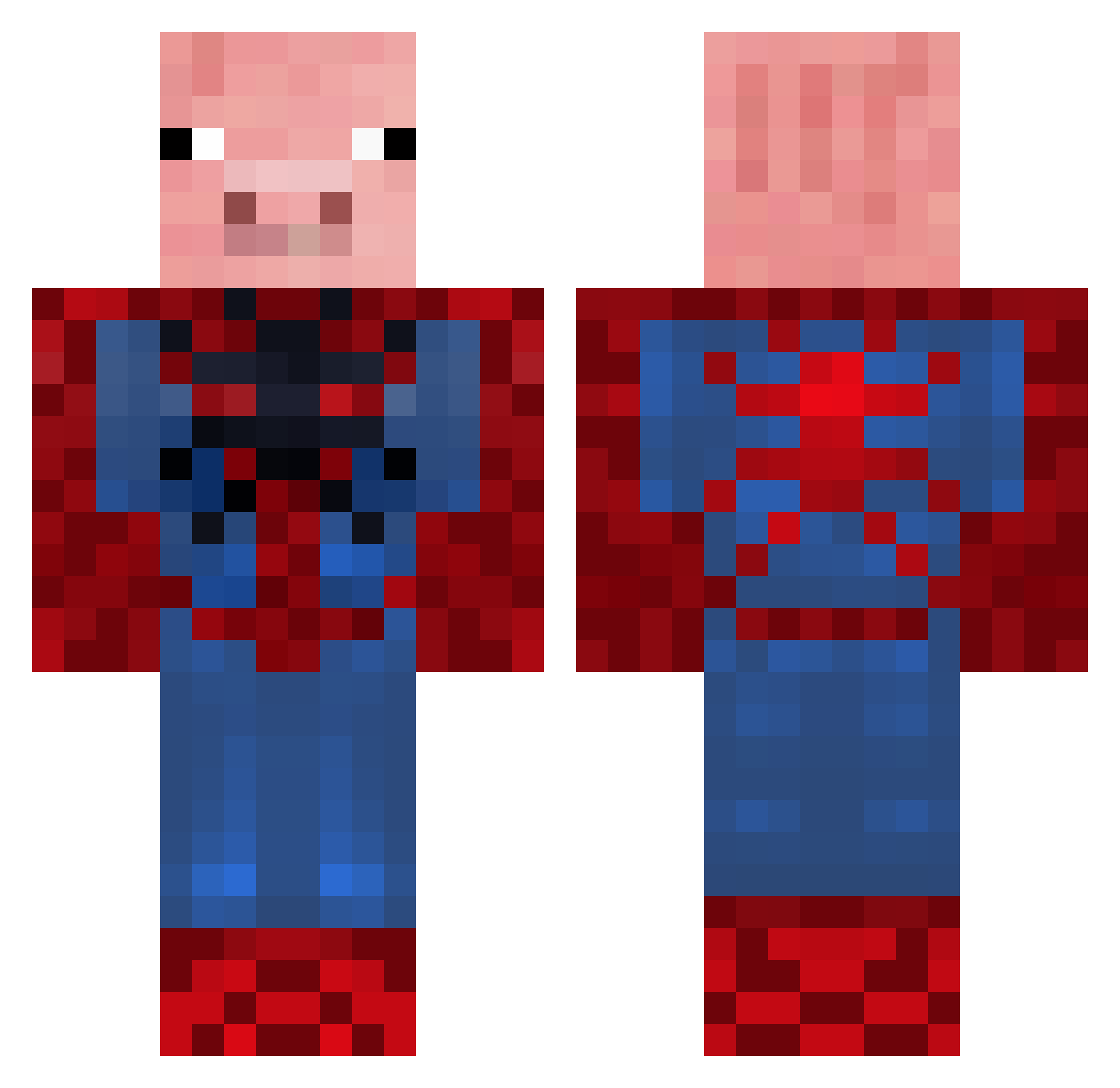
Current Minecraft skin of the player dmh5, loaded from the official Mojang API. Rotate the 3D model with your mouse or finger, then download the skin as a PNG file and use it in Minecraft: Bedrock Edition or Java Edition for free. When dmh5 changes their skin, this page updates automatically and the old skin stays in the history below.
Other players with this skin (97)
dmh5 was the 6th player we have seen with this skin, first spotted on 28.07.2026. The same skin was seen on these players. Open a nickname to see their current skin and skin history.
 corkstormy Smomma19 Joyyyyy99 mishu33 Tooson24 zShoTT lilpotato142 livycuh mynamedemetrius cheeseheadass Pawa_13 Spiderpig364 Spiderpig2362 ElTioTalon Swxxfty fatherlesscaller F4RK93 Kiven1721 tiqquipue PopTartPhantom ThzeNathhh Zootedskater Pigster01 Nodun gaon9777 CCC44 aaaadouch biggs12345 RRRRUA X_SpiderPig_X epicrosie13 pindypoo brenicow StanR_ Rubikns mygo55 Tj0ps LinkyJean NOHASTEWART iarara jamieb_ kaidynmc Mawmaw1244 L_gary Trace2887 ogstealth CoolaBoola11 itzvicstar rtracew SlimePuppy888 hctisllabym jazeLL67 whitepig1 05SK22 mangoman105 L_T MISTER_chicken03 Tadashento Chris27984 Spider_pig
More Pig Minecraft skins
How to install the dmh5 skin
- Press the Download button above to save the skin as a PNG file.
- Minecraft: Bedrock Edition (PE): open the Dressing Room from the main menu (or tap your character → Edit Character), go to Classic Skins → Owned, press the + (new skin) button, choose the downloaded PNG and pick the Classic (Steve) model. Works on PC and mobile; consoles cannot import custom skins.
- Minecraft: Java Edition: open the Minecraft Launcher, go to the Skins tab, click New Skin, load the PNG, pick the Classic (Steve) model and press Save & Use. You can also upload it at minecraft.net → Profile → Change Skin.
The skin does not show up after import - what should I do?
Restart Minecraft and open the Dressing Room again - imported skins sometimes appear only after a restart. Also make sure you selected the imported skin and picked the Classic (Steve) model.
Which model should I choose, Classic or Slim?
This skin is designed for the Classic (Steve) model. If you pick the wrong model, the arms of the skin will look stretched or squeezed.
Is the skin of dmh5 free to download?
Yes. Press Download, save the PNG file and use it in Minecraft: Bedrock Edition or Java Edition - no payment or registration needed. The skin also works on multiplayer servers and Realms.
More skins
Looking for more? Go back to all Minecraft skins and check the top skins of the week, month and all time, or find any player's skin by nickname.