
dmckilla - Minecraft Skins & Skin History
Current Minecraft skin of the player dmckilla, loaded from the official Mojang API. Rotate the 3D model with your mouse or finger, then download the skin as a PNG file and use it in Minecraft: Bedrock Edition or Java Edition for free. When dmckilla changes their skin, this page updates automatically and the old skin stays in the history below.
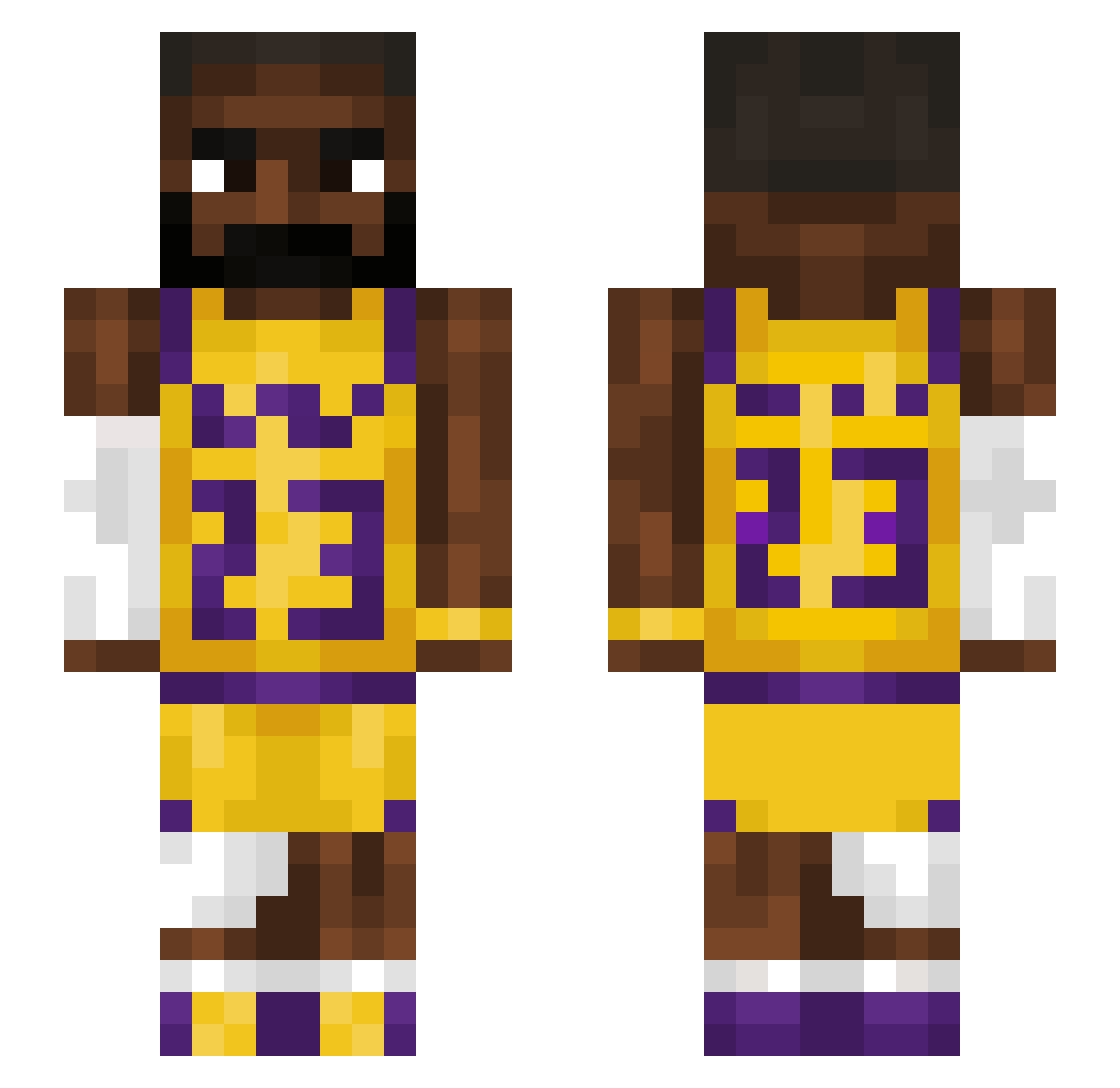
Other players with this skin (1225)
dmckilla was the 202nd player we have seen with this skin, first spotted on 09.08.2026. The same skin was seen on these players. Open a nickname to see their current skin and skin history.
 Jann mRmUffins08 Rain_2000 TheBigBoyBaller Ptzschi_ QuantumBeckett VilkkuVV vnmjfdv FL_fuchi Mualan s4mn0rth Posturing yourmothersmelly Bipeef Mansor5 gennicles KefeDoko marcitos_tacitos Pogberrr09 YoAariz name_1539 TacoBradyyy moldychese nuttymanugoat Dr4ke145 skyalla KapitanGwapo Thotmvs
 MedinaXVZ
 k0Zaq Veggieburger445 niekieboy1 BabyKeen1124 _Icewind_ HeResJer0m3 Goatt33 Covo_Jr JokingMisfitz kkssuo mekiyell poggrgaemr
 LeBeav JoseAparicio67 MAWRO0 PotionGulper G0ATssss Somine28 louieeeee Monsterbrot Pesk123 Noah3230 VietAnhLEBRONFAN EzPvPPro ISISbomber32 PastTurtle42462 lilhypr baconkloss2 Fluxui simiminii
 boiplaynoam
More Lakers Minecraft skins
How to install the dmckilla skin
- Press the Download button above to save the skin as a PNG file.
- Minecraft: Bedrock Edition (PE): open the Dressing Room from the main menu (or tap your character → Edit Character), go to Classic Skins → Owned, press the + (new skin) button, choose the downloaded PNG and pick the Slim (Alex) model. Works on PC and mobile; consoles cannot import custom skins.
- Minecraft: Java Edition: open the Minecraft Launcher, go to the Skins tab, click New Skin, load the PNG, pick the Slim (Alex) model and press Save & Use. You can also upload it at minecraft.net → Profile → Change Skin.
The skin does not show up after import - what should I do?
Restart Minecraft and open the Dressing Room again - imported skins sometimes appear only after a restart. Also make sure you selected the imported skin and picked the Slim (Alex) model.
Which model should I choose, Classic or Slim?
This skin is designed for the Slim (Alex) model. If you pick the wrong model, the arms of the skin will look stretched or squeezed.
Is the skin of dmckilla free to download?
Yes. Press Download, save the PNG file and use it in Minecraft: Bedrock Edition or Java Edition - no payment or registration needed. The skin also works on multiplayer servers and Realms.
More skins
Looking for more? Go back to all Minecraft skins and check the top skins of the week, month and all time, or find any player's skin by nickname.