
dinengolem - Minecraft Skins & Skin History
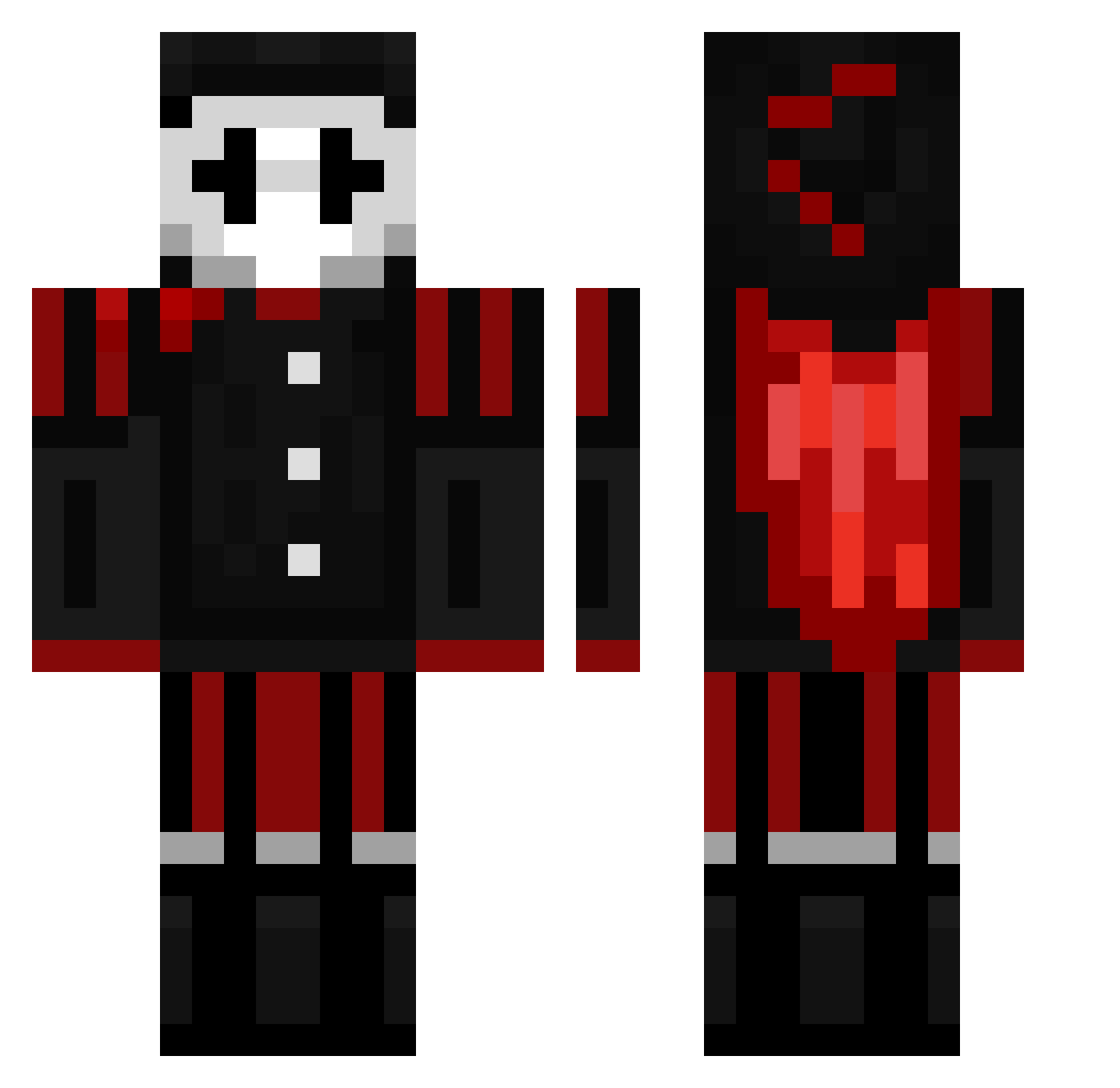
Current Minecraft skin of the player dinengolem, loaded from the official Mojang API. Rotate the 3D model with your mouse or finger, then download the skin as a PNG file and use it in Minecraft: Bedrock Edition or Java Edition for free. When dinengolem changes their skin, this page updates automatically and the old skin stays in the history below.
Other players with this skin (163)
dinengolem was the 85th player we have seen with this skin, first spotted on 17.09.2026. The same skin was seen on these players. Open a nickname to see their current skin and skin history.
 palikkaukk0 MONKEYaap Marlovww brutterboot Kazutix Fate_T0xicYT Darkyodasaurio MinecraftuserYT freind123 sirkeen987 DaveyCraft123 Monking7825 zwieberdevos Maxminer2 ReRedstoneMaster Dystoopia ItzLikez GoodeFAM11 HimyNmisHP x0rro Satarieon RehaRiho DGodoyB xhorus772 BEUMAS CakeyGames5 playerc2091967 swifftPeak zimcard614 Sermor24 WearyOrca Kyagur2011 Bonkerzzzzzzzz 8x3b Ultimate_Friend alphaclicks RW155 Leoxx SlimSwimz Nate_Trooper Aleksa2591 Zoro_3swordstyle darksouls132312 Honkeldonk Sonofgingernut DR0Z3 ShellardC Jester_Penitrate YH045 kobe12354 sn8tch ArcRewind Corruped_Fox TrxpzzJP Skitzynyx Syndromine Golemcraft SGTCHUCKY Ninjanic17 GoldDRogerXd
More Harlequin Minecraft skins
How to install the dinengolem skin
- Press the Download button above to save the skin as a PNG file.
- Minecraft: Bedrock Edition (PE): open the Dressing Room from the main menu (or tap your character → Edit Character), go to Classic Skins → Owned, press the + (new skin) button, choose the downloaded PNG and pick the Classic (Steve) model. Works on PC and mobile; consoles cannot import custom skins.
- Minecraft: Java Edition: open the Minecraft Launcher, go to the Skins tab, click New Skin, load the PNG, pick the Classic (Steve) model and press Save & Use. You can also upload it at minecraft.net → Profile → Change Skin.
The skin does not show up after import - what should I do?
Restart Minecraft and open the Dressing Room again - imported skins sometimes appear only after a restart. Also make sure you selected the imported skin and picked the Classic (Steve) model.
Which model should I choose, Classic or Slim?
This skin is designed for the Classic (Steve) model. If you pick the wrong model, the arms of the skin will look stretched or squeezed.
Is the skin of dinengolem free to download?
Yes. Press Download, save the PNG file and use it in Minecraft: Bedrock Edition or Java Edition - no payment or registration needed. The skin also works on multiplayer servers and Realms.
More skins
Looking for more? Go back to all Minecraft skins and check the top skins of the week, month and all time, or find any player's skin by nickname.